

Loading...
Sign in / Sign up

The Future of AI Assistants: Why Monobot Is Already Ahead of the Curve

Just a few years ago, AI assistants were treated as optional add-ons — nice to have, not essential.
Fast-forward to 2025, and the reality has shifted: AI voice and chat assistants are becoming core infrastructure for communication, automation, and customer experience.

We’re now at a point where AI is no longer a prototype — it’s becoming the new normal. And companies building today’s AI assistants are shaping how businesses and people will communicate in the next decade.

Here are the biggest trends shaping the industry — and how Monobot fits into this evolution.

1️⃣ Voice Is Making a Comeback — And This Time, It’s Leading

Text-based chatbots dominated early AI adoption. But the most natural way humans communicate is voice — fast, intuitive, emotional.

Recent advances in speech recognition and real-time processing made voice not just possible, but pleasant and practical.

Modern voice assistants can:

  • Understand accents and informal speech
  • Respond without noticeable delay
  • Recognize intent, not just keywords
  • Maintain natural, back-and-forth dialogue

📌 Monobot is built with voice at its core, not as an afterthought — which gives it a technological advantage as the market shifts.

2️⃣ Omnichannel Is No Longer a Feature — It’s a Standard

Customers expect to speak with a business where they already are — not where the company decides.

The new model is:

The channel doesn’t matter — the conversation continues.

Whether someone starts via phone, website chat, SMS, or messaging apps, the assistant should follow seamlessly.

📍 Monobot already supports:

  • Voice calls
  • Web chat
  • SMS
  • Social platforms and messengers

No context lost. No repeated questions. No friction.

3️⃣ No-Code + AI Logic Is Replacing Traditional Development

Traditional automation required developers, long implementation cycles, and high maintenance costs.

Now, the expectation is:

Create and adjust automation visually — without writing code.

This speeds up deployment dramatically.

📌 With Monobot Flows, teams can:

  • Build complex conversational logic
  • Route calls or messages
  • Connect external systems
  • Use dynamic conditions and personalized responses

—all without needing engineering resources.

4️⃣ AI Assistants Are Becoming Doers — Not Just Responders

The biggest shift is functional.

We’ve moved from:

❌ Bots that answer questions
to
✅ AI agents that complete tasks.

Today’s AI assistants:

  • Book appointments
  • Create CRM records
  • Confirm orders
  • Trigger automated workflows
  • Integrate with APIs
  • Update business systems

💡Monobot belongs to this new category of action-driven AI agents — not text-based FAQ responders.

5️⃣ Hybrid Intelligence: AI + Human = Best Possible Customer Experience

Automation does not mean replacing people — it means using humans where they matter most.

The future is hybrid.

AI handles:

✔️ repetitive tasks
✔️ high-volume inquiries
✔️ predictable workflows

A human steps in when:

⚠️ context is complex
⚠️ emotional decisions matter
⚠️ expertise is required

Seamless handoff is key — and Monobot preserves full conversation context when switching to a live agent.

6️⃣ Personalization Is Replacing Scripted Responses

Customers expect conversations that feel tailored — not robotic.

AI assistants now use:

  • Past conversation history
  • Customer preferences
  • Intent recognition
  • Tone and emotional cues

—to adapt responses in real time.

Monobot leverages contextual memory and intent modeling to deliver personal, relevant, human-like interactions.

🔮 The Era of Intelligent AI Agents Has Begun

We are moving into a world where AI assistants:

  • Speak naturally
  • Understand context
  • Operate across channels
  • Trigger real business actions
  • Learn and improve over time

They’re no longer “tools.”
They’re becoming digital teammates.

And Monobot isn’t waiting for the future — it’s building it.
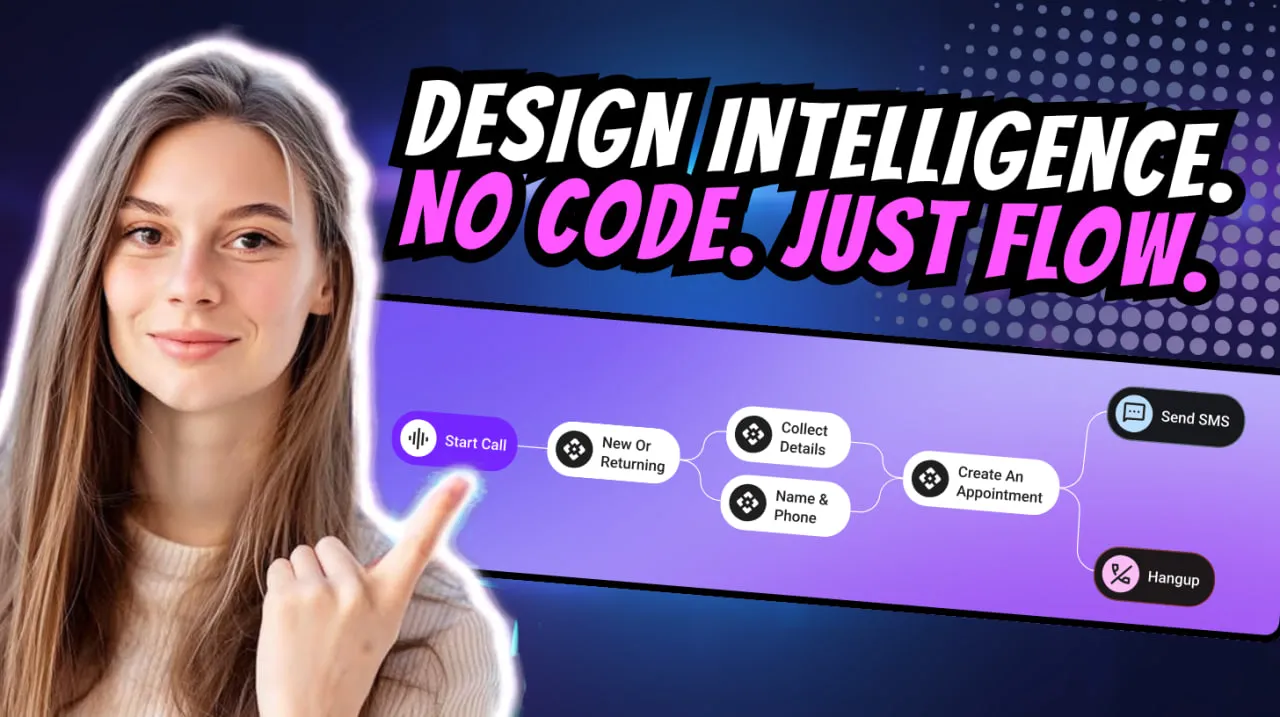
Monobot Flows: AI Agents for Any Business

We’re excited to dive into a detailed walkthrough of Monobot Flows — the no-code automation engine inside the Monobot CX platform that empowers businesses to build intelligent voice and chat agents with custom workflows. (Watch the original webinar here: Monobot Flows Explained YouTube)

What are Monobot Flows?

Monobot Flows are visual workflow builders that allow you to map out conversation logic, trigger actions, integrate external systems and automate outcomes — all without writing a line of code.
With Flows you can:

  • Define triggers (incoming chat, voice call, SMS)
  • Set conditions (“if/else” logic)
  • Route to different paths (send email, create ticket, transfer call)
  • Integrate with CRM, databases or external APIs
  • End the conversation or escalate to a human agent

Why they matter for any business

Building agents is one thing — making them powerful and business-aware is quite another. Monobot Flows turn your agent from a reactive responder into a proactive workflow engine.
Here’s how:

  • Speed & scalability: Create and deploy new workflows in minutes, add new use-cases without heavy IT overhead.
  • Consistency & accuracy: Logic flows ensure the same steps happen every time, reducing errors and manual handoffs.
  • Business integration: Agents don’t just chat — they act. They pull or push data, trigger actions, update systems.
  • Cross-industry flexibility: Whether it’s logistics, customer support, brokerage, or e-commerce — Flows adapt to your processes.

How to get started with Monobot Flows

Here’s a step-by-step approach drawn from the webinar:

  1. Log into Monobot CX → navigate to the Automation Flows section.
  2. Choose a trigger: e.g., an incoming chat message “What is my order status?”.
  3. Build the steps: ask clarifying questions, check database for order number, decide next step.
  4. Link actions: route to CRM, send SMS update or transfer to live agent if needed.
  5. Set conditions: if order delayed → send apology + voucher; else → send confirmation.
  6. Connect integrations: CRM, ERP, helpdesk or any REST-API endpoint.
  7. Finalise and publish: test your flow, monitor performance and iterate.

Real-world examples

  • Logistics company: Incoming call “Where is my shipment?” → Flow checks tracking system → returns status automatically or transfers to live rep if exception.
  • Brokerage firm: Chat “What’s the duty on my shipment?” → Flow triggers calculation logic, retrieves HS-code, returns estimate or schedules live consultation.
  • SaaS support desk: New ticket in chat “I can’t login” → Flow asks for account ID, verifies through API, sends password reset link automatically and closes or escalates if still unresolved.

Pro tips for designing effective Flows

  • Keep branching logic simple: excessive if/else makes maintenance hard.
  • Monitor analytics: use Monobot dashboard to track how many interactions follow the Flow, time to resolution, escalation rate.
  • Update frequently: business rules evolve — your Flows must too.
  • Use templates: Monobot offers pre-built templates for common industries — adapt these rather than starting from scratch.
  • Design for human-handoff: ensure there’s a clear path from automation to human agent when needed.

The bottom line

Monobot Flows transform Monobot CX from a conversational platform into a true digital workforce — automating voice, chat and SMS workflows that span multiple systems and deliver real business outcomes. For companies seeking efficiency, scale and smart automation, this is a game-changer.

If you’re ready to build your next generation of AI agents — book a demo and see Flows in action: Book a personal demo