
Loading...
Sign in / Sign up

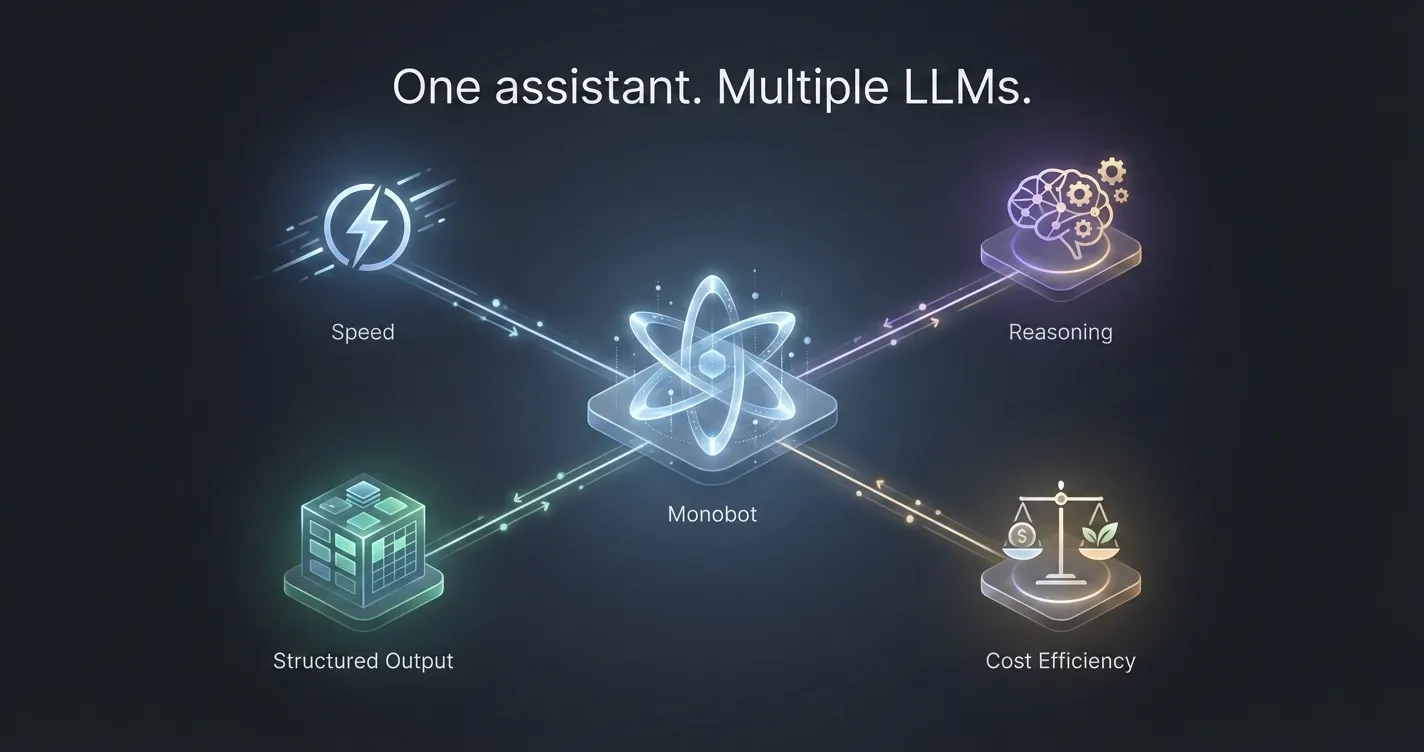
Why Using Multiple LLMs Matters — and How Monobot Chooses the Right Model for Every Task

Large Language Models (LLMs) are the foundation of modern AI assistants.
But one of the most common misconceptions in the market is this:

“Just pick the best LLM — and everything will work.”

In reality, no single LLM is best at everything.

Different tasks require different strengths:
speed, reasoning depth, cost efficiency, multilingual support, or structured output.

That’s why Monobot is designed to work with multiple LLMs, selecting the right model for each specific job — instead of forcing everything through one.

One Model ≠ One Solution

LLMs vary significantly in how they perform:

  • Some are faster but less precise
  • Some reason deeply but are slower
  • Some are great at conversation, others at structured data
  • Some are cost-efficient at scale, others are premium

Using one model for all scenarios often leads to trade-offs:

  • higher costs
  • slower responses
  • lower accuracy in critical flows

In production environments, these trade-offs matter.

How Monobot Uses Multiple LLMs

Monobot is built as a model-agnostic platform, which means:

  • We are not locked into a single provider
  • Different models can be assigned to different tasks
  • Models can be swapped or updated without redesigning the system

This flexibility allows Monobot to adapt as models evolve — and they evolve fast.

Matching the Model to the Task

Here’s how multiple LLMs are typically used inside Monobot:

1. Conversational Flow & Voice Interactions

Some tasks prioritize:

  • low latency
  • natural dialogue
  • stable conversational tone

For these, Monobot can use models optimized for real-time interaction, especially in voice scenarios where delays break the experience.

2. Reasoning-Heavy or Decision-Based Tasks

Other scenarios require:

  • multi-step reasoning
  • intent disambiguation
  • complex logic validation

In these cases, Monobot can route requests to more advanced reasoning models, ensuring accuracy over speed.

3. Structured Outputs & Business Actions

When the assistant needs to:

  • extract structured data
  • validate inputs
  • trigger workflows
  • call APIs

The priority is consistency and reliability, not creativity.

Monobot assigns models that perform best with:

  • schema-based outputs
  • deterministic responses
  • strict formatting

4. Cost-Optimized High-Volume Requests

Not every interaction requires a top-tier model.

For:

  • repetitive questions
  • simple confirmations
  • status updates

Monobot can use lighter, more cost-efficient models, dramatically reducing operational costs at scale.

Why This Matters in Production

Using multiple LLMs is not about flexibility for developers —
it’s about stability, performance, and cost control for businesses.

With a multi-model approach, Monobot can:

  • reduce latency where speed matters
  • improve accuracy where mistakes are expensive
  • scale without exploding costs
  • avoid dependency on a single vendor
  • adapt instantly as better models appear

This is especially critical for voice assistants, customer support, and automation-heavy workflows.

Future-Proof by Design

The LLM landscape changes monthly.

New models appear.
Existing ones improve or decline.
Pricing shifts.
Capabilities evolve.

Monobot is designed so that the assistant stays stable even when models change.

Businesses don’t need to rebuild their logic every time the AI ecosystem moves forward — Monobot absorbs that complexity.

Final Thoughts

The future of AI assistants is not about choosing the best LLM.

It’s about building systems that can:

  • use the right model for the right task
  • evolve without breaking
  • stay efficient, accurate, and reliable in production

That’s why Monobot uses multiple LLMs — and why this approach matters far more than most people realize.

The Future of AI Assistants: Why Monobot Is Already Ahead of the Curve

Just a few years ago, AI assistants were treated as optional add-ons — nice to have, not essential.
Fast-forward to 2025, and the reality has shifted: AI voice and chat assistants are becoming core infrastructure for communication, automation, and customer experience.

We’re now at a point where AI is no longer a prototype — it’s becoming the new normal. And companies building today’s AI assistants are shaping how businesses and people will communicate in the next decade.

Here are the biggest trends shaping the industry — and how Monobot fits into this evolution.

1️⃣ Voice Is Making a Comeback — And This Time, It’s Leading

Text-based chatbots dominated early AI adoption. But the most natural way humans communicate is voice — fast, intuitive, emotional.

Recent advances in speech recognition and real-time processing made voice not just possible, but pleasant and practical.

Modern voice assistants can:

  • Understand accents and informal speech
  • Respond without noticeable delay
  • Recognize intent, not just keywords
  • Maintain natural, back-and-forth dialogue

📌 Monobot is built with voice at its core, not as an afterthought — which gives it a technological advantage as the market shifts.

2️⃣ Omnichannel Is No Longer a Feature — It’s a Standard

Customers expect to speak with a business where they already are — not where the company decides.

The new model is:

The channel doesn’t matter — the conversation continues.

Whether someone starts via phone, website chat, SMS, or messaging apps, the assistant should follow seamlessly.

📍 Monobot already supports:

  • Voice calls
  • Web chat
  • SMS
  • Social platforms and messengers

No context lost. No repeated questions. No friction.

3️⃣ No-Code + AI Logic Is Replacing Traditional Development

Traditional automation required developers, long implementation cycles, and high maintenance costs.

Now, the expectation is:

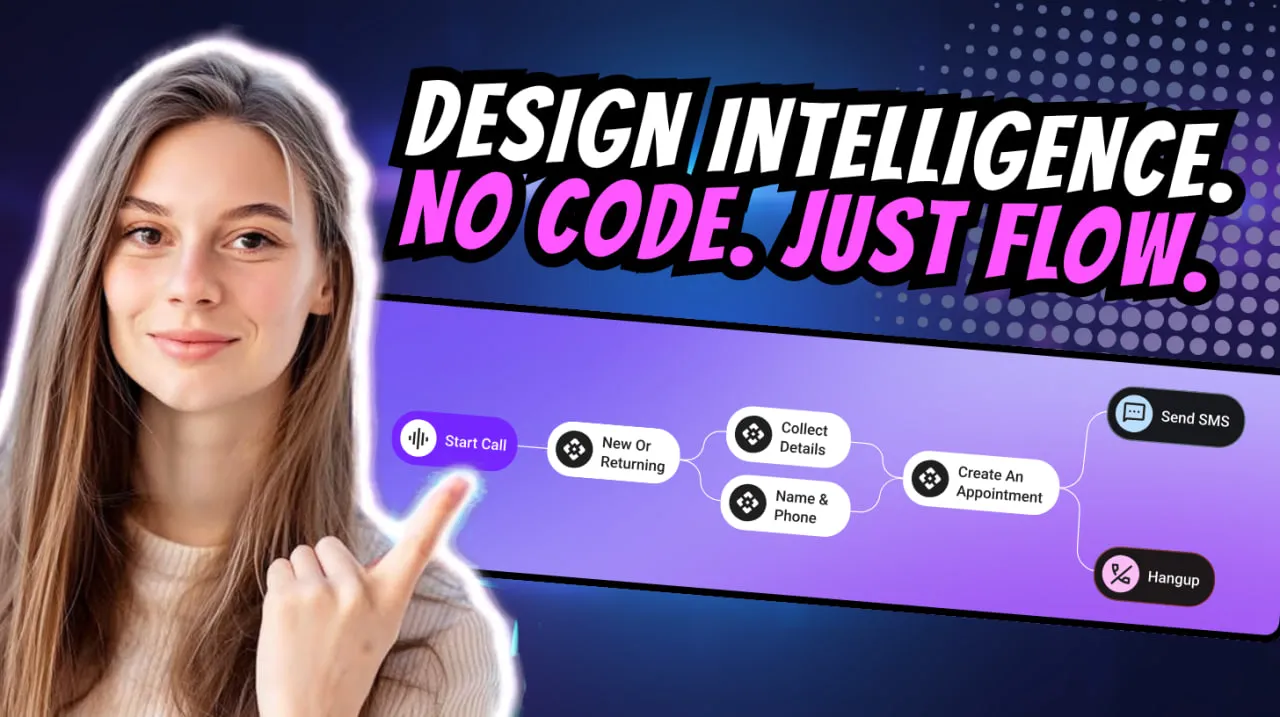
Create and adjust automation visually — without writing code.

This speeds up deployment dramatically.

📌 With Monobot Flows, teams can:

  • Build complex conversational logic
  • Route calls or messages
  • Connect external systems
  • Use dynamic conditions and personalized responses

—all without needing engineering resources.

4️⃣ AI Assistants Are Becoming Doers — Not Just Responders

The biggest shift is functional.

We’ve moved from:

❌ Bots that answer questions
to
✅ AI agents that complete tasks.

Today’s AI assistants:

  • Book appointments
  • Create CRM records
  • Confirm orders
  • Trigger automated workflows
  • Integrate with APIs
  • Update business systems

💡Monobot belongs to this new category of action-driven AI agents — not text-based FAQ responders.

5️⃣ Hybrid Intelligence: AI + Human = Best Possible Customer Experience

Automation does not mean replacing people — it means using humans where they matter most.

The future is hybrid.

AI handles:

✔️ repetitive tasks
✔️ high-volume inquiries
✔️ predictable workflows

A human steps in when:

⚠️ context is complex
⚠️ emotional decisions matter
⚠️ expertise is required

Seamless handoff is key — and Monobot preserves full conversation context when switching to a live agent.

6️⃣ Personalization Is Replacing Scripted Responses

Customers expect conversations that feel tailored — not robotic.

AI assistants now use:

  • Past conversation history
  • Customer preferences
  • Intent recognition
  • Tone and emotional cues

—to adapt responses in real time.

Monobot leverages contextual memory and intent modeling to deliver personal, relevant, human-like interactions.

🔮 The Era of Intelligent AI Agents Has Begun

We are moving into a world where AI assistants:

  • Speak naturally
  • Understand context
  • Operate across channels
  • Trigger real business actions
  • Learn and improve over time

They’re no longer “tools.”
They’re becoming digital teammates.

And Monobot isn’t waiting for the future — it’s building it.

Monobot Flows: AI Agents for Any Business

We’re excited to dive into a detailed walkthrough of Monobot Flows — the no-code automation engine inside the Monobot CX platform that empowers businesses to build intelligent voice and chat agents with custom workflows. (Watch the original webinar here: Monobot Flows Explained YouTube)

What are Monobot Flows?

Monobot Flows are visual workflow builders that allow you to map out conversation logic, trigger actions, integrate external systems and automate outcomes — all without writing a line of code.
With Flows you can:

  • Define triggers (incoming chat, voice call, SMS)
  • Set conditions (“if/else” logic)
  • Route to different paths (send email, create ticket, transfer call)
  • Integrate with CRM, databases or external APIs
  • End the conversation or escalate to a human agent

Why they matter for any business

Building agents is one thing — making them powerful and business-aware is quite another. Monobot Flows turn your agent from a reactive responder into a proactive workflow engine.
Here’s how:

  • Speed & scalability: Create and deploy new workflows in minutes, add new use-cases without heavy IT overhead.
  • Consistency & accuracy: Logic flows ensure the same steps happen every time, reducing errors and manual handoffs.
  • Business integration: Agents don’t just chat — they act. They pull or push data, trigger actions, update systems.
  • Cross-industry flexibility: Whether it’s logistics, customer support, brokerage, or e-commerce — Flows adapt to your processes.

How to get started with Monobot Flows

Here’s a step-by-step approach drawn from the webinar:

  1. Log into Monobot CX → navigate to the Automation Flows section.
  2. Choose a trigger: e.g., an incoming chat message “What is my order status?”.
  3. Build the steps: ask clarifying questions, check database for order number, decide next step.
  4. Link actions: route to CRM, send SMS update or transfer to live agent if needed.
  5. Set conditions: if order delayed → send apology + voucher; else → send confirmation.
  6. Connect integrations: CRM, ERP, helpdesk or any REST-API endpoint.
  7. Finalise and publish: test your flow, monitor performance and iterate.

Real-world examples

  • Logistics company: Incoming call “Where is my shipment?” → Flow checks tracking system → returns status automatically or transfers to live rep if exception.
  • Brokerage firm: Chat “What’s the duty on my shipment?” → Flow triggers calculation logic, retrieves HS-code, returns estimate or schedules live consultation.
  • SaaS support desk: New ticket in chat “I can’t login” → Flow asks for account ID, verifies through API, sends password reset link automatically and closes or escalates if still unresolved.

Pro tips for designing effective Flows

  • Keep branching logic simple: excessive if/else makes maintenance hard.
  • Monitor analytics: use Monobot dashboard to track how many interactions follow the Flow, time to resolution, escalation rate.
  • Update frequently: business rules evolve — your Flows must too.
  • Use templates: Monobot offers pre-built templates for common industries — adapt these rather than starting from scratch.
  • Design for human-handoff: ensure there’s a clear path from automation to human agent when needed.

The bottom line

Monobot Flows transform Monobot CX from a conversational platform into a true digital workforce — automating voice, chat and SMS workflows that span multiple systems and deliver real business outcomes. For companies seeking efficiency, scale and smart automation, this is a game-changer.

If you’re ready to build your next generation of AI agents — book a demo and see Flows in action: Book a personal demo