They run a few friendly chats. They see a decent answer. They ship.
And then the assistant slowly breaks in production—without throwing a single error.
That’s the difference between a demo bot and a production system.
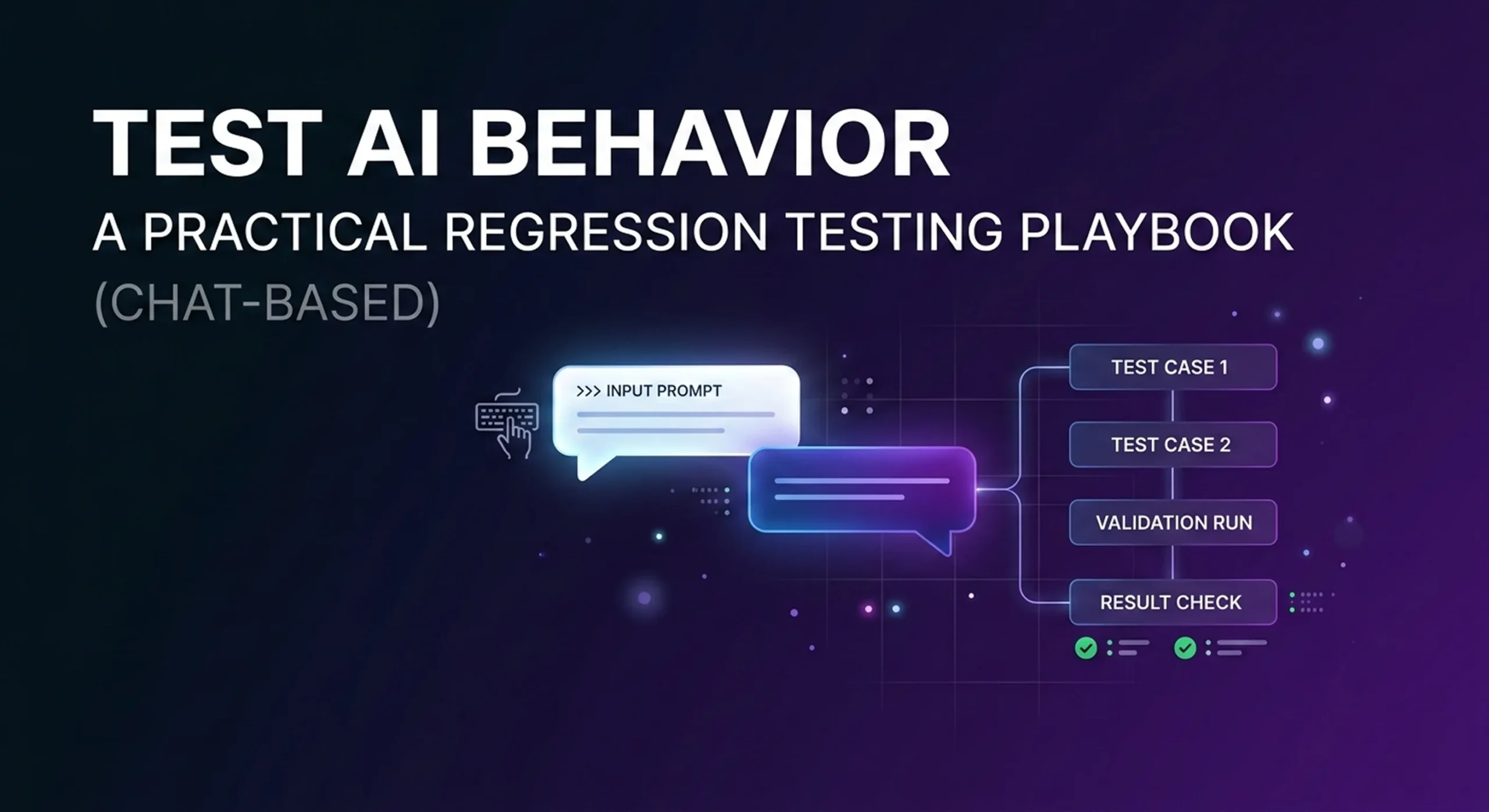
This playbook shows a practical approach to chat-based regression testing for AI agents—so you can keep improving your assistant without breaking what already works.
Why QA for AI agents is different than QA for software
Traditional software testing is deterministic:
input → expected output
AI agent testing is behavioral:
input → acceptable range of outputs, plus:
when to ask clarifying questions
when to escalate to a human
whether the answer is grounded in your knowledge base
whether the agent triggers the correct workflow/action
tone, safety, and policy compliance
In other words, your “unit tests” are conversations.
And the easiest, most reliable place to start is chat: chat transcripts are reviewable, replayable, and perfect for building a regression suite.
Step 1) Define what “pass” means (before you test anything)
Pick 4–6 non-negotiable success signals. For most AI agents, that’s:
Resolution Did the agent solve the request, or correctly escalate?
Accuracy Was the answer grounded in approved sources (KB / policies / data), not guessed?
Action correctness (if you use workflows/tools) Did the right flow run? Was the payload valid? Were required fields captured?
Safety & compliance No hallucinated pricing, refunds, legal claims, or sensitive data leaks.
Clarity Short, helpful, and not confusing.
Consistency Similar inputs shouldn’t lead to wildly different outcomes.
If you can’t define “pass,” you can’t improve reliably.
Step 2) Build a “Golden Conversation Set” from real traffic
Start small:
50 conversations = a solid starter suite
100–200 = strong production coverage
Pull from:
chat logs
support tickets
top FAQ intents
your highest-value business flows (booking, billing, order status, refunds, lead qualification)
For each conversation, label:
Intent
Expected outcome (resolve vs escalate)
Critical facts that must be correct
Required action (if any)
This becomes your baseline. Every change to prompts, KB, or routing must keep these cases passing.
Step 3) Turn conversations into test cases (simple format)
You don’t need a complicated framework. A good test case is:
User says: (1–3 turns)
Agent should:
resolve correctly, OR
ask a specific clarifying question, OR
escalate for a valid reason
Must not:
invent policy/pricing
skip verification steps
trigger the wrong workflow
ignore clear escalation triggers
Keep the rules explicit. You’ll thank yourself later.
Step 4) Add “break tests” (the cases that kill production)
Most failures don’t show up in demos. Add these deliberately:
1) Missing knowledge
User asks something your KB doesn’t cover.
Pass: asks clarifying questions or escalates Fail: guesses confidently
AI agents are getting smarter every month — but in production, accuracy still breaks for the same reason: knowledge.
When customers ask about pricing, policy exceptions, delivery windows, troubleshooting steps, or refunds, your assistant can’t “guess.” It needs a reliable source of truth, clear retrieval, and rules for what to do when information is missing.
Monobot includes a built-in Knowledge Base designed to organize information into categories, improve retrieval with keywords, and keep content editable over time. This article is a practical, step-by-step playbook to build a KB that stays accurate in real conversations — voice or chat.
Why Knowledge Bases fail (and what “good” looks like)
A Knowledge Base fails when it is:
Too broad (one giant document → weak retrieval)
Outdated (policies change, KB doesn’t)
Written like internal docs (hard to answer from, full of context but few conclusions)
Not measurable (no feedback loop, no QA)
A good KB is:
Structured (categories mirror real user intents)
Searchable (keywords/titles reflect how customers ask questions)
Actionable (answers include steps, constraints, and next actions)
Maintained (updates + logging + review process)
Measured (you can see what breaks and fix it)
Step 1) Start with a “Top Questions Inventory” (before writing anything)
Pull 30–100 real questions from:
call transcripts / chat logs
support tickets
FAQ pages
internal SOPs (only as source material)
Then cluster into intents like:
Pricing & plans
Refunds & cancellations
Shipping / delivery / scheduling
Account & billing
Troubleshooting
Compliance / identity verification
Escalation & human handoff
This becomes your category map.
Step 2) Build Knowledge Categories that match customer intent
In Monobot, the Knowledge Base is organized into categories, and you can upload/manage text documents and keep them grouped for better retrieval.
A practical starter structure:
Product & Plans
Billing & Payments
Policies (Refunds, Terms, SLA)
Setup / Onboarding
Troubleshooting (by symptom)
Integrations & APIs (if relevant)
Escalation Rules (when to hand off)
Tip: if a category grows too_expand it_: split by intent (“Billing” → “Invoices”, “Failed payments”, “Plan change”).
Step 3) Write KB entries in “Answer-First” format (not like internal docs)
The #1 upgrade you can make: write the answer customers need first, then supporting details.
Use this template per entry:
Title: Short, customer-style Answer (2–5 lines): The direct resolution Steps: Numbered instructions Constraints / exceptions: Clear bullets Escalation: When to transfer to human
Example (snippet format):
Title: “How do I change my billing email?” Answer: You can update your billing email in Account → Billing Settings. Steps: 1) Open… 2) Click… 3) Save… Constraints: If invoice already issued… Escalation: If you can’t access the account, contact support.
Step 4) Add Keywords like your customers speak
Monobot supports keywords and titles to enhance knowledge retrieval and navigation.
For each entry, add:
synonyms (“refund” / “money back” / “chargeback”)
common misspellings (if frequent)
“how do I…”, “where can I…”, “I can’t…”
This is especially important for voice where users speak naturally and messily.
Step 5) Build guardrails: what the agent should do when KB is missing
Accuracy isn’t just about having an answer — it’s also about refusing to invent one.
Add a short “Policy: uncertainty” section inside your KB or system rules:
If the KB doesn’t contain the answer → ask a clarifying question
If the question affects money/legal/security → offer human handoff
If the customer is angry/urgent → escalate faster
Monobot also supports workflows (Flows) and real-time escalation patterns in its platform content, so you can design consistent outcomes rather than improvisation.
Step 6) Keep the KB fresh with logging and a review loo
A KB isn’t “done.” It’s a living product.
6.1 Log what users actually ask
A simple win: store recurring unknown questions, edge cases, or requests into a structured log.
Monobot provides an action to append structured rows into a CSV linked to a Knowledge Base category — useful for logging tickets, orders, or feedback.
Example logging fields:
date
channel (voice/chat)
intent
question
did KB answer? (Y/N)
escalation? (Y/N)
fix required (new entry / update / workflow)
6.2 Review weekly
Each week:
Add missing entries
Rewrite unclear answers
Merge duplicates
Update policy changes
Step 7) Measure the impact (and prove ROI)
Monobot has a real-time analytics feature set to monitor performance and compare interactions across voice and chat.
Track these KB-driven metrics:
Containment rate (resolved without human)
Escalation reasons (missing KB vs customer request)
Repeat question rate (KB unclear)
AHT change (time-to-resolution)
Top failing intents (where to invest next)
Quick checklist (copy into your internal doc)
List top 50 questions → cluster into 6–10 intents
Create KB categories per intent
Write answer-first entries + steps + exceptions
Add keywords/synonyms per entry
Define “uncertainty rules” + escalation triggers
Log unknown questions into KB CSV
Review weekly + track improvements in analytics
Final thought
The fastest way to improve an AI agent isn’t swapping models — it’s building a knowledge layer that’s structured, retrievable, and continuously maintained.
If you’re building with Monobot, start small: 6 categories, 50 entries, one logging table — and iterate weekly. Your accuracy (and customer trust) will climb immediately.
Want to see how Monobot handles knowledge + workflows in practice? Explore the platform and book a demo to map it to your use case.
AI assistants are everywhere. But only a small percentage of them survive real-world usage.
Most companies launch an AI assistant with high expectations — and quietly abandon it months later. Not because AI doesn’t work, but because production reality is very different from demos.
In this article, we’ll look at why AI assistants fail after launch — and how platforms like Monobot are designed to avoid these pitfalls from day one.
1. The “Demo Effect”: AI Works… Until It Doesn’t
Many AI assistants perform well in controlled demos:
scripted conversations
predictable user inputs
ideal conditions
Once real users arrive, things change fast:
users speak differently than expected
requests are incomplete or ambiguous
conversations jump between topics
edge cases appear constantly
Without strong conversation logic, fallback strategies, and escalation paths, assistants break — and user trust disappears.
Production AI must be designed for chaos, not perfection.
2. Lack of Action: When AI Can Talk but Can’t Do
One of the most common failures is this:
The assistant understands the request — but can’t actually complete it.
Examples:
Can’t book an appointment
Can’t update CRM records
Can’t calculate prices or availability
Can’t trigger internal workflows
In these cases, AI becomes an expensive FAQ interface.
Modern businesses need AI agents that take actions, not just generate text.
That’s why Monobot is built around:
workflow execution
API integrations
system-level actions
real business outcomes
3. No Clear Human Handoff Strategy
Another critical mistake: either no human handoff — or a bad one.
Common problems:
context is lost during transfer
users must repeat themselves
agents receive no conversation history
switching channels breaks the flow
In production environments, hybrid AI is essential.
Monobot ensures:
seamless AI → human escalation
full conversation context preserved
same channel continuity
minimal friction for both users and agents
Automation should reduce effort — not add frustration.
4. Overengineering or Underengineering the Logic
Some teams overbuild:
complex prompts
brittle logic
hardcoded flows
Others underbuild:
no validation
no intent control
no guardrails
Both approaches fail at scale.
Production AI needs:
visual, controllable logic
clear decision points
validation layers
error recovery paths
With Monobot Flows, teams can manage complexity visually — adjusting logic without rewriting the system.
5. No Feedback Loop = No Improvement
Many assistants fail silently.
Teams don’t know:
where users drop off
which intents fail
when escalation happens too often
which answers cause confusion
Without analytics and feedback loops, improvement is impossible.
Monobot provides visibility into:
conversation outcomes
resolution rates
handoff frequency
performance over time
AI assistants should evolve — not stagnate.
What “Production-Ready AI” Actually Means
A production-ready AI assistant is not defined by how smart it sounds.
It’s defined by whether it can:
handle real users
operate across channels
execute actions
fail gracefully
escalate intelligently
improve continuously
This is the philosophy behind Monobot.
Final Thoughts
AI assistants don’t fail because the technology isn’t ready. They fail because they’re built for demos — not for reality.
If you’re building AI for real customers, real calls, real pressure — you need infrastructure, workflows, and hybrid intelligence.
How AI Content Generation Can Enhance Your Monobot Knowledge Base and Customer Experience
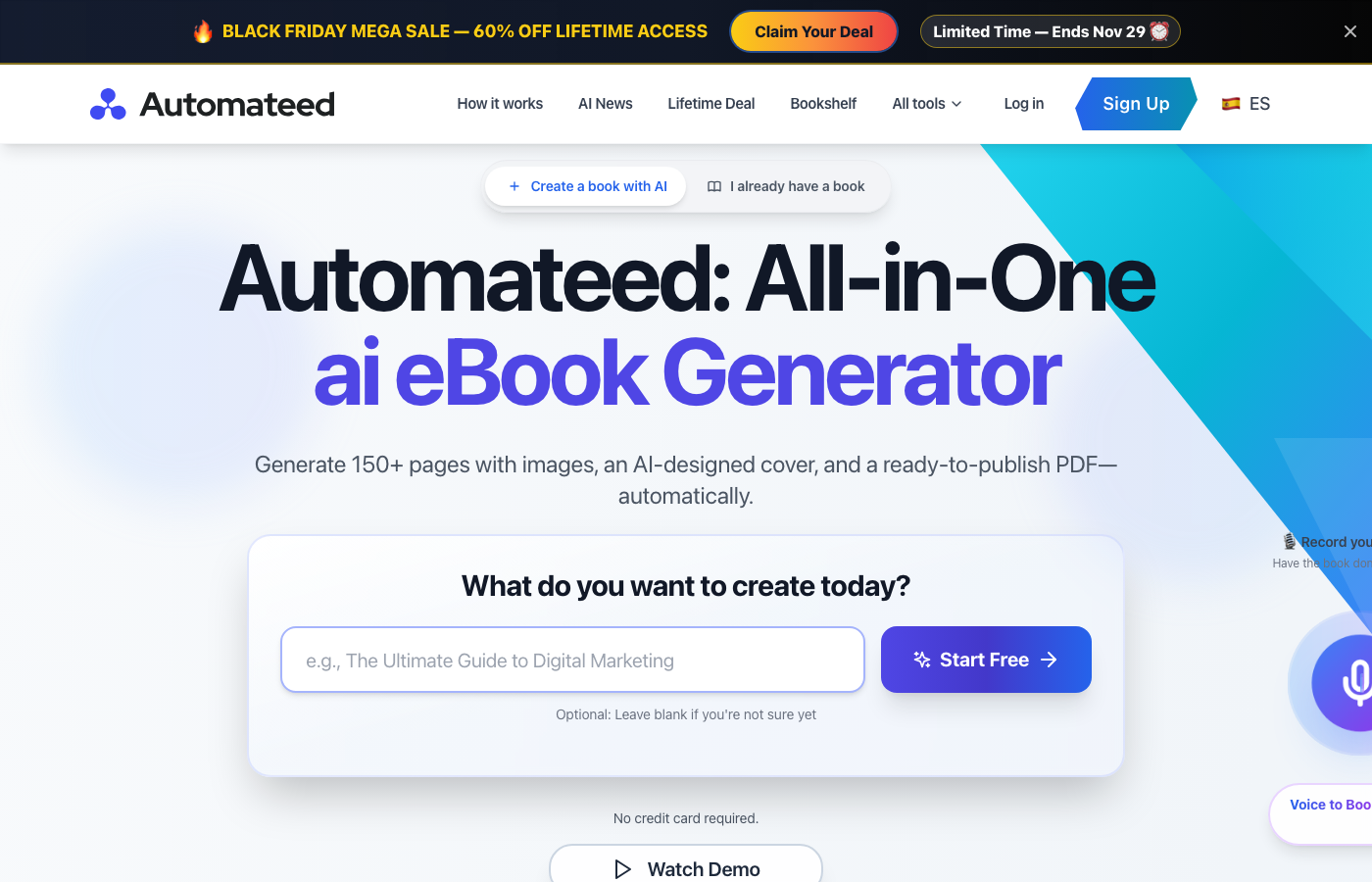
In today’s AI-driven landscape, businesses need comprehensive solutions that work together seamlessly. For companies leveraging voice AI platforms like Monobot to automate customer interactions, having robust knowledge resources and content is essential for success. Automateed provides exactly that—an AI-powered platform that transforms ideas into professional, publish-ready books, guides, and training materials in minutes instead of months.
Automateed is the #1 AI eBook Creator—a complete platform for creating, publishing, and selling books. From voice recordings to finished books in minutes, from simple prompts to illustrated storybooks, Automateed handles everything you need to bring your book ideas to life without writing a single word.
What You Can Create:
Professional eBooks with AI-generated content, images, and covers
Illustrated children’s storybooks with character-driven narratives
Printable coloring books for adults and children
Audiobooks with natural-sounding AI voices in 98+ languages
Professional book covers with AI-generated artwork
Translated books in 50+ languages
Complete books from voice recordings in minutes
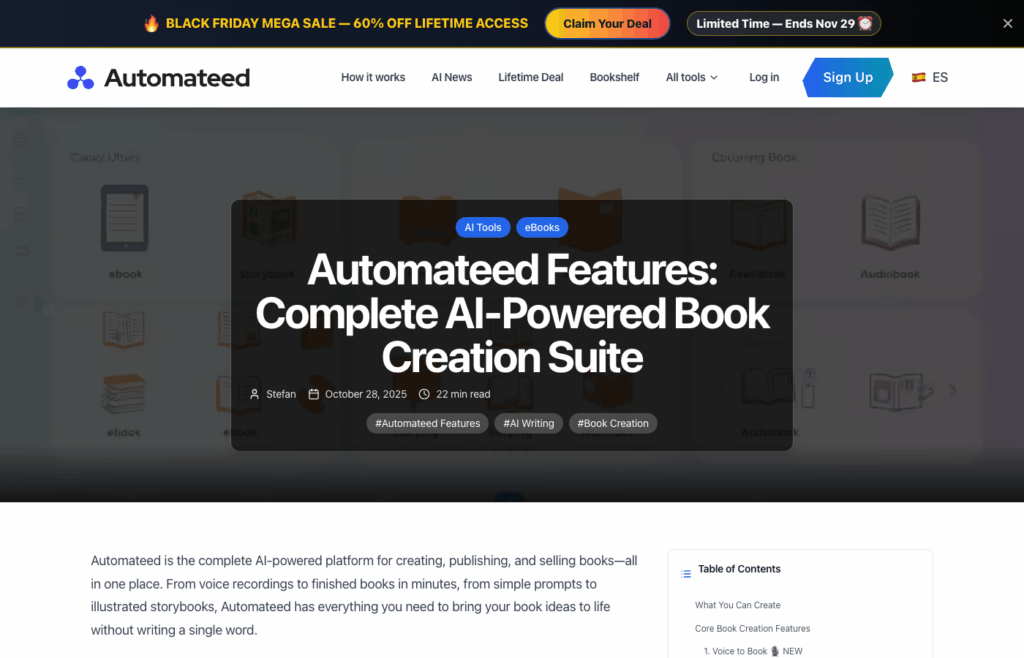
Automateed Features Dashboard — Complete Suite of AI Book Creation Tools
Core Book Creation Features
1. Voice to Book 🎙️
NEW — Transform your spoken words into complete books without typing. Simply record up to 30 minutes of voice, and AI handles transcription, chapter creation, images, and cover design automatically.
🎯 Perfect For Busy professionals, non-native English speakers, people with accessibility needs, and anyone who prefers speaking to typing.
Key Features:
98+ languages with auto-detection
Automatic title and chapter extraction from speech
AI-generated images and covers
Complete books in 3-5 minutes
2. AI eBook Creator 📚
Create professional eBooks from simple prompts or detailed outlines. The AI generates complete chapters (800-900 words per subchapter), adds relevant images, and designs beautiful covers—all customized to your specifications.
🎯 Perfect For Authors, marketers, educators, content creators, and businesses creating knowledge resources.
Key Features:
Generate from prompts or upload DOCX files
800-900 words per subchapter with coherent flow
Multiple professional cover templates (18+ styles)
AI images for every chapter
Full editing and customization capabilities
3. AI Storybook Creator 🌟
Creating illustrated children’s books traditionally requires two expensive skills—writing engaging stories AND creating professional illustrations. Most aspiring children’s book authors have one skill but not both. AI Storybook Creator solves this by generating complete illustrated storybooks in 10-15 minutes: engaging age-appropriate narratives paired with beautiful, consistent illustrations featuring your characters.
The Magic: Character Consistency — Describe a character once (“a brave little rabbit with brown fur and a red scarf”), and that character appears exactly the same throughout your entire book. This consistency is crucial for professional children’s books and typically requires expensive illustrators.
🎯 Perfect For Parents creating personalized bedtime stories, teachers developing educational storybooks, aspiring children’s book authors, publishers producing multiple titles, and grandparents making unique gift books.
Key Features:
Character creation with visual consistency across all pages
Age-appropriate content (3-5, 6-8, 9-12 age groups)
Generate professional-quality coloring books with intricate black and white line art in minutes. Create therapeutic adult coloring books with mandalas and botanical designs, or fun children’s activity books with animals and characters. Each page features perfect line thickness optimized for coloring—not too thin to cause bleeding, not too thick to look cartoonish.
🎯 Perfect For Artists building coloring book businesses, publishers creating activity books, therapists providing stress-relief materials, and educators making learning activities.
Key Features:
Black & white line art with perfect thickness for coloring
Your book cover is the first thing readers see—make it count. Design professional, genre-appropriate book covers in minutes without hiring designers or learning complex software. With 18+ professionally designed templates covering every major genre, AI-generated custom artwork, and full customization options, create covers that look like they cost $500 but take only 2-3 minutes.
Available Templates: Classic, Modern, Elegant, Bold, Artistic, Clean, Geometric, Dynamic, Circular, Cyber, Minimal, Monochrome, Holographic, Vaporwave, Editorial Split, Paper Collage, and more.
Key Features:
18+ professional templates for every genre
AI-generated custom artwork from text descriptions
Full text customization (fonts, sizes, colors, positioning)
High-resolution export (3000×3000 pixels minimum)
Amazon KDP specifications met automatically
6. Audiobook Generator 🎧
Audiobooks are the fastest-growing segment of book publishing, but traditional production is expensive—professional narrators cost $100-300 per finished hour. Automateed’s Audiobook Generator eliminates these barriers by converting any ebook into professional-quality audiobooks with natural-sounding AI voices in just 5-10 minutes.
Key Features:
98+ languages and dialects supported
Multiple voice options per language (male, female, various accents)
Natural-sounding narration with proper pronunciation and emotion
High-quality audio output (44.1kHz, 128kbps)
Audible ACX compatible MP3 format
7. Book Translator 🌍
The English-language market represents only 20% of global book readers. Translating your books opens access to billions of readers—but traditional translation costs $0.08-0.15 per word ($2,400-$4,500 for a 30,000-word book). AI Book Translator delivers professional-quality translation in minutes for a fraction of the cost.
The AI doesn’t just translate words—it preserves meaning, tone, cultural context, and even idioms. A joke in English becomes a culturally appropriate joke in Spanish, not a literal (confusing) word-for-word translation.
Key Features:
50+ language pairs supported
Context-aware translation preserving idioms and cultural references
Batch processing to multiple languages simultaneously
Advanced Tools & Resources
8. Market Research Tool 📊
Publishing without market research is gambling. Market Research Tool provides professional-grade market intelligence in minutes: discover topics with proven reader demand, identify niches with opportunity (high demand, manageable competition), and make data-driven decisions that maximize your publishing ROI.
Key Features:
Keyword search volume analysis with exact monthly searches
Competition assessment with market saturation scoring
Trend discovery and forecasting with seasonal patterns
Long-tail keyword discovery for less competitive phrases
9. Publisher Platform 🏪
Every author needs an online presence, but building a professional website costs $500-2,000 upfront plus monthly hosting. Publisher Platform gives you a beautiful, professional author homepage in 10 minutes—no coding, hosting fees, or technical knowledge required.
Key Features:
Professional publisher profiles with bio, photo, social links
Unlimited book landing pages with dedicated pages per book
Full customization (brand colors, layout, fonts)
Built-in analytics dashboard tracking visitors and clicks
SEO-optimized structure for Google ranking
Mobile-responsive design
10. AI Images Generator 🖼️
Every book needs images. Stock photos are generic, hiring illustrators is expensive ($50-500 per image). AI Images Generator creates exactly what you need in seconds from simple text descriptions. Full commercial use rights included.
Text-to-image generation from plain English descriptions
High-resolution output up to 2048px for web and print
Various aspect ratios for different platforms
Commercial use rights with no restrictions
11. Book Editor ✏️
First drafts are just the beginning. Book Editor provides professional-grade editing tools with AI assistance to transform good content into exceptional books. The AI editing assistant acts like a professional editor working alongside you 24/7.
Key Features:
Rich text editor with complete formatting options
AI writing assistance (grammar, clarity, style, tone)
Chapter-by-chapter navigation with drag-and-drop reordering
Multi-format preview (Kindle, print, mobile)
Export flexibility (PDF, EPUB, DOCX, HTML)
Auto-save with revision history
How Automateed Enhances Your Monobot Experience
Monobot excels at automating customer interactions through intelligent voice and chat agents. But exceptional customer experience requires more than real-time conversations—it demands comprehensive knowledge resources, training materials, and content that empowers both AI agents and human teams. This is where Automateed and Monobot work together beautifully.
Monobot AI — Virtual AI Assistant for Business (www.monobot.ai)
Building Comprehensive Knowledge Bases
Monobot’s AI agents rely on knowledge bases to provide accurate responses. With Automateed, you can quickly generate detailed guides, FAQs, instructional content, and documentation that feeds directly into your Monobot knowledge base. Create structured documentation covering every aspect of your products or services—from setup guides to troubleshooting manuals—ensuring your AI voice agents have the information they need to assist customers effectively.
Creating Customer-Facing Resources
While Monobot handles real-time voice and chat interactions, Automateed empowers you to create downloadable resources that customers can access anytime. Generate user manuals, onboarding guides, best practice eBooks, and comprehensive how-to documents that complement your AI-powered support. These resources can be offered through your website, email campaigns, or even mentioned by your Monobot agents during conversations.
Lead Generation & Marketing Content
Both platforms share a common goal: helping businesses grow. Use Automateed to create compelling lead magnets—industry reports, educational eBooks, and whitepapers—that attract potential customers to your business. Once leads enter your funnel, Monobot’s AI agents can qualify them, answer questions, and schedule appointments automatically. It’s a seamless journey from content attraction to intelligent conversation.
Internal Training & Team Empowerment
For businesses using Monobot’s AI Workspace to empower their human agents, Automateed can generate comprehensive training materials. Create onboarding guides for new team members, standard operating procedures, and reference manuals that help your support staff work alongside AI agents more effectively. The result? A well-informed team that delivers exceptional customer experiences.
Multi-Language Global Reach
Monobot supports multiple languages for voice interactions, and Automateed offers one-click translation to 100+ languages. This synergy means you can create customer resources in any language your audience speaks, maintaining consistent messaging across all touchpoints. Whether it’s a support guide in Spanish or a product manual in German, both platforms help you serve global customers with ease.
Key Benefits of the Automateed + Monobot Approach
Benefit
Description
⚡ Speed
Generate comprehensive content in minutes, not months. Create books while Monobot handles real-time interactions.
🎯 Consistency
Maintain brand voice and messaging across all channels—from AI voice conversations to written resources.
📈 Scalability
Both platforms grow with your business. Handle more conversations with Monobot while producing more content with Automateed.
💰 Cost Efficiency
Reduce resources needed for content creation and customer support. AI does the heavy lifting.
Every feature follows a simple, streamlined workflow:
Step 1: Choose Your Feature Select what you want to create: eBook, storybook, coloring book, audiobook, or cover.
Step 2: Provide Your Input Voice recording, text prompt, DOCX upload, or character descriptions—depending on the feature.
Step 3: AI Does the Work Advanced AI generates content, creates illustrations, produces narration, and formats everything professionally.
Step 4: Review and Customize Every creation is fully editable. Refine content, adjust images, and perfect every detail.
Step 5: Publish and Sell Download in multiple formats (PDF, EPUB, DOCX, MP3) and publish anywhere—or use Publisher Platform to sell directly.
Getting Started with Automateed
Ready to enhance your customer experience with AI-generated content? Here’s how to begin:
1. Visit automateed.com — Sign up for a free trial—no credit card required.
2. Choose your first project — Start with Voice to Book for the easiest experience, or AI eBook Creator for maximum control.
3. Let AI create your content — Watch as chapters, visuals, and covers are generated in minutes.
4. Download and integrate — Export in your preferred format and integrate with your Monobot knowledge base or customer resources.
Conclusion
In the age of AI, success comes from combining the right tools. Monobot revolutionizes how businesses handle customer conversations through intelligent voice and chat agents. Automateed transforms how businesses create content at scale. Together, they offer a comprehensive solution for modern customer experience.
Whether you’re building a knowledge base, generating leads, creating training materials, or producing customer-facing resources, the combination of Monobot’s conversational AI and Automateed’s content generation capabilities provides everything you need to deliver exceptional customer experiences.
🚀 Ready to transform your content creation process?
About Automateed Automateed is the #1 AI eBook Creator, trusted by 45,000+ users worldwide. The platform enables anyone to create professional eBooks in minutes—complete with AI-generated content, stunning covers, and chapter illustrations. Founded by Stefan, an AI pioneer who built his first successful agency at a young age, Automateed democratizes AI for everyone, making powerful content creation tools accessible to entrepreneurs regardless of technical background.
The landscape of customer service is undergoing a dramatic transformation, driven by the rapid advancement of artificial intelligence and chatbot technology. In 2024, AI-powered chatbots have evolved from simple rule-based systems to sophisticated conversational agents capable of understanding context, learning from interactions, and providing human-like responses.
The Evolution of Chatbots
From Rule-Based to AI-Powered
Traditional chatbots operated on predefined rules and decision trees, offering limited functionality and often frustrating user experiences. Today’s AI chatbots leverage natural language processing (NLP), machine learning, and deep learning algorithms to understand user intent and provide meaningful responses.
Key Technological Breakthroughs
1. Natural Language Processing (NLP): Advanced NLP models like GPT-4 and Claude have revolutionized how chatbots understand and generate human language
2. Context Awareness: Modern chatbots can maintain conversation context across multiple interactions
3. Multimodal Capabilities: Integration of text, voice, and visual elements for richer interactions
4. Personalization: AI algorithms that learn user preferences and adapt responses accordingly
Benefits of AI Chatbots for Businesses
24/7 Availability
AI chatbots provide round-the-clock customer support, ensuring that customers can get assistance whenever they need it, regardless of time zones or business hours.
Cost Efficiency
By handling routine inquiries and support requests, AI chatbots can significantly reduce operational costs while freeing up human agents for complex issues.
Scalability
Unlike human agents, AI chatbots can handle thousands of conversations simultaneously without compromising quality or response times.
Consistency
AI chatbots provide consistent responses and follow company policies without variation, ensuring uniform customer experience.
Real-World Applications
E-commerce
AI chatbots are revolutionizing online shopping by providing personalized product recommendations, handling order tracking, and managing returns and exchanges.
Healthcare
In the healthcare sector, AI chatbots are assisting with appointment scheduling, providing basic medical information, and offering mental health support.
Banking and Finance
Financial institutions are using AI chatbots for account inquiries, transaction history, and basic financial advice.
Travel and Hospitality
Travel companies are leveraging AI chatbots for booking assistance, itinerary management, and customer support during trips.
Challenges and Considerations
Privacy and Security
As AI chatbots handle sensitive customer data, ensuring privacy and security is paramount. Companies must implement robust security measures and comply with data protection regulations.
Human Oversight
While AI chatbots are becoming increasingly sophisticated, human oversight remains essential for complex issues and quality assurance.
Integration Complexity
Implementing AI chatbots requires careful planning and integration with existing systems and workflows.
The Future of AI Chatbots
Predictive Analytics
Future AI chatbots will leverage predictive analytics to anticipate customer needs and provide proactive support.
Emotional Intelligence
Advancements in emotion recognition technology will enable chatbots to understand and respond to customer emotions.
Voice and Visual Integration
The integration of voice recognition and computer vision will create more immersive and natural interaction experiences.
Conclusion
The AI chatbot revolution is reshaping customer service and business operations across industries. As technology continues to advance, we can expect even more sophisticated and capable AI chatbots that will further enhance customer experiences and business efficiency.
Companies that embrace this technology early and implement it strategically will gain significant competitive advantages in their respective markets.
—
This article explores the transformative impact of AI chatbots on modern business operations and customer service. Stay tuned for more insights on AI technology and its applications.
Customer experience (CX) has become the primary differentiator for businesses in today’s competitive landscape. With the rapid advancement of artificial intelligence, companies are now able to deliver personalized, efficient, and seamless customer experiences that were previously impossible to achieve.
The AI-Powered Customer Experience Revolution
Understanding Modern Customer Expectations
Today’s customers expect:
Instant responses: 24/7 availability and immediate assistance
Personalization: Tailored experiences based on individual preferences
Omnichannel consistency: Seamless experience across all touchpoints
Proactive support: Anticipating needs before customers express them
How AI Meets These Expectations
Artificial intelligence enables businesses to meet and exceed these expectations through:
1. Intelligent Automation: Handling routine inquiries and tasks automatically
2. Predictive Analytics: Anticipating customer needs and behaviors
3. Natural Language Processing: Understanding and responding to customer queries naturally
4. Machine Learning: Continuously improving responses and recommendations
Key AI Technologies Transforming CX
Natural Language Processing (NLP)
NLP enables AI systems to understand and process human language:
Sentiment Analysis: Understanding customer emotions and satisfaction levels
Intent Recognition: Identifying what customers want to achieve
Context Awareness: Maintaining conversation context across interactions
Multilingual Support: Serving customers in their preferred language
Machine Learning and Predictive Analytics
ML algorithms analyze customer data to:
Predict Customer Behavior: Anticipate needs and preferences
Personalize Recommendations: Suggest relevant products or services
Identify Churn Risk: Proactively address potential customer loss
Visual AI capabilities enhance customer experience through:
Visual Search: Finding products using images
Quality Control: Ensuring product quality and consistency
Augmented Reality: Virtual try-ons and product visualization
Document Processing: Automated form filling and verification
AI Applications in Customer Experience
1. Intelligent Chatbots and Virtual Assistants
Modern AI chatbots provide:
24/7 Availability: Round-the-clock customer support
Instant Responses: Immediate answers to common questions
Escalation Management: Seamless handoff to human agents when needed
Multilingual Support: Serving global customer bases
Real-World Example: A leading e-commerce company implemented an AI chatbot that handles 70% of customer inquiries, reducing response times from hours to seconds.
2. Personalized Recommendations
AI-powered recommendation engines:
Product Recommendations: Suggesting relevant items based on browsing history
Content Personalization: Tailoring website content to individual users
Dynamic Pricing: Offering personalized pricing based on customer segments
User Research: Understand customer pain points and preferences
Journey Mapping: Identify key touchpoints and opportunities
Testing and Iteration: Continuously improve based on feedback
Accessibility: Ensure AI solutions work for all customers
2. Ethical AI Implementation
Build trust through responsible AI use:
Bias Prevention: Ensure fair treatment of all customer segments
Transparency: Clear communication about AI capabilities
Accountability: Human oversight and control mechanisms
Privacy Protection: Robust data protection measures
3. Continuous Learning and Improvement
Evolve with customer needs:
Feedback Loops: Collect and act on customer feedback
Performance Monitoring: Track AI system effectiveness
Regular Updates: Keep AI models current and relevant
Team Training: Ensure staff can effectively work with AI systems
Conclusion
AI is fundamentally transforming how businesses interact with their customers, enabling more personalized, efficient, and satisfying experiences. By implementing AI strategically and focusing on customer needs, organizations can create significant competitive advantages while improving operational efficiency.
The key to success lies in balancing automation with human touch, ensuring that AI enhances rather than replaces the human element of customer service. As AI technology continues to evolve, the possibilities for creating exceptional customer experiences will only expand.
—
This article explores the transformative impact of AI on customer experience. For more insights on AI implementation and customer service optimization, stay tuned to our blog.
The Future of Work: How AI is Reshaping the Workplace in 2024
Introduction
The workplace is undergoing a profound transformation driven by artificial intelligence and automation technologies. As we move through 2024, AI is not just changing how we work—it’s redefining what work means, creating new opportunities, and challenging traditional employment models.
The AI-Driven Workplace Revolution
Understanding the Transformation
The integration of AI into the workplace is happening across multiple dimensions:
Task Automation: Routine and repetitive tasks are being automated
Decision Support: AI provides insights and recommendations for better decision-making
Skill Enhancement: AI tools augment human capabilities and productivity
New Job Creation: AI is creating entirely new roles and career paths
Key Trends Shaping the Future of Work
1. Hybrid Human-AI Collaboration: Teams working alongside AI systems
2. Remote and Distributed Work: AI enabling seamless remote collaboration
3. Continuous Learning: Rapid skill development and adaptation
4. Gig Economy Evolution: AI-powered platforms and marketplaces
5. Focus on Creativity and Strategy: Humans focusing on high-value activities
AI Applications in the Modern Workplace
1. Intelligent Automation
Process Automation
Document processing and data entry
Email management and response automation
Meeting scheduling and calendar optimization
Report generation and analysis
Workflow Optimization
Task prioritization and resource allocation
Project management and progress tracking
Quality control and error detection
Performance monitoring and feedback
2. AI-Powered Communication
Virtual Assistants
Meeting transcription and note-taking
Real-time translation and language support
Email composition and response suggestions
Meeting scheduling and coordination
Collaboration Tools
AI-enhanced project management platforms
Intelligent document collaboration
Automated meeting summaries and action items
Smart team formation and task assignment
3. Decision Support Systems
Data Analytics
Predictive analytics for business planning
Market trend analysis and forecasting
Customer behavior insights
Risk assessment and management
Strategic Planning
Scenario modeling and what-if analysis
Resource optimization and allocation
Competitive intelligence gathering
Innovation opportunity identification
Impact on Different Job Roles
Executive and Management Roles
Enhanced Decision Making
AI provides comprehensive data analysis
Predictive insights for strategic planning
Real-time performance monitoring
Risk assessment and mitigation strategies
Leadership Development
AI-powered coaching and mentoring
Skill gap analysis and development planning
Performance feedback and improvement suggestions
Succession planning and talent management
Knowledge Workers
Productivity Enhancement
Automated research and information gathering
Content creation and editing assistance
Data analysis and visualization
Report generation and presentation preparation
Skill Development
Personalized learning paths and recommendations
Real-time skill assessment and feedback
Access to expert knowledge and best practices
Continuous professional development
Creative Professionals
Inspiration and Ideation
AI-generated creative concepts and ideas
Trend analysis and market insights
Audience behavior and preference analysis
Content optimization and performance tracking
Production Efficiency
Automated design and layout generation
Content personalization and adaptation
Quality control and consistency checking
Distribution and promotion optimization
Customer Service Representatives
Enhanced Customer Support
AI-powered customer insights and history
Real-time response suggestions and guidance
Automated routine inquiry handling
Escalation management and routing
Skill Development
Training on new products and services
Best practice recommendations
Performance coaching and feedback
Career development and advancement
Skills for the AI-Enhanced Workplace
Essential Human Skills
Critical Thinking and Problem Solving
Complex problem analysis and solution development
Creative thinking and innovation
Strategic planning and decision-making
Risk assessment and management
Emotional Intelligence
Empathy and understanding of human emotions
Relationship building and networking
Conflict resolution and negotiation
Leadership and team management
Adaptability and Learning
Continuous learning and skill development
Flexibility in changing environments
Resilience and stress management
Openness to new technologies and methods
Communication and Collaboration
Clear and effective communication
Cross-cultural understanding and sensitivity
Team collaboration and coordination
Stakeholder management and influence
Technical Skills
AI Literacy
Understanding AI capabilities and limitations
Working effectively with AI tools and systems
Interpreting AI-generated insights and recommendations
Ethical considerations in AI use
Data Literacy
Understanding and interpreting data
Data visualization and storytelling
Statistical analysis and interpretation
Data-driven decision making
Digital Skills
Proficiency with digital tools and platforms
Cybersecurity awareness and best practices
Cloud computing and remote work tools
Emerging technology awareness
Challenges and Opportunities
Challenges
Job Displacement Concerns
Automation of routine and repetitive tasks
Need for reskilling and upskilling
Economic inequality and access to opportunities
Psychological impact of job insecurity
Skills Gap
Rapidly evolving skill requirements
Access to training and development resources
Digital divide and technology access
Generational differences in technology adoption
Ethical Considerations
Bias in AI systems and decision-making
Privacy and data security concerns
Transparency and accountability in AI use
Fairness and equity in AI-enhanced workplaces
Opportunities
New Career Paths
AI specialists and data scientists
Human-AI interaction designers
AI ethics and governance professionals
Digital transformation consultants
Enhanced Productivity
Automation of routine tasks
AI-powered insights and recommendations
Improved decision-making capabilities
Increased focus on high-value activities
Better Work-Life Balance
Flexible work arrangements enabled by AI
Reduced administrative burden
More efficient time management
Improved work satisfaction and engagement
Preparing for the AI-Enhanced Future
For Individuals
Continuous Learning
Stay updated on AI trends and developments
Develop AI literacy and technical skills
Focus on uniquely human capabilities
Build adaptability and resilience
Career Planning
Identify AI-resistant and AI-enhanced roles
Plan for career transitions and evolution
Develop transferable skills and competencies
Build professional networks and relationships
Mindset Development
Embrace change and uncertainty
Develop growth mindset and curiosity
Focus on value creation and impact
Maintain work-life balance and well-being
For Organizations
Strategic Planning
Develop AI adoption and integration strategies
Plan for workforce transformation and reskilling
Address ethical and governance considerations
Create inclusive and equitable workplaces
Talent Development
Invest in employee training and development
Create learning and development programs
Foster innovation and experimentation
Build AI-literate organizational culture
Change Management
Communicate vision and benefits clearly
Address concerns and resistance effectively
Provide support and resources for transition
Celebrate successes and learn from failures
Future Trends and Predictions
Short-Term (1-3 Years)
Increased AI Integration
Widespread adoption of AI tools and platforms
Enhanced human-AI collaboration
Improved productivity and efficiency
New job roles and career opportunities
Skills Evolution
Growing demand for AI and data skills
Emphasis on uniquely human capabilities
Continuous learning and adaptation
Hybrid technical and soft skills
Medium-Term (3-7 Years)
Workplace Transformation
Fundamental changes in work organization
New business models and employment structures
Enhanced creativity and innovation
Improved work satisfaction and engagement
Technology Advancement
More sophisticated AI capabilities
Seamless human-AI interaction
Personalized and adaptive work environments
Enhanced remote and distributed work
Long-Term (7+ Years)
Paradigm Shift
Redefinition of work and employment
New economic and social structures
Enhanced human potential and creativity
Sustainable and equitable workplaces
Best Practices for AI-Enhanced Workplaces
1. Human-Centered Design
Prioritize human needs and well-being
Design AI systems that augment human capabilities
Ensure transparency and explainability
Maintain human oversight and control
2. Inclusive and Equitable Implementation
Address bias and discrimination in AI systems
Ensure equal access to AI tools and training
Consider diverse perspectives and needs
Promote fairness and equity in opportunities
3. Continuous Learning and Adaptation
Foster learning culture and experimentation
Provide ongoing training and development
Encourage innovation and creativity
Adapt to changing needs and circumstances
4. Ethical and Responsible AI Use
Establish clear ethical guidelines and principles
Ensure privacy and data protection
Maintain transparency and accountability
Consider social and environmental impact
Conclusion
The future of work is being shaped by AI in profound and transformative ways. While this transformation presents challenges, it also offers tremendous opportunities for individuals and organizations to thrive in the digital age.
The key to success lies in embracing change, developing the right skills, and creating workplaces that leverage the best of both human and artificial intelligence. By focusing on human-centered design, inclusive implementation, and ethical AI use, we can create a future of work that enhances human potential and creates value for all stakeholders.
As we navigate this transformation, it’s essential to remember that AI is a tool to augment human capabilities, not replace them. The most successful organizations will be those that find the right balance between automation and human creativity, efficiency and empathy, technology and humanity.
—
This article explores the transformative impact of AI on the future of work. For more insights on workplace transformation and AI implementation, stay tuned to our blog.
AI is transforming customer service at an unprecedented pace. Businesses are increasingly relying on AI-driven solutions to enhance customer interactions, streamline operations, and deliver superior experiences that drive loyalty and growth.
From intelligent routing to predictive analytics, AI is reshaping how call centers operate and how customers experience support.
How AI Transforms Call Center Operations
1. Intelligent Call Routing
AI-powered systems can:
Analyze customer intent and sentiment in real-time