



TL;DR:
- Automating after-hours customer support involves implementing AI chatbots, voice agents, and triage workflows to handle inquiries without human agents. Success depends on dedicated architecture, proper tool matching, and clear SLAs to ensure urgent issues are promptly addressed. Ongoing monitoring and data analysis are essential to improve system performance over time.
Automating after-hours customer support means deploying AI-powered voice agents, chatbots, and smart triage workflows to handle customer inquiries outside normal business hours, without requiring live agents on standby. Research estimates that 85% of customer interactions can be handled without a human agent through AI automation. That figure signals a fundamental shift: round-the-clock support is no longer a staffing problem. It is a systems design problem. Businesses that build the right architecture, combining AI resolution with human escalation, deliver consistent 24/7 customer service while cutting overnight labor costs significantly.
What are the core components needed to automate after-hours customer support?
After-hours automation requires four distinct technology layers working together. Each layer handles a different type of customer contact, and gaps in any one of them create the failures that frustrate customers at 11 PM.
AI chatbots for text-based inquiries
AI chatbots handle the highest volume of after-hours contacts: order status questions, FAQs, account lookups, and appointment confirmations. They connect to your knowledge base and CRM to pull live data, so answers are accurate rather than generic. Monobot’s chat agents, for example, automate customer inquiry responses by pulling from your existing content and escalating when confidence drops below a set threshold.

AI voice agents for phone calls
64% of consumers prefer AI voice over traditional IVR menus when the AI can actually resolve their issue. That preference matters because phone calls carry higher urgency signals than chat. AI voice agents built on large language models (LLMs) with speech-to-text (STT) and text-to-speech (TTS) capabilities handle natural conversation, not just menu navigation. Monobot’s AI voice agent builder lets you configure custom call flows for after-hours scenarios without writing code.
Integrations with CRM, calendars, and knowledge bases
An AI agent without integrations is a dead end. Customers calling after hours to reschedule an appointment need the agent to actually write to your calendar system. Customers checking order status need a live pull from your order management platform. Monobot’s integration hub connects AI agents to CRMs, scheduling tools, ticketing systems, and more, so the agent completes transactions rather than just collecting information.
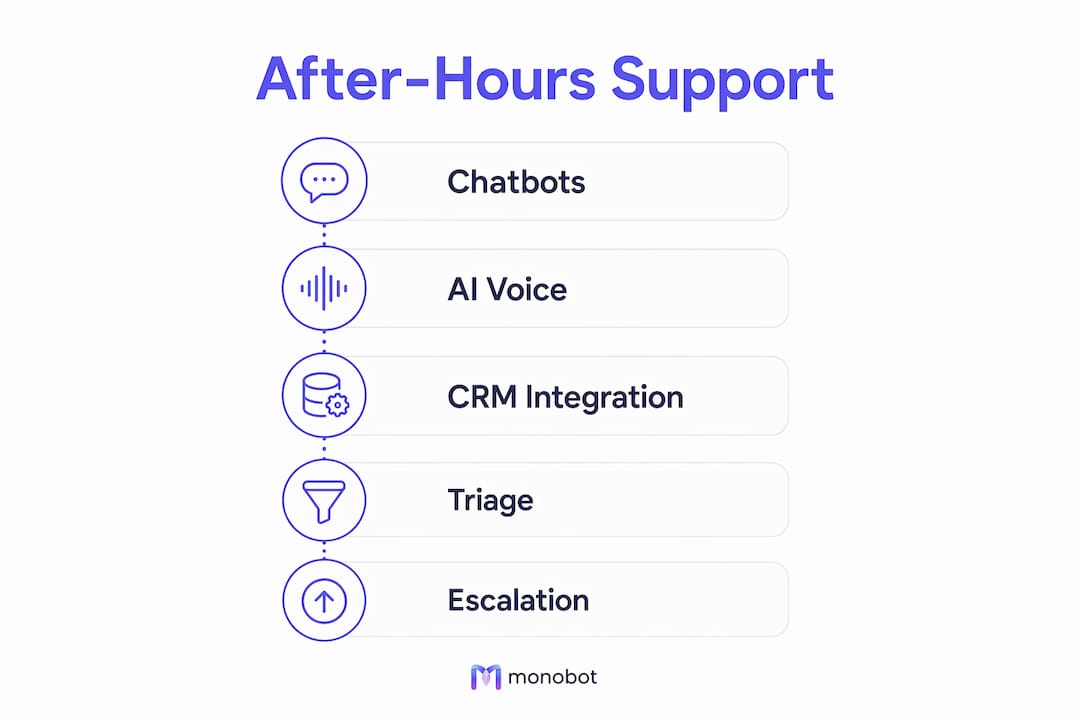
Triage and escalation mechanisms
AI triage tools detect urgency signals in after-hours contacts and route appropriately even when live agent availability is limited. A triage layer classifies each incoming contact by type, urgency, and required action, then assigns it to automated resolution, scheduled callback, or immediate escalation. Without this layer, every contact gets treated the same, and genuinely urgent issues sit in a queue until morning.
Pro Tip: Configure your triage layer to flag contacts containing specific keywords like “urgent,” “broken,” or “not working” for immediate escalation rather than automated resolution. This single rule prevents your highest-risk contacts from falling through overnight.
| Component | Primary function | Integration requirement |
|---|---|---|
| AI chatbot | Resolve text-based FAQs and transactions | Knowledge base, CRM |
| AI voice agent | Handle inbound calls with natural conversation | Phone system, CRM, calendar |
| Triage engine | Classify urgency and assign resolution path | All channels |
| Escalation layer | Route urgent contacts to on-call agents | Ticketing system, messaging |
How do you design workflows that work specifically after hours?
The most common mistake in after-hours automation is applying daytime routing logic after hours. Teams that do this end up with misrouted contacts, unowned escalations, and morning backlogs that could have been avoided. After-hours workflows need their own architecture.
Why daytime routing fails after hours
Daytime routing assumes agents are available to pick up overflow. After hours, that assumption breaks. A contact routed to “next available agent” at 2 AM sits unanswered. A billing dispute flagged as “medium priority” during the day may be a customer’s only chance to resolve an issue before a deadline. The contact type, urgency, and available resolution paths all change after hours, so the routing logic must change too.
Mapping contact types to resolution paths
Every after-hours contact must be mapped to one of four outcomes: automated resolution, scheduled callback, live escalation, or documented follow-up. High-performing after-hours structures define unique SLA targets per contact type and assign named ownership to each path. A billing question might map to automated resolution via self-service. A service outage report maps to immediate escalation to an on-call engineer. A general inquiry maps to a scheduled callback the next morning.
Pro Tip: Build a contact-type matrix before you configure any workflow. List every category of after-hours inquiry your business receives, assign a resolution path to each, and name the owner. This matrix becomes your routing logic blueprint.
Defining after-hours SLAs
After-hours SLAs differ from daytime SLAs in one critical way: response time expectations shift, but urgency thresholds stay the same. A customer reporting a security breach at midnight expects the same response speed as one calling at noon. Your after-hours SLA should define maximum response times for each contact type, the escalation trigger if that time is missed, and the named person or team responsible. Without these definitions, escalation gaps go undetected until a customer complaint surfaces them.
What are the best practices for implementing after-hours automation?
Successful implementation follows a clear sequence. Skipping steps, especially testing and training, produces AI agents that confuse customers and damage the brand.
-
Assess your after-hours contact volume and types. Pull three to six months of after-hours contact data. Identify the top ten inquiry categories, their volume, and their urgency distribution. This data drives every subsequent decision about tooling and workflow design.
-
Select AI tools matched to your inquiry types. A business with high after-hours call volume needs a capable AI voice agent. A business with mostly chat-based inquiries needs a strong chatbot with deep knowledge base integration. Match the tool to the actual contact mix, not the tool you already own.
-
Train your AI on your knowledge base and escalation protocols. AI agents need your product documentation, FAQ content, policy language, and escalation rules loaded before deployment. Modern AI tools can go live in minutes to weeks depending on complexity, but the training quality determines resolution accuracy. Monobot’s platform builds agent knowledge directly from your existing content.
-
Configure automated acknowledgment for every contact. Automated responses that instantly acknowledge missed interactions and direct customers to self-service options reduce callbacks and improve resolution speed. Every after-hours contact should receive a confirmation within 60 seconds, even if full resolution takes longer.
-
Test every workflow path before full deployment. Run simulated contacts through each resolution path. Test the escalation triggers. Confirm that integrations write data correctly to your CRM and calendar. A workflow that fails silently at 3 AM is worse than no automation at all.
-
Deploy monitoring and analytics from day one. Track after-hours resolution rate, escalation rate, average response time, and customer satisfaction scores separately from daytime metrics. Monobot’s dashboard analytics surface these metrics in real time, so you catch problems before they compound.
How do you troubleshoot and improve after-hours automation over time?
After-hours automation degrades without active maintenance. Customer inquiry patterns shift, product lines change, and AI models drift from their training data. Ongoing optimization is not optional.
-
Audit routing rules quarterly. Contact types evolve. A routing rule built for last year’s product catalog may misclassify contacts for this year’s. Review your contact-type matrix every quarter and update resolution paths accordingly.
-
Track after-hours KPIs separately. Blending after-hours metrics into daytime reporting masks performance gaps. After-hours resolution rate, escalation rate, and first-contact resolution should each have their own targets and review cadence.
-
Incorporate customer feedback into AI retraining. Customers who rate an after-hours interaction poorly are telling you exactly where the AI failed. Collect that feedback systematically and use it to retrain your AI on the specific query types that generated low scores.
-
Review escalation logs for missed urgency signals. Contacts that should have escalated but did not show up in your escalation logs as resolved by AI. Review these weekly during the first 90 days of deployment. They reveal gaps in your triage keyword rules and urgency classification logic.
-
Balance automation with live agent access. After-hours automation is a competitive differentiator, but it works best when customers can reach a live agent for genuinely urgent issues. Keep an on-call escalation path active, even if it is rarely used. Customers who know a human is reachable trust the automated system more.
-
Recognize AI limitations proactively. AI agents handle routine and semi-routine contacts well. Complex disputes, emotionally charged situations, and multi-step technical problems still require human judgment. Design your system to recognize these contact types and escalate them rather than attempting resolution.
Key Takeaways
Automating after-hours customer support requires purpose-built workflows, AI tools matched to your contact mix, and separate SLAs with named ownership for each resolution path.
| Point | Details |
|---|---|
| Build a dedicated after-hours architecture | Never apply daytime routing logic after hours; map every contact type to its own resolution path. |
| Match AI tools to your contact mix | High call volume needs AI voice agents; high chat volume needs a knowledge-integrated chatbot. |
| Define after-hours SLAs explicitly | Assign response time targets and named owners per contact type to prevent undetected escalation gaps. |
| Test before deploying | Simulate every workflow path and confirm integrations write data correctly before going live. |
| Monitor after-hours metrics separately | Track resolution rate, escalation rate, and satisfaction scores independently from daytime performance. |
What I’ve learned from real after-hours automation deployments
The assumption I see most often in customer service teams is that after-hours volume is low enough to handle casually. That assumption is wrong in almost every case I have encountered. After-hours contacts are often the highest-stakes contacts in the queue. A customer calling at midnight about a failed payment or a service outage is not a low-priority event. They are a retention risk.
The teams that get this right treat after-hours automation as a separate product, not a feature. They build a distinct contact-type matrix, assign named owners to every escalation path, and review after-hours metrics in their own weekly report. The teams that struggle treat it as an add-on to their daytime system and wonder why the morning backlog keeps growing.
I have also seen the opposite failure: over-automating. Businesses that route every after-hours contact to AI with no escalation path end up with customers who feel trapped. The fix is not less automation. It is smarter triage. An AI that correctly identifies a high-urgency contact and routes it to an on-call agent in under 60 seconds is more impressive to a customer than one that attempts to resolve everything and fails half the time.
The most successful implementations I have seen share one trait: they analyze actual after-hours contact behavior before designing any workflow. They do not assume. They look at the data, build the matrix, and then configure the AI. That sequence, data first, design second, deploy third, is the difference between an after-hours system that works and one that creates more problems than it solves.
— Alex
How Monobot powers your after-hours support coverage
Monobot gives customer service teams the tools to build, deploy, and manage AI-powered after-hours support without writing code.
The AI voice agent builder lets you configure custom call flows for after-hours scenarios, complete with triage rules, escalation triggers, and CRM integrations. Monobot automates up to 80% of inbound calls and chats, so your team handles only the contacts that genuinely need a human. Real-time analytics surface after-hours performance metrics the moment they happen, and the Monobot platform deploys in minutes across voice and chat channels. If you are ready to build an after-hours support system that actually works, Monobot is where to start.
FAQ
What does it mean to automate after-hours customer support?
Automating after-hours customer support means using AI chatbots, voice agents, and triage workflows to handle customer inquiries outside business hours without live agents. The AI resolves routine contacts, schedules callbacks, and escalates urgent issues to on-call staff.
How quickly can an AI after-hours support system go live?
Modern AI customer support tools can go live in minutes to weeks depending on configuration complexity. Platforms like Monobot deploy AI agents quickly by building knowledge directly from your existing content and integrations.
What types of contacts should always escalate to a live agent after hours?
Security incidents, service outages, complex billing disputes, and emotionally charged contacts should always escalate to a live agent. AI triage tools can detect urgency signals and route these contacts automatically, even with limited overnight staffing.
How do you measure after-hours automation performance?
Track after-hours resolution rate, escalation rate, average response time, and customer satisfaction scores as separate KPIs from daytime metrics. Blending them into daytime reporting masks gaps that only appear in overnight contact patterns.
Why do most after-hours automation setups fail?
Most failures happen because teams apply daytime routing logic after hours instead of building a dedicated contact-type matrix with named ownership and separate SLAs. After-hours support failures most often trace back to assumptions about contact behavior rather than analysis of actual data.