



AI agent coaching uses AI to help human agents get better at customer conversations. It does this in two ways. It guides them during a live interaction, or it finds the moments in finished interactions that a supervisor should coach. The strongest programs combine both. Live guidance handles the call in progress, and post-call analysis feeds the one-on-one that changes habits over time.
This guide covers what each mode does, how it compares with classic whisper coaching, how to roll it out, which safeguards to set, and how to measure results.
TL;DR
- Real-time AI coaching listens to a live call or chat and surfaces suggested replies, knowledge articles and prompts to the agent. The customer never sees it.
- Whisper coaching is the human version: a supervisor speaks to the agent privately on a live call. AI scales the same idea to every conversation, not just the ones a supervisor happens to hear.
- Post-call AI coaching reviews 100% of interactions instead of a small QA sample, then hands managers concrete moments for one-on-ones.
- Start small: pick a few KPIs, short prompts and a clear off switch, and tell agents in advance.
- Keep humans in the loop. AI tells you what and whom to coach. Supervisors supply context and empathy.
Table of Contents
- What AI agent coaching means in a contact center
- The three modes at a glance
- How real-time AI coaching guides an agent
- Agent whisper coaching, and where AI fits
- Post-call AI coaching: from 100% coverage to a better one-on-one
- How to roll out AI coaching step by step
- Safeguards: privacy, accuracy and human oversight
- How to measure whether it works
- Where chatbots and voice agents fit alongside coaching
- Our perspective
- Put coaching data to work with Monobot
- FAQ
- Sources
What AI agent coaching means in a contact center
Traditional coaching depends on a supervisor sampling a handful of calls, scoring them and booking a session days later. The sample is small, the feedback is late, and the agents who most need help are often the ones nobody listened to.
AI changes the coverage. Instead of a few reviewed calls per agent per month, a platform can analyze transcripts, recordings and chats across channels. It then flags strengths, skill gaps and patterns. Industry vendors describe two flavors:
- AI-led coaching talks directly to the agent, with prompts or feedback during or right after an interaction.
- AI-enabled coaching equips the human coach with data, patterns and recommendations, so the team leader spends time coaching instead of hunting for examples.
In practice you want both. The first makes the current conversation better. The second makes the next hundred better.
It also helps to separate coaching from two neighbors. Agent assist works inside the conversation, suggesting replies and surfacing knowledge. Quality assurance scores conversations against a scorecard. AI coaching sits between them: it uses what assist and QA see and turns it into development for each person.
The three modes at a glance
| Mode | When it happens | Who delivers it | Best for |
|---|---|---|---|
| Real-time AI prompts | During the live interaction | AI, shown on the agent’s screen | Knowledge lookups, compliance wording, next best action |
| Whisper coaching | During a live call | A human supervisor, heard only by the agent | High-stakes calls, new hires |
| Post-call AI coaching | After the interaction | AI finds moments, a manager runs the session | Recurring habits, skill gaps, ramp-up |
These are not rivals. Real-time prompts cover the call you are on. Whisper coaching adds human judgment for the few calls that need it. Post-call coaching builds skill so that the agent needs fewer prompts next quarter.
How real-time AI coaching guides an agent
Real-time coaching is the AI version of a supervisor looking over the agent’s shoulder. The flow usually looks like this.
- The AI listens or reads. It transcribes the conversation as it happens and tracks context: the customer’s question, the account, the sentiment.
- It decides what the agent needs. That might be an answer, a policy reminder, a required disclosure or a de-escalation cue.
- It surfaces one thing at a time. TechTarget’s overview of agent assist describes the typical capabilities: analyzing context live, suggesting responses, surfacing knowledge base articles, guiding agents toward specific offers, and giving live feedback on performance.
- The agent stays in control. The agent accepts, edits or ignores the suggestion.
- The result feeds analytics. Which prompts were used, and what happened next, becomes data for post-call coaching.
What good prompts look like matters more than how many you show. A one-line reminder to confirm the callback number beats a paragraph the agent has to read while the customer is waiting. Our own real-time agent assist examples show how this plays out in common support scenarios, and our guide to AI suggested replies covers the chat side.
Real-time coaching on chat versus voice
On chat, the agent can glance at a suggested reply and edit it in seconds. On voice, the window is tighter: the prompt has to appear while the customer is still talking or just after, and it has to be readable at a glance. That is why voice programs usually start with narrow triggers, such as a required disclosure or a clear intent like a cancellation request, before adding broader suggestions.
Agent whisper coaching, and where AI fits
Whisper coaching lets a supervisor speak to an agent during a live call. The agent hears the guidance. The customer does not. It differs from monitoring, where the supervisor only listens, and from barge-in, where the supervisor joins the call and speaks to both parties.
Whisper works well for brief, in-the-moment instructions. A good rule is that if a short cue could change the outcome of the call happening now, whisper it. If the issue is a recurring habit, save it for a post-call session.
The limits are about people, not technology:
- One supervisor can only listen to a few calls at a time.
- Cues must be short, ideally a single sentence, because the agent is talking and listening to the customer at the same time.
- Agents need to be comfortable with a second voice in their ear. That takes practice, so tell them in advance and start with simple prompts instead of feeding full rebuttals.
AI removes the capacity limit. It can watch every live conversation and deliver the same kind of short cue as text on the agent’s screen. Supervisors then spend their listening time on escalations, new hires and sensitive calls, where a human voice helps most. Teams that already whisper will find the AI version is a natural extension, not a replacement.
Post-call AI coaching: from 100% coverage to a better one-on-one
Post-call coaching works on finished conversations. The AI reads or listens to them, picks out moments that show a skill gap or a strength, and hands those moments to a manager. It replaces the finding step, not the coaching conversation.
That split matters. When teams blur it, they usually end up with scores nobody acts on, or a system that agents resent. A healthy post-call workflow looks like this:
- The platform scores or tags every interaction against your criteria: empathy, resolution, compliance, product knowledge.
- It ranks agents by what to coach, not just by who scored lowest.
- The manager receives two or three concrete clips or transcript excerpts per agent.
- In the one-on-one, the manager plays the moment, asks the agent what they would do differently, and agrees on one change.
- The next round of data shows whether the change stuck.
Targeted examples also make feedback fairer. An agent who hears a specific moment from last Tuesday takes it more seriously than a generic remark about tone.
How to roll out AI coaching step by step
A practical sequence, in line with common contact center guidance on goals, triggers, data and feedback loops:
- Set goals and KPIs first. Choose two or three outcomes, such as first-contact resolution and handle time for one queue, before you turn anything on.
- Define coaching triggers. Decide which signals prompt guidance: customer frustration, a missed disclosure, a long silence, a specific intent such as cancellations.
- Start with one team or call type. New hires and a single high-volume queue are good candidates.
- Brief the agents. Explain what the AI sees, what it does with the data, and that they can dismiss prompts. Surprise is the fastest way to lose their trust.
- Run it quietly first. Compare the AI’s flags against your supervisors’ judgment on the same recordings before showing anything live.
- Go live with short prompts. Keep one priority at a time and a cap on how often prompts appear.
- Collect agent feedback weekly. Agents know which prompts help and which interrupt. Use that to tune triggers and wording.
- Expand when the numbers hold. Add queues, channels and more advanced prompts only after the first group shows steady improvement.
Safeguards: privacy, accuracy and human oversight
Coaching tools handle customer conversations, which often include personal information. Build the guardrails before the pilot, not after.
Privacy and data handling. Collect and keep only what coaching needs, and set retention limits. The U.S. General Services Administration’s AI governance toolkit is written for federal agencies, but its principles apply to any team: use personal data only with authority, minimize collection and retention, maintain data quality, be transparent, and set up security and accountability. If you handle protected health information, involve your compliance team and confirm what your platform supports before launch. Ask your legal counsel about call recording and monitoring consent rules, which differ by state.
Prompt design rules. Set limits for live prompts:
- No prompt while a customer is reading out sensitive details such as card numbers.
- A maximum length and display time for each prompt.
- A frequency cap and a cooldown after an agent dismisses a prompt.
- One priority at a time, with no flashing or blocking overlays.
- A global off switch a supervisor can use.
Accuracy. Test offline first. Run the AI on recordings your supervisors have already reviewed, and compare its flags with theirs. Check how often it flags something wrong and how bad those false flags are, along with how fast prompts arrive.
Human oversight. AI can tell you what to coach and whom, but supervisors bring context, empathy and advice that only another person can offer. Treat the AI as a virtual coaching assistant. Be explicit with agents about how data is used. Coaching data should help people develop, and it should not become a silent surveillance tool.
How to measure whether it works
Measure the same things before and after, on the same queues, over enough weeks to see a trend. A balanced set:
| KPI | What it tells you | Watch for |
|---|---|---|
| QA score trend | Whether conversation quality is rising | Steady gains across agents, not just a few |
| First-contact resolution | Whether customers get answers the first time | Gains on the topics you coached |
| Average handle time | Efficiency | Shorter without lower quality |
| CSAT | The customer’s view | It usually lags, so allow weeks |
| Agent attrition | Whether agents feel supported | Falling turnover among new hires |
| Re-coaching rate | Whether coaching sticks | Fewer repeat sessions on the same issue |
Do not read handle time alone. A tool that makes calls shorter but lowers resolution is moving the problem, not solving it. Pair efficiency metrics with quality and customer metrics, and ask agents directly whether the prompts help. Their answers often explain the numbers.
Where chatbots and voice agents fit alongside coaching

Coaching makes your human agents better. Automation reduces how many routine conversations reach them in the first place. When a virtual assistant handles order status, scheduling and simple inquiries, the interactions left for humans are the complex ones, which is exactly where live guidance and good coaching pay off. For background on this split, see this overview of the role of chatbots in business, and our comparison of agent assist versus chatbots.
Our perspective
We think the best AI agent coaching is built on a simple division of labor: AI finds, humans coach.
At Monobot, we build virtual voice and chat assistants, and we pair them with tools that help human agents: real-time assistance, suggestions, sentiment analysis, conversation intelligence and interaction dashboards. We designed them so each does one job. The assistant resolves routine requests, such as appointment scheduling, order status and lead qualification, so people are not buried in repetitive work. When a person does take over, real-time suggestions help them answer with confidence, and analytics show managers where coaching will matter most.
We also believe adoption depends on trust. Agents should know what the system sees, be able to dismiss a suggestion, and see that the data is used to help them grow. Managers should get a short list of specific moments, not a wall of scores.
That is why we focus on no-code setup and customization. Your operations team should be able to adjust triggers, knowledge and workflows as it learns what works, without waiting on a development cycle. Fast iteration is what turns a pilot into a program.
Alex
Put coaching data to work with Monobot
If you want to cover both sides, automation for routine contacts and insight for your human team, Monobot gives you one platform for voice and chat agents, real-time agent assistance and analytics. You can see how dashboard insights surface patterns across conversations, and how the Workspace supports your team day to day.
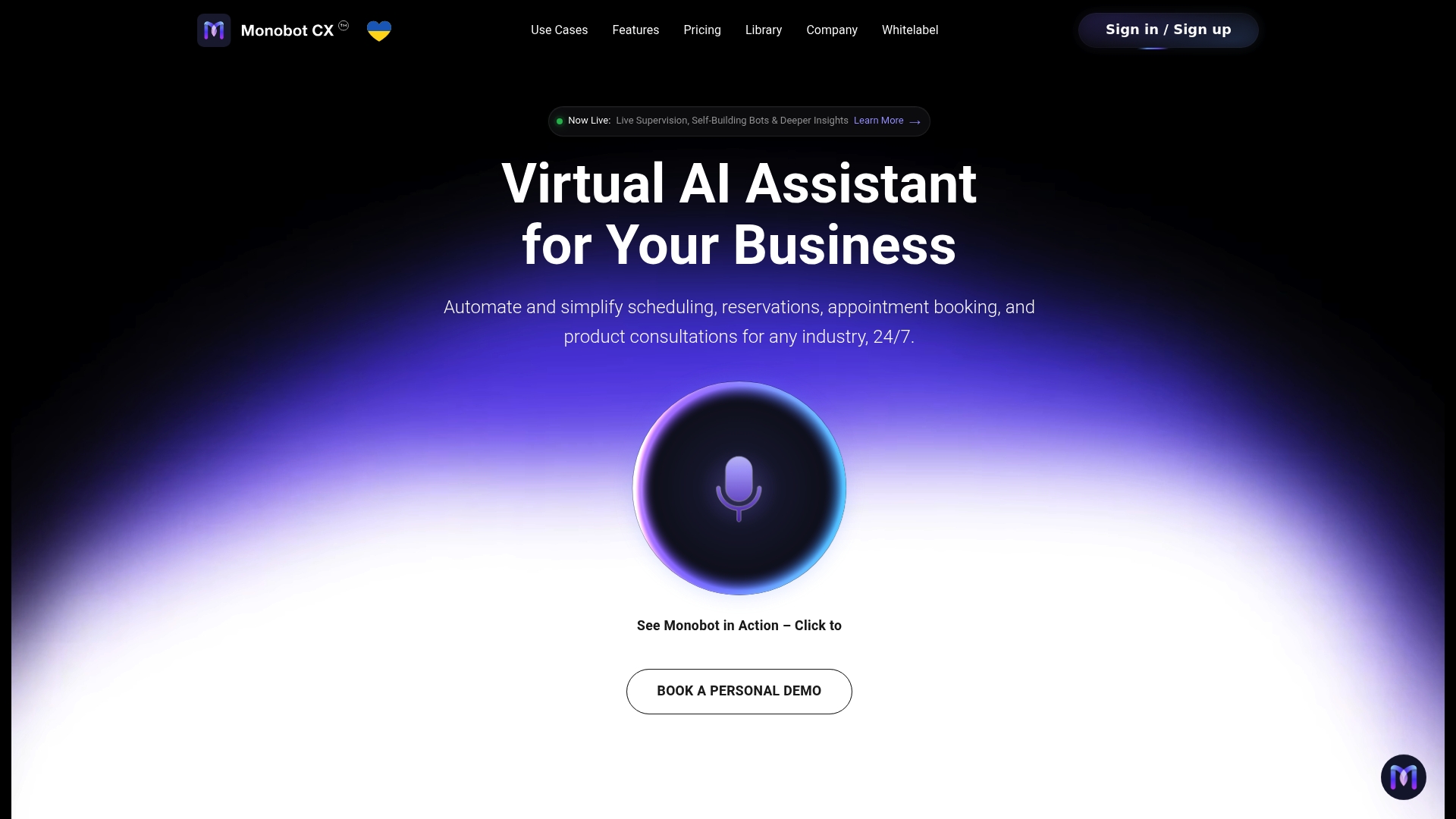
Plans are published on our pricing page: Starter is $200 per month, Growth is $500 per month and Business is $1,000 per month. Enterprise is available for larger deployments, and the HIPAA add-on is $1,000 per month for teams that need it. Phone numbers are $2.50 per month per number. Start from the Monobot homepage and schedule a demo to see it with your own call flows.
FAQ
What is real-time agent coaching?
It is guidance delivered to an agent while a conversation is still in progress. The AI listens or reads along and shows short prompts, such as a suggested reply, a knowledge article or a reminder to read a disclosure. The agent decides whether to use it, and the customer never sees it.
What is agent whisper coaching?
Whisper coaching is when a supervisor speaks privately to an agent during a live call. The agent hears the cue, and the customer does not. It suits short, immediate instructions on high-stakes calls or with new agents. AI can deliver similar cues as on-screen text across every conversation, so supervisors are not limited to the calls they can personally hear.
Does AI coaching replace supervisors?
No. AI is good at finding patterns across thousands of interactions and showing who needs help with what. Supervisors still hold the coaching conversation, give context and build trust. Programs work best when the AI handles the finding and the human handles the developing.
How long before I see results?
It depends on your volume and the KPIs you choose. Quality and resolution trends usually show first in the queue you piloted. Customer satisfaction tends to move more slowly, so judge results over several weeks, not days, and compare against the same queue before launch.
How should we introduce it to agents?
Tell them in advance what the system sees and how the data will be used. Start with simple, short prompts, let agents dismiss them, and gather their feedback weekly. Agents who see the tool as help adopt it quickly, while agents who feel watched resist it.
Sources
- How agent assist technology works in the contact center (TechTarget)
- AI-Powered Coaching for Contact Centers: Strategy and KPIs
- AI governance toolkit (U.S. General Services Administration)
- The Role of Chatbots in Business Success Today