


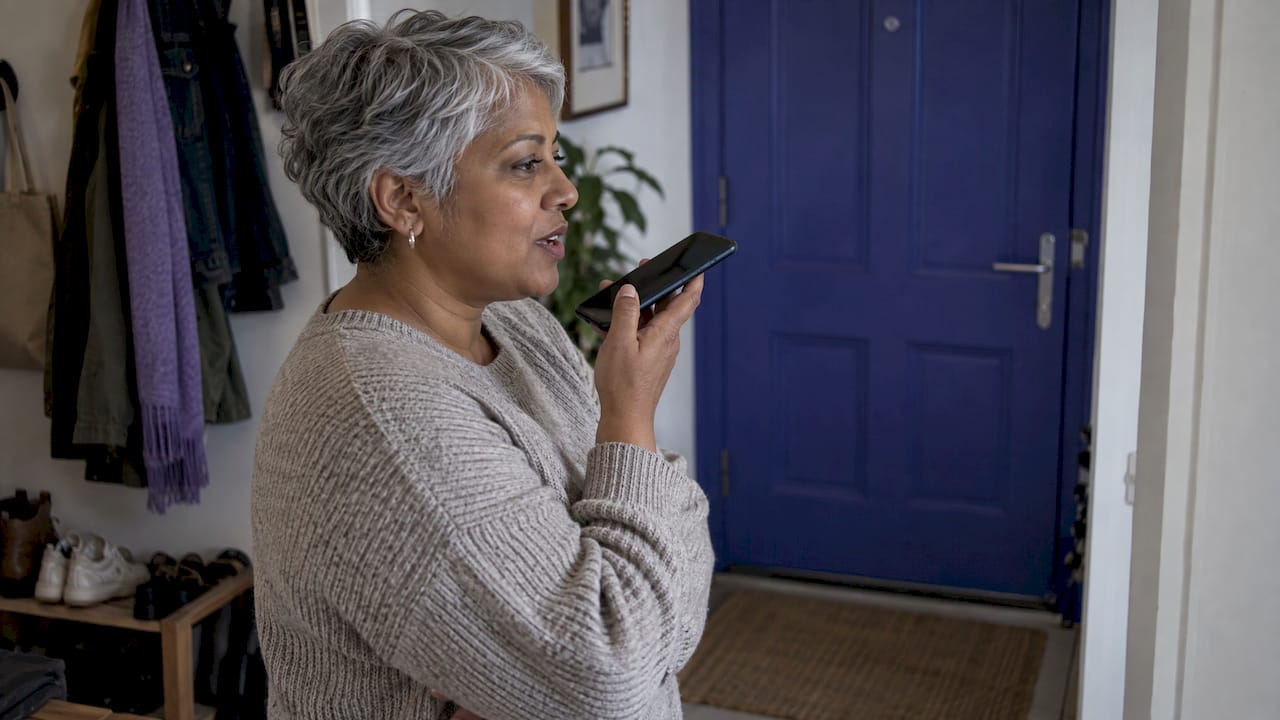
AI IVR personalization means the phone system understands why a customer is calling, looks up who they are, and then answers, routes or hands off based on both. Instead of “press 1 for billing” for everyone, a caller hears a greeting built around their account, says what they need in their own words, and reaches a resolution or the right person with context attached. This guide shows how that works, what to measure, which integrations you need and how to modernize an existing IVR in stages without putting live call volume at risk.
TL;DR
- Traditional IVR sends every caller down the same fixed decision tree. AI IVR uses speech understanding, intent detection and your customer records to adapt each call.
- The strongest personalization comes from three inputs: the caller’s stated reason, their account and history, and the channel or time context of the call.
- Plan modernization as a phased migration: assess, map call flows, pilot on a slice of traffic, keep a fallback to the legacy system, then scale.
- Treat accessibility, voice-data privacy and wrong-answer risk as design requirements from day one, not a late review.
- Measure abandonment, wait time, containment, authentication success and complaints before and after, so the gains are yours to prove.
Table of Contents
- What AI IVR personalization actually means
- How AI uses intent and customer data on a live call
- Where personalization pays off, call type by call type
- What outcomes you can measure
- Data, integrations and human handoffs you need
- An IVR modernization strategy in six steps
- Privacy, accessibility and reliability: build them in
- Our perspective
- How Monobot supports personalized voice automation
- FAQ
- Sources
What AI IVR personalization actually means
A classic IVR relies on keypad tones or tightly scripted speech recognition and routes callers through pre-programmed decision trees. It works when a caller’s need matches a menu option. It fails when the need does not fit the tree, and that is exactly when customers press 0 repeatedly.
AI-powered IVR replaces the tree with a conversation. One US healthcare example describes swapping a legacy IVR with predefined prompts for conversational AI using real-time natural language processing, speech-to-text and text-to-speech to understand and respond to spoken requests. Personalization is what happens on top of that foundation:
- Identity-aware greetings. The system recognizes the number, pulls the account and skips the “enter your account number” step.
- Context-aware openings. If the customer has an open order or an upcoming appointment, the assistant offers to talk about that first.
- Intent-based routing. The caller says “I need to move my Thursday visit” and the call goes straight to a rescheduling flow or the right team.
- Tailored self-service. Answers use the caller’s own data: their balance, their delivery status, their plan.
- Context-rich handoffs. When a human takes over, the agent sees who called, what they said and what the assistant already tried.
Personalization does not mean the assistant knows everything. It means the menu stops being the same for everyone.
How AI uses intent and customer data on a live call
It helps to see the mechanics. A published engineering account of an adaptive voice support flow shows the pattern well: the system transcribes the caller’s reason for calling, classifies the issue with a dedicated model, and then either sends a relevant help article by SMS or routes the call to a human agent with relevant details attached. The same account reports intent detection latency under 50 ms on average in production, which is the kind of speed that keeps a conversation from feeling laggy.
Two more details are worth borrowing for your own design:
- Paraphrase before you answer. The adaptive flow can summarize the caller’s intent back to them before delivering a solution, so the caller knows the assistant understood and can correct it early.
- Detect the request for a person. A separate intent model recognizes when a caller wants to escalate, honors the request and routes to a suitable team. Personalization that traps people in automation is not personalization.
In practice, every personalized call combines four layers:
| Layer | What it does | Example input |
|---|---|---|
| Speech (STT and TTS) | Turns voice into text and text into natural speech | Caller’s spoken request |
| Understanding (LLM and intent models) | Classifies the reason for the call and extracts details | “Where is my order from Monday?” |
| Data lookup | Pulls the caller’s records through integrations | CRM, order system, scheduling system |
| Decision and action | Answers, books, updates a record, sends an SMS or hands off | Reschedule, status reply, transfer with summary |
If any layer is weak, personalization breaks. Great speech recognition with no access to customer data gives you a polite assistant that knows nothing. Great data with poor speech recognition gives you frustrated callers.
Where personalization pays off, call type by call type
Not every call needs the same depth. Start where context changes the answer.
| Call type | Generic IVR | Personalized AI IVR |
|---|---|---|
| Appointment scheduling | Menu, then date prompts | Offers the caller’s usual location or provider, checks live availability, confirms by text |
| Order status | Asks for an order number | Recognizes the caller and reads the latest order status |
| Billing questions | Routes to a queue | Answers common balance questions, routes disputes to a specialist with the account open |
| Lead qualification | Voicemail or callback form | Asks qualifying questions, writes answers to the CRM, routes hot leads to sales |
| Employee IT support | Ticket menu | Identifies the employee, handles routine requests like password help, escalates the rest with details |
| Returning caller after a failed first attempt | Starts over | Recognizes the repeat contact and skips ahead or prioritizes a human |
These are the same routine tasks we see businesses automate with Monobot: appointment scheduling, order status updates, inquiries, lead qualification and employee IT support. Our platform is designed to handle up to 80% of routine inbound calls and chats, and personalization is what makes that automation feel useful instead of generic.
What outcomes you can measure
Pick metrics before you build, record a baseline, and compare after launch. These are the ones that matter most for personalized voice automation.
- Queue abandonment: the share of callers who hang up before reaching help.
- Average wait time by queue.
- Containment: the share of calls fully resolved without a human.
- Authentication success rate if the flow verifies identity.
- Average call duration and handle time for the calls that still reach agents.
- Complaints and repeat contacts.
- Business results: appointments scheduled, qualified leads, payments collected.
Published US results show what the range can look like. At Tampa General, an AI-driven call center deployment was reported to deliver a 56% drop in ambulatory queue abandonment, a 35% improvement in specialty queues, and a 17% increase in average daily appointments scheduled, with average wait time down 58% for ambulatory scheduling and 29% for specialty clinics. A US banking case study reports 75% call containment across eligible retail inbound calls and an 81% authentication rate using native voice biometrics, with a 3% reduction in average call duration versus the legacy platform.
Those are results from specific organizations with their own call mixes, so use them as reference points for what to track, not as promises for your numbers.
One research finding is worth building into your plan too. A natural field experiment on a voice-based AI system found that implementation temporarily raised machine service duration and demand for human service, but persistently reduced customer complaints, while speech-recognition failures pushed both demand for humans and complaints up. The takeaway is practical: expect a tuning period, watch the early weeks closely, and invest in recognition quality and clean handoffs.
Data, integrations and human handoffs you need
Personalization is only as good as the data the assistant can reach. A healthcare case study describes an integration landscape that spans front-end systems, channels, orchestration and routing, dialog management, speech services, API management, back-end systems of record, authentication, and monitoring and analytics. The banking example connected a virtual agent to telephony and more than 30 backend banking APIs, plus the bank’s own voice biometric authentication API.
You probably do not need that scale on day one. A workable minimum looks like this:
- A caller identity source. Usually your CRM, helpdesk or customer database, matched on phone number plus a verification step for anything sensitive.
- One or two systems of action. Scheduling, order management or ticketing, so the assistant can do something, not just talk.
- A knowledge base. Approved answers to common questions, so responses stay consistent.
- A handoff path. Warm transfer to a live agent with the transcript or summary, plus a rule for when to transfer: caller request, repeated misunderstanding, high-risk topic.
- Analytics. Call outcomes, intent distribution and sentiment, reviewed weekly.
The architecture decisions behind this are covered well in discussions of the role of chatbots in business success, and the same backend integration thinking applies to voice. On our side, the Integration Hub is where you connect third-party tools so the assistant can read and write the records that personalize each call. Our voice analytics then shows you what callers actually asked for, which feeds the next round of improvements.
For a deeper look at the replacement path, see our article on how conversational AI replaces IVR in contact centers.
An IVR modernization strategy in six steps
The safest modernization is incremental. Two published migration case studies point the same way: phase the work and keep a way back.
A banking migration used area code-based routing to move traffic gradually from the legacy platform to the new one, with the ability to fall back 100% of traffic to the legacy system at any point. A healthcare delivery was completed in under six months using a series of two-week sprints. You can adapt that pattern to a smaller team.
1. Audit what callers do today
Export call reasons, menu paths, abandonment points and transfer rates from your current IVR. Find the menu options nobody uses, the “0” exits that signal failure and the top ten reasons people call. Those ten usually carry most of the volume.
2. Pick two or three high-value intents
Choose intents that are frequent, simple to resolve and rich in customer context: appointment changes, order status, balance questions. Resist automating everything at once.
3. Map data and actions
For each intent, list what the assistant must know (identity, order, appointment) and what it must be able to do (read, book, update, send an SMS). This list is your integration scope.
4. Design the conversation and the escape hatch
Write the greeting, the clarifying questions and the failure paths. Define when the assistant paraphrases, when it verifies identity and when it transfers. Always honor a direct request for a person.

5. Pilot on a slice of traffic
Route a limited share of calls, by number, region or hours, to the new flow. Compare against the baseline you recorded in step 1. Review transcripts weekly and fix misrecognized phrases.
6. Scale, then personalize deeper
Once containment and satisfaction hold, add intents, languages and channels. Then layer in richer personalization: proactive outreach, history-aware routing, sentiment-based escalation.
Our Ready-to-Use Templates cover industries such as healthcare, banking, retail and logistics, which shortens steps 2 through 4 considerably.
Privacy, accessibility and reliability: build them in
Accessibility
In the US, federal rules in 47 CFR Part 7 address voicemail and interactive menu services: accessibility must be ensured “if readily achievable”, and the rules define accessible modes such as operation without vision and without hearing or speech. They also expect information to be available in alternative forms, for example auditory information in visual form. For your IVR this means offering a non-voice path where appropriate, such as an SMS or chat alternative, and not relying on a single input mode. Have your compliance or legal team confirm what applies to your service.
Voice data privacy
Voice carries more than words. A Duke Law note argues that machine learning can infer non-obvious information from voice data and that US privacy rules may leave such inferences unprotected. A sensible design response: collect only the data a flow needs, tell callers what is recorded, set retention limits and avoid using inferred traits for routing or pricing decisions. If you handle protected health information, involve your privacy officer before launch. Monobot offers a HIPAA add-on at $1,000 per month for organizations that need it.
Reliability and wrong answers
Misheard intent and fabricated answers are real risks in any AI voice system. Reduce them with a curated knowledge base, narrow scopes for sensitive actions, confirmation steps before irreversible changes (“I will cancel the 3 p.m. appointment, is that right?”) and ongoing transcript review. Keep the human fallback fast.
Our perspective
We see the same pattern in almost every IVR modernization: teams start by asking how to make the menu smarter, and the better question is how to remove the menu from the caller’s path.
Personalization works when three things line up. The assistant understands natural speech with low latency. It can reach the data that makes the answer specific. And a human can take the wheel instantly, with full context, when the call needs one. We built Monobot around that triple: voice and chat agents you configure without code, integrations to the tools your team already runs, and real-time analytics plus agent assistance so humans get smarter, not sidelined.
Our advice is to start narrow and launch fast. A first assistant handling appointment scheduling or order status can go live in minutes on our platform, and the transcripts it produces show you what to automate next. Speed to the first real call teaches more than months of planning.
Alex
How Monobot supports personalized voice automation
Monobot is an AI platform for building, deploying and managing voice and chat assistants that handle appointment scheduling, order status updates, inquiries and lead qualification in real time. You customize without coding, connect your business tools and watch results in interaction dashboards. Teams that want to see the approach in action can start with our AI voice assistant for customer support.
Published plans on our pricing page are Starter at $200 per month, Growth at $500 per month and Business at $1,000 per month, with Enterprise available on request. Phone numbers are $2.50 per month per number. Agencies and BPOs can look at our white-label and OEM options. Ready to modernize your IVR? Visit monobot.ai and schedule a demo.
FAQ
What is the difference between IVR and AI IVR?
A traditional IVR follows a fixed menu using keypad presses or rigid speech commands. An AI IVR understands open-ended speech, identifies intent and can use customer data to answer or route. The practical difference is that callers state their need once instead of navigating layers of options.
Do I need to replace my whole phone system to personalize IVR?
Not necessarily. Many organizations migrate in phases, sending a portion of calls to the new assistant while the legacy system stays available as a fallback. Start with a few high-volume intents, validate results, and expand from there.
What data does AI need to personalize a call?
At minimum, a way to identify the caller and access to the system holding the relevant record, such as a CRM, scheduling or order system. A knowledge base for standard answers and a defined handoff path to a live agent complete the basics.
Is AI IVR safe for regulated industries like healthcare or banking?
It can be, with the right controls: verified identity, limited data collection, retention rules, accessibility alternatives and review by your compliance team. Healthcare organizations handling protected health information should confirm HIPAA requirements with their privacy officer before launch.
How long does an IVR modernization take?
It depends on scope. One published healthcare project was delivered in under six months in two-week sprints, while a focused first assistant on a no-code platform can go live much sooner. Plan a pilot first, then scale based on measured results.
Sources
- Conversational AI for healthcare (KPMG)
- IVR vs Voice AI for Small Business Calls
- Listening, Learning, and Helping at Scale (Airbnb Tech)
- In Tampa General’s call center, AI drives ROI (Healthcare IT News)
- AI-Native Banking Support case study (Quantiphi)
- Voice-based AI in call center customer service: A natural field experiment
- eCFR 47 CFR Part 7
- Your Voice Gave You Away: the Privacy Risks of Voice-Inferred Information (Duke Law)
- The Role of Chatbots in Business Success Today