



TL;DR:
- AI automates routine customer support queries to increase resolution rates without proportional staff increases. Managing AI as a fleet with continuous data integration and process updates achieves up to 80% contact deflection, improving efficiency and customer experience. Organizations should start small, focus on high-volume categories, and treat AI deployment as an ongoing operational process.
AI scales customer interactions by autonomously resolving routine queries, routing complex issues to human agents, and maintaining full conversation context across every channel. This model, formally called AI fleet management, lets your support operation handle significantly higher contact volumes without proportional headcount growth. Companies using this approach reach 70–95% resolution rates for routine tickets, often hitting 70% within the first 60 days. For customer service leaders under pressure to do more with less, understanding how AI achieves this at scale is the most practical place to start.
How AI scales customer interactions through automation
AI customer service automation works by identifying which ticket categories repeat most often, then building self-service workflows that resolve them without human involvement. Password resets, order status checks, appointment scheduling, and billing inquiries are the clearest examples. These ticket types share a key trait: they follow predictable logic trees and require data retrieval, not judgment.

The operational impact is measurable. AI-driven organizations achieve 2.4 times higher self-service ratios compared to peers. That ratio directly reduces the number of contacts your team must handle manually. One documented outcome shows a 37% reduction in contacts per order when customers can manage routine tasks independently through AI-powered self-service.
The mechanism behind this is contact deflection. AI agents pull answers from connected knowledge bases, CRM records, and backend systems to resolve queries in real time. When the AI cannot resolve an issue, it escalates with full context rather than forcing the customer to repeat themselves. This is what separates effective AI customer service automation from basic FAQ bots.
Key ticket types suited for AI resolution include:
- Order tracking and shipping updates
- Account balance and transaction inquiries
- Appointment booking and rescheduling
- Password resets and account unlocks
- Return and refund status checks
- Basic product or service information requests
Pro Tip: Audit your last 90 days of tickets and tag every repeat category. Any category appearing more than 15% of total volume is a high-impact automation target. Start there before building anything.
What is AI fleet management and why does it matter?
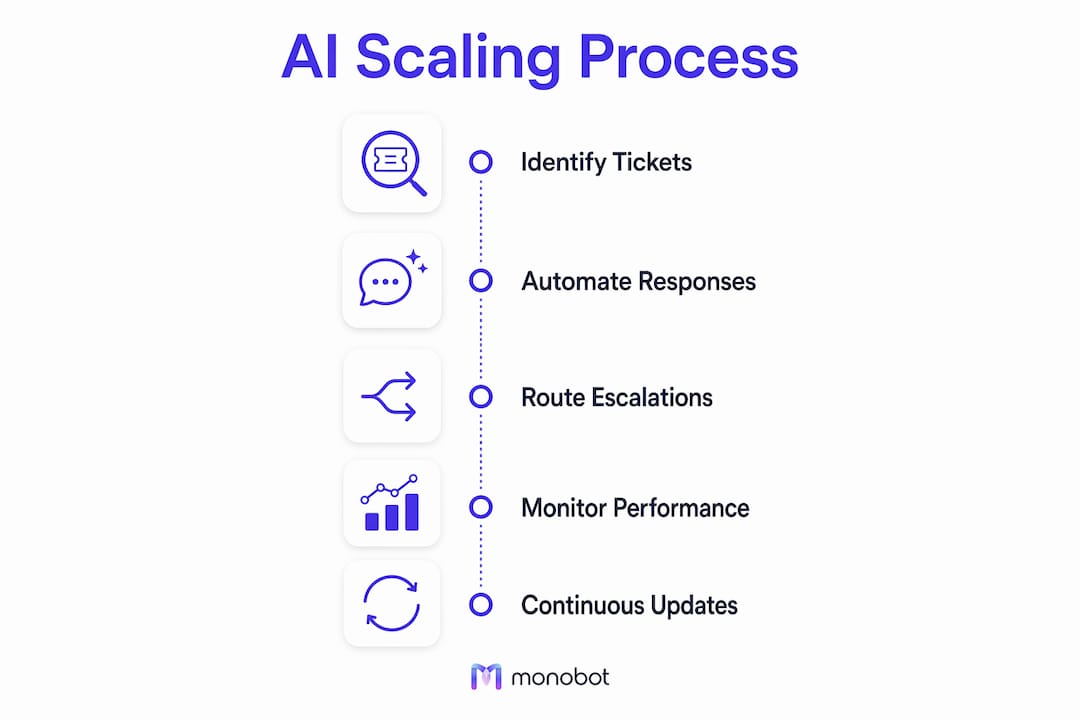
AI fleet management is the operational model where AI agents are treated as a managed workforce rather than individual tools. Each AI agent is trained on a specific ticket category, connected to relevant backend systems, and governed by a human manager who oversees performance rather than handles tickets directly. One human can manage many AI agents, each running different workflows simultaneously.
The fleet model has four operational layers:
- Runbook layer. Each AI agent follows a documented decision tree called a runbook. The runbook defines what the agent does, what data it accesses, and when it escalates. Managers write and update runbooks as products and policies change.
- Integration layer. AI agents connect to CRM platforms, helpdesk systems, order management tools, and knowledge bases. Without these integrations, agents can only answer generic questions. With them, agents resolve specific account-level issues.
- Escalation layer. Every agent has defined escalation triggers. When a query falls outside the agent’s scope, it hands off to a human agent with full conversation history attached. This prevents the frustrating experience of customers repeating themselves.
- Quality control layer. Human managers review agent performance through QA scoring, audit logs, and resolution rate tracking. Agents that fall below quality thresholds get retrained or their runbooks get updated.
The cost efficiency case is direct. Only 20% of support leaders who adopted AI actually reduced headcount, because most layered AI over unchanged processes. The teams that see real gains redesign their workflows first, then deploy AI into those redesigned processes. Properly configured AI can deflect 60–80% of repeat tickets. That means sub-linear headcount growth even as contact volume rises.
Pro Tip: The biggest pitfall in fleet management is treating AI deployment as a one-time project. Runbooks need quarterly reviews. Products change, policies update, and customer language evolves. Build a calendar review into your operations from day one.
Why data integration determines AI performance
Clean, connected data is the foundation of effective AI scaling. Poor data hygiene causes AI hallucinations, meaning the agent generates plausible but incorrect answers. That outcome damages customer trust faster than a slow response ever would.
The architecture that prevents this is a centralized data lakehouse. This is a unified data store that pulls from your CRM, helpdesk, knowledge base, Jira, and any other backend system your agents need. Before launching AI agents, every data source must feed into this central store through automated, validated pipelines. Manual data entry and siloed databases are the two fastest ways to degrade AI accuracy.
| Integration source | What it enables |
|---|---|
| CRM (e.g., Salesforce, HubSpot) | Account-level personalization and history |
| Helpdesk (e.g., Zendesk, Freshdesk) | Ticket routing and resolution tracking |
| Order management system | Real-time order status and return processing |
| Knowledge base | Accurate, policy-aligned answers |
| Communication platforms | Omnichannel context continuity |
Context continuity across channels is equally critical. Persistent customer context across voice, chat, and messaging means that when a customer moves from a chatbot to a phone call, the human agent sees the full prior interaction. Without this, every channel transition feels like starting over. Connected intelligence avoids isolated ticket silos, improving both resolution speed and satisfaction scores.
Data governance is not optional at scale. Define who owns each data source, how often it syncs, and what validation rules apply. Treat your data pipeline with the same operational rigor you apply to your AI agents themselves.
Practical frameworks for deploying AI support at scale
Shadow mode is the safest way to start. In this approach, AI drafts replies and human agents review, edit if needed, and send before anything reaches a customer. Over time, QA scores accumulate. When an agent’s score consistently clears your internal quality bar, you activate autonomous replies for that queue. This method prevents brand damage and builds internal confidence in the system.
Roll out queue by queue, not all at once. Start with your highest-volume, lowest-complexity ticket category. Prove the model works there before expanding to adjacent categories. This phased approach gives your team time to learn fleet management skills while limiting risk exposure.
Tiered support models define how AI and human agents divide responsibility. AI and generalist staff handle routine requests, while specialists focus on complex or high-stakes issues. This structure preserves your most experienced agents for the work that actually requires their expertise. It also improves morale, since specialists spend less time on repetitive tasks.
Monitor these KPIs from day one:
- First-contact resolution rate. The percentage of issues resolved without escalation or follow-up.
- Escalation rate. How often AI agents hand off to humans. A rising rate signals runbook gaps.
- Customer Effort Score (CES). Measures how easy the interaction felt from the customer’s perspective.
- Average handle time. Tracks efficiency gains across both AI and human-assisted contacts.
- AI containment rate. The percentage of contacts fully resolved by AI without human involvement.
Pro Tip: Use your AI analytics dashboard to identify the specific question types that cause the most escalations. Those are your next runbook improvement targets. Treat escalation data as a product backlog, not just a performance metric.
Continuous process redesign is what separates teams that plateau at 60% automation from those that reach top performance. Customer language changes. Products evolve. Regulations shift. Your AI fleet needs the same ongoing attention you give your human team. A reliable signal that the redesign is working: cost per ticket stays flat or falls as volume grows, while satisfaction scores hold steady.
Key takeaways
AI scales customer interactions most effectively when it operates as a managed fleet, not a collection of standalone tools. The teams that reach 90%+ automation rates treat runbook design, data integration, and continuous tuning as permanent operational functions, not one-time setup tasks.
| Point | Details |
|---|---|
| Start with high-volume ticket categories | Automate the ticket types that repeat most often to see the fastest containment gains. |
| Build a centralized data architecture | Connect CRM, helpdesk, and backend systems before deploying AI agents to prevent hallucinations. |
| Use shadow mode for safe rollout | Let AI draft replies for human review until quality scores consistently clear your internal bar. |
| Manage AI as a workforce | Assign runbooks, integration ownership, and QA responsibilities just as you would for human agents. |
| Monitor escalation data as a backlog | Rising escalation rates reveal runbook gaps. Fix them on a regular review cycle. |
The mindset shift most teams miss
The teams I see struggle most with AI scaling share one pattern: they deploy AI to reduce cost, then measure only cost. That framing misses the real opportunity. AI at scale is a customer experience investment, not just a headcount equation.
The connected intelligence model reframes the goal entirely. You are not trying to replace agents. You are building a system where AI handles the predictable and humans handle the meaningful. That distinction changes how you design runbooks, how you train your team, and how you measure success.
The hardest part is not the technology. It is the organizational shift. Fleet managers need different skills than ticket handlers. They need to think in systems, write clear decision logic, and interpret QA data. Most support leaders underestimate how long that skill development takes. Build training into your deployment timeline from the start.
The teams that get this right also keep their knowledge bases obsessively current. An AI agent is only as accurate as the information it draws from. Stale documentation is the silent killer of AI performance. Assign knowledge base ownership the same way you assign agent queues.
My honest recommendation: start smaller than you think you need to. One queue, one runbook, one integration. Prove it works. Then expand. The organizations that try to automate everything at once almost always end up reverting to manual processes within six months.
— Alex
Monobot’s platform for scaling AI customer interactions
A small support desk fielding basic information requests may only need simple FAQ-style automation, while a team handling appointment scheduling, order updates, inquiries, and lead qualification needs a fuller voice and chat assistant platform. The right fit depends on whether your workflows require routing, handoff to human agents, and account-level data.
For teams that need to build, deploy, and manage those assistants, Monobot’s AI Voice Agent Builder lets you create custom voice and chat agents to handle inbound calls, appointment scheduling, order inquiries, and lead qualification.

The Dashboard Analytics feature gives you real-time visibility into your interactions. Monobot integrates with third-party tools, so your AI agents can work with connected systems.
When you compare subscription quotes across platforms, look at three things:
- Usage basis. Whether pricing scales with contact volume, number of agents, or channels covered.
- Included features. Which integrations, analytics, and customization tools come standard versus as add-ons.
- Enterprise deployment scope. Whether the quote covers multi-queue rollout, dedicated support, and custom workflow configuration.
Exact prices are rarely published upfront, and custom quotes are standard once a deployment moves beyond basic use. Schedule a demo to get a quote scoped to your own ticket volume and workflows.
FAQ
How does AI scale customer interactions without adding headcount?
AI handles routine ticket categories autonomously, deflecting 60–80% of repeat contacts. This lets your existing team focus on complex issues while contact volume grows.
What is AI fleet management in customer support?
AI fleet management is the model where multiple AI agents, each trained on specific ticket types, are overseen by human managers who handle runbooks, integrations, escalations, and quality control.
How long does it take to see results from AI customer service automation?
Organizations typically reach 70%+ resolution rates within 60 days and 90%+ within six months when AI is properly configured and integrated with backend systems.
What data integrations are required before deploying AI agents?
CRM, helpdesk, order management, and knowledge base systems must connect to a centralized data store before launch. Clean data pipelines prevent AI hallucinations and improve answer accuracy.
What KPIs should I track when scaling AI customer support?
Track first-contact resolution rate, AI containment rate, escalation rate, Customer Effort Score, and average handle time. Escalation rate is the most useful signal for identifying runbook gaps.