



AI-driven strategies that improve contact center agent productivity
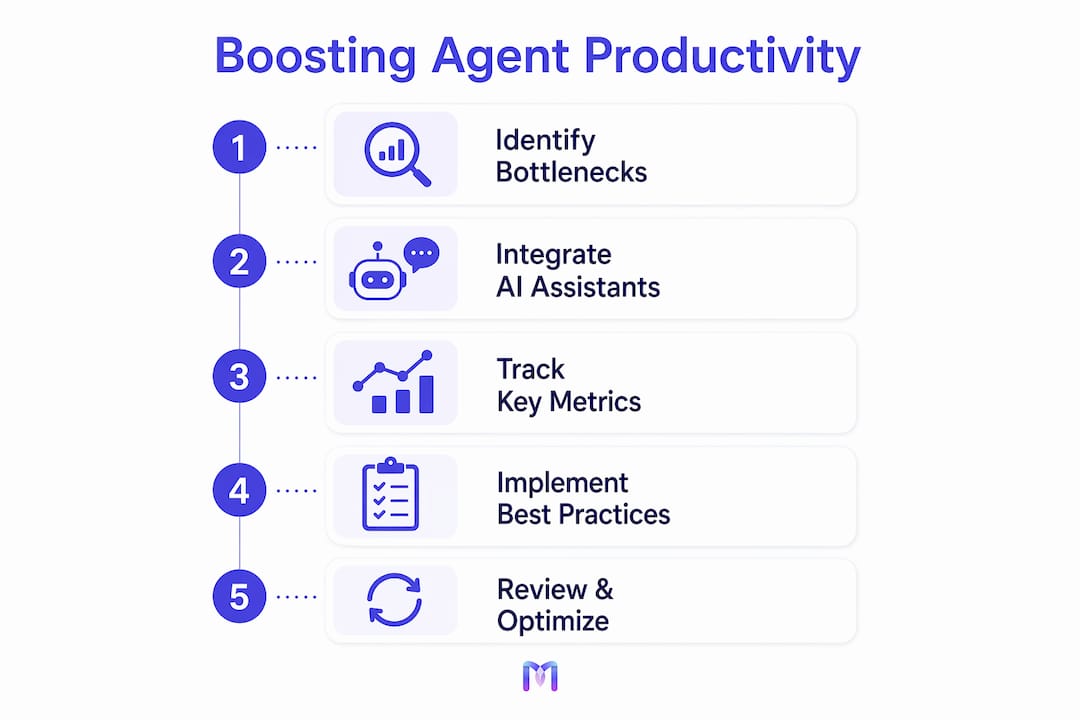
The fastest path to better contact center performance is deploying AI virtual assistants that work alongside your agents in real time, not after the fact. Here are the strategies that deliver measurable results:
- Real-time AI agent assist: AI surfaces next-best-action prompts and relevant knowledge base articles during live calls, reducing average handle time by approximately 27%.
- Automated after-call work (ACW): Generative AI summarizes interactions and populates CRM fields automatically, cutting after-call work time by around 35%.
- AI-powered quality management: Automated evaluation covers all interactions, replacing the small sampled rate of manual review and enabling targeted, unbiased coaching.
- Intelligent routing and Tier 1 automation: AI handles routine queries like appointment scheduling and order status autonomously, freeing agents for complex issues.
- Unified agent desktop: Consolidating CRM data and all channels into one view eliminates the overhead of constant application switching.
- Native AI embedding: Building AI into core contact center architecture, rather than layering it on top, avoids latency and keeps output consistent across every channel.
- Production-grade vendor validation: Before deployment, test AI with live, unscripted calls in real-world conditions, not polished demos.
Table of Contents
- What’s actually slowing your agents down?
- How AI virtual assistants automate the tasks that drain agent time
- Best practices for deploying AI assistants in your contact center
- How to measure and maximize the gains from AI assistants
- AI assistant implementation in US contact centers: what’s working
- Monobot cuts agent workload without cutting corners on quality
- FAQ
- Key Takeaways
What’s actually slowing your agents down?
Most contact center productivity problems trace back to the same handful of friction points, and they compound fast.
- Excessive application switching: Agents switch between 5–10 applications per interaction, logging over 40 switches during an average call. That overhead adds minutes to every interaction.
- Manual after-call work: Note-taking and CRM updates after each call consume significant time that could go toward the next customer.
- Sampled quality management: Traditional QA reviews only 1–3% of interactions, whereas AI-powered systems evaluate 100% of interactions, creating a complete picture of agent performance for targeted coaching.
- Misrouted calls: When calls land with the wrong agent or team, repeat contacts rise and agent focus drops.
- Language and personalization gaps: Without AI assistance, agents struggle to deliver personalized, contextually accurate responses at scale.
- Training bottlenecks: High call volumes leave little room for structured upskilling, so skill gaps persist longer than they should.
The compounding effect is real. An agent switching applications 40-plus times per call, then spending 10 minutes on manual ACW, then receiving coaching based on a 2% sample of their work is an agent set up to underperform, regardless of their individual skill level.
Legacy workflows don’t just slow agents down. They create a ceiling on what even your best people can achieve.
How AI virtual assistants automate the tasks that drain agent time
AI virtual assistants address each of those friction points directly, and the impact shows up in the numbers.
- Real-time transcription and next-best-action: During a live call, AI transcribes the conversation, identifies the customer’s intent, and surfaces the most relevant knowledge base article or response suggestion, all without the agent leaving their current screen.
- Generative ACW summarization: Once a call ends, AI drafts the interaction summary and pre-fills CRM fields. AI-generated summaries cut after-call work time by around 35%, which adds up to hours recovered per agent each week.
- Automated quality management: AI evaluates 100% of interactions automatically, giving managers complete visibility and enabling coaching conversations grounded in real data rather than a small sample.
- Autonomous Tier 1 handling: Routine requests, including appointment scheduling, order status checks, and basic account inquiries, are resolved entirely by AI voice agents or chatbots. Monobot’s AI voice agents automate up to 80% of inbound calls and chats, keeping human agents focused on work that genuinely requires their judgment.
- CRM-integrated personalization: When AI virtual assistants connect to your CRM, they transfer full conversation context, enabling personalized responses that improve resolution rates without requiring agents to dig for background information.
- Real-time agent assistance: Monobot provides live suggestions and analytics to human agents during interactions, helping them navigate complex conversations with greater confidence.
Pro Tip: Embed AI natively in your contact center platform rather than adding it as a separate layer. Native integration eliminates latency, keeps AI output consistent across voice and chat channels, and avoids the data handoff errors that bolt-on tools introduce.

Best practices for deploying AI assistants in your contact center
Getting the technology right matters less than getting the implementation right. These practices separate deployments that deliver ROI from those that stall.
- Embed AI natively: Layering AI on legacy systems introduces friction and latency. Build AI into your core contact center architecture from the start.
- Validate vendors with live, unscripted tests: Polished demos rarely reflect production conditions. Use realistic call environments with high call volumes and unscripted scenarios to evaluate true AI performance before you commit.
- Train agents to work with AI: Agents need to understand what the AI is doing, when to trust its suggestions, and when to take the wheel. Structured onboarding reduces resistance and accelerates adoption.
- Deploy real-time governance dashboards: Monitor AI performance continuously. Dashboards that surface accuracy rates, escalation patterns, and resolution data let you catch problems before they affect customers.
- Integrate with your CRM and existing tools: AI assistants that connect to your CRM and ticketing systems create a unified experience. Disconnected tools create the same application-switching problem you were trying to solve.
- Use a phased rollout: Start with one channel or one query type, measure results, gather agent feedback, and expand. Iterative deployment reduces risk and builds internal confidence.
- Apply context engineering for multi-turn dialogue: Without careful context management, AI accuracy degrades across longer conversations. Structuring the information environment your AI operates within, using techniques like semantic tagging and just-in-time data retrieval, keeps multi-turn accuracy high.
“The primary risk in AI procurement is the gap between vendor demos and real production performance. Buyers should insist on live, unscripted call evaluations in real-world conditions.” — Sean Nolan, as cited in CX Benchmarks That Actually Matter
How to measure and maximize the gains from AI assistants
Deploying AI is step one. Knowing whether it’s working, and where to push further, requires the right metrics and a continuous improvement mindset.
Core metrics to track:
- Average Handle Time (AHT): Target a reduction of approximately 27% with real-time AI assist active.
- After-Call Work (ACW) time: Generative summarization should drive roughly a 35% reduction.
- First Contact Resolution (FCR): Higher FCR signals that AI is helping agents resolve issues completely on the first interaction.
- Operational cost per contact: Automation of Tier 1 queries directly reduces cost per interaction.
Typical productivity benchmarks with AI:
| Metric | Baseline (No AI) | With AI Assistance | Target Improvement |
|---|---|---|---|
| Average Handle Time | Baseline | ~27% reduction | Sustained post-deployment |
| After-Call Work Time | Baseline | ~35% reduction | — |
| Quality Review Coverage | 1–3% of interactions | 100% of interactions | Immediate at deployment |
| Tier 1 Call Automation | — | Up to 80% | Scales with AI tuning |
Use AI analytics dashboards to track these metrics in real time. Monobot’s dashboard analytics give you granular visibility into agent performance, AI resolution rates, and escalation patterns, so you can identify coaching opportunities and tune AI behavior continuously. Pair dashboard data with regular agent feedback sessions to catch gaps the numbers alone won’t surface.
AI assistant implementation in US contact centers: what’s working
Across US contact centers, the clearest productivity gains are coming from organizations that treat AI as infrastructure, not a feature add-on.
Healthcare contact centers using AI voice agents to handle appointment scheduling and prescription refill inquiries have significantly reduced inbound call volume handled by human agents, freeing clinical support staff for calls that require clinical judgment. Retail and e-commerce operations have deployed AI chatbots for order status and return inquiries, with AI handling the majority of those contacts autonomously and routing only exception cases to agents.
In BPO environments, where agent headcount directly drives cost, AI voice agent automation has reduced operational costs while improving first-call resolution rates, because AI handles volume while human agents focus on accuracy-sensitive interactions. IT helpdesk operations have used AI to triage tickets, surface relevant knowledge base articles in real time, and auto-populate incident records, cutting both handle time and ACW simultaneously.
The pattern across all of these is consistent: AI handles the predictable, high-volume, low-complexity work, and human agents handle everything that requires empathy, judgment, or nuanced problem-solving. That division of labor is what makes the productivity gains durable rather than a one-time efficiency bump.
Monobot cuts agent workload without cutting corners on quality
Your agents shouldn’t spend their day switching between applications, writing call summaries, or answering the same Tier 1 questions on repeat. Monobot’s AI platform handles all of that, so your team focuses on the conversations that actually need a human.

Monobot automates up to 80% of inbound calls and chats across voice and chat channels, provides real-time suggestions to agents during live interactions, and gives managers granular analytics to track performance and coach precisely. The AI agent builder lets you deploy custom AI voice agents and chatbots without writing code, using industry templates for healthcare, retail, banking, logistics, and more. Deployment takes minutes, not months. Schedule a demo at monobot.ai to see it handle your actual call types in a live environment.
FAQ
How much can AI reduce average handle time in a contact center?
Real-time AI agent assist reduces average handle time by approximately 27% by surfacing next-best-action prompts and relevant knowledge base articles during live interactions.
What is the fastest win when deploying AI in a contact center?
AI-generated interaction summaries typically deliver the fastest measurable gain, cutting after-call work time by around 35% almost immediately after deployment.
How does Monobot help agents during live calls?
Monobot provides real-time suggestions and analytics to human agents during interactions, and its AI voice agents autonomously handle up to 80% of inbound calls and chats, reducing the volume agents need to manage directly.
What metrics should I track to measure AI productivity impact?
Track average handle time, after-call work time, first contact resolution rate, and cost per contact. AI-powered quality management that evaluates 100% of interactions gives you the most complete picture of where gains are occurring.
How do I avoid the gap between AI vendor demos and real performance?
Test vendors using live, unscripted calls in production-like conditions rather than relying on curated demos. Insisting on realistic call environments is the most reliable way to validate whether an AI system will perform at scale.
Key Takeaways
AI virtual assistants are the most direct lever for improving contact center agent productivity, delivering measurable reductions in handle time, after-call work, and operational cost when deployed natively and measured continuously.
| Point | Details |
|---|---|
| Real-time AI assist cuts AHT | AI surfacing next-best-action prompts reduces average handle time by approximately 27%. |
| Generative ACW automation saves hours | AI-generated summaries cut after-call work time by around 35%, recovered across every agent every week. |
| Full interaction coverage replaces sampling | AI quality management evaluates 100% of interactions versus the 1–3% manual review covers. |
| Native embedding beats bolt-on tools | AI built into core contact center architecture avoids latency and integration bottlenecks that layered solutions introduce. |
| Monobot automates up to 80% of contacts | Monobot’s AI voice agents and chatbots handle inbound calls and chats autonomously, with real-time agent assist and dashboard analytics for the rest. |