


Live Supervision, Self-Building Bots & Deeper Insights
A packed release for builders and operators. A reimagined Interaction page with live supervisor controls, bots that build themselves from your website, model fallbacks, a brand-new web call widget, and a long list of Flow Builder upgrades.
1. A Reimagined Interaction Page
We rebuilt the Interaction page for a far better debugging and bot-development experience. It now tells a cleaner story of how the bot behaved during the call: tools and actions are separated, and every input parameter, output result and execution time is clearly visible.
The new Interaction page gives teams an end-to-end latency breakdown across STT, LLM and TTS, sentiment overlaid on the waveform, per-message performance details, and rich interaction metadata in one view.
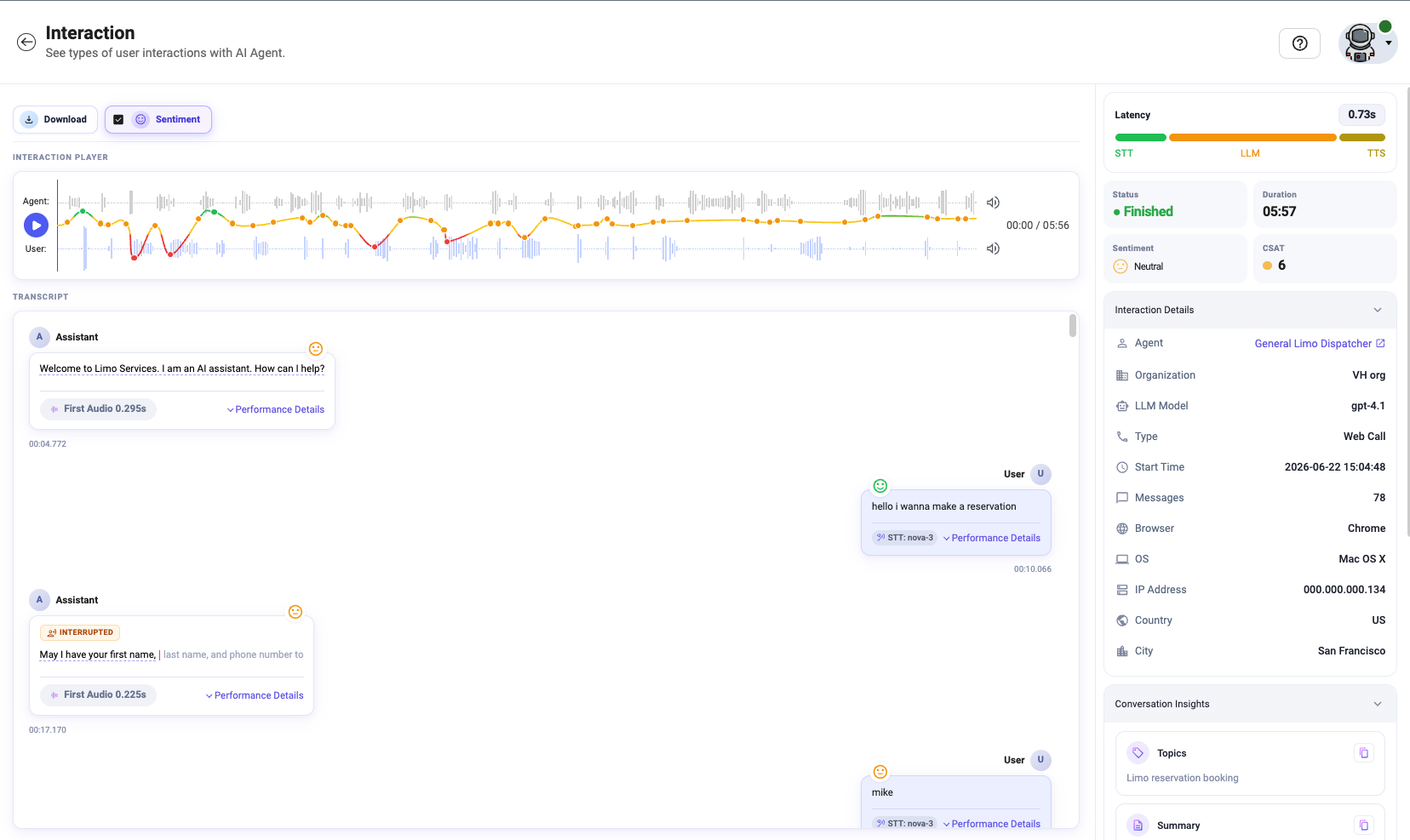
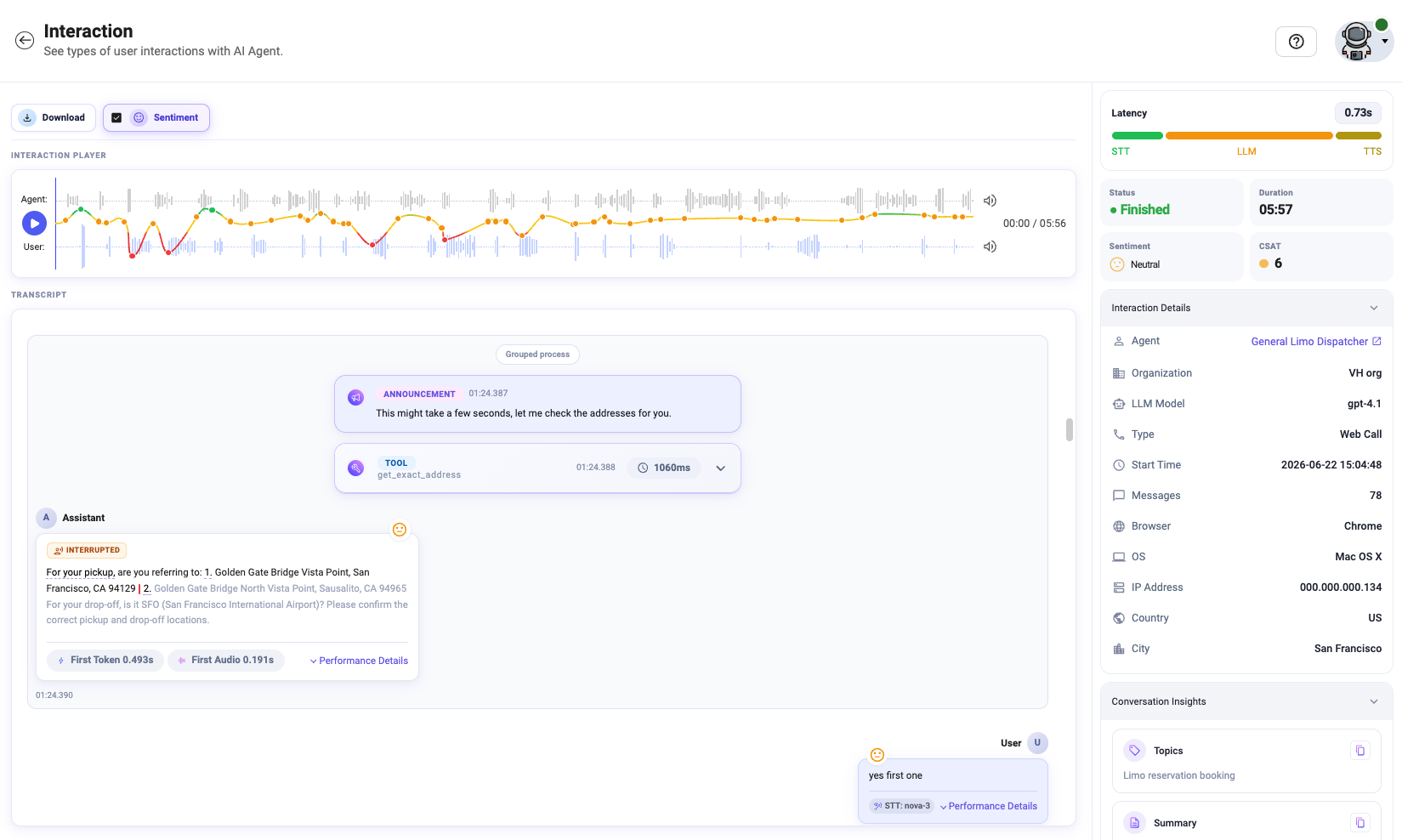
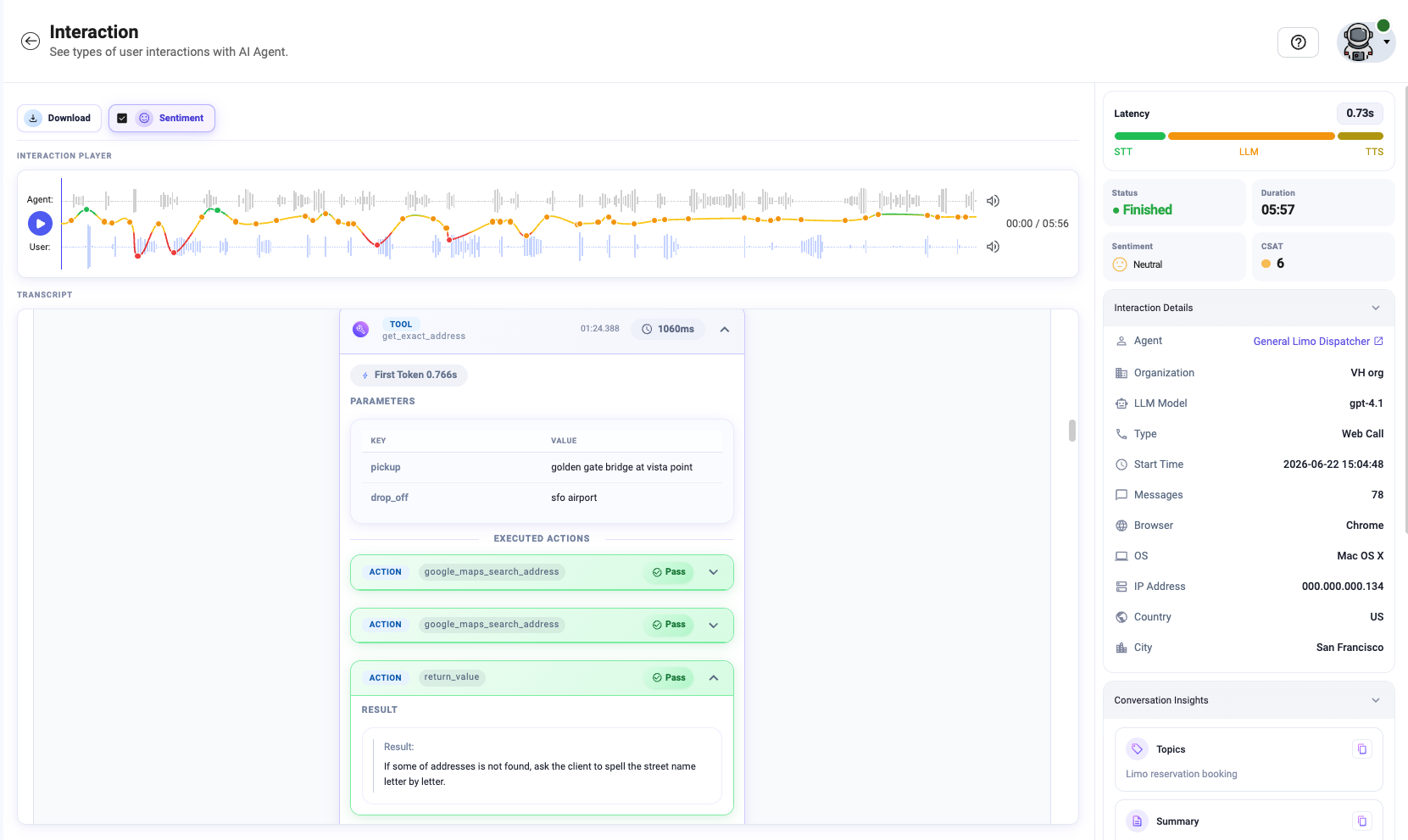
- Cleaner debug view: Tools and actions are separated, with input parameters, output results and execution time clearly visible.
- More latency metrics: Expanded, granular latency reporting across the pipeline.
- Accurate total latency: The total interaction latency indicator now reflects real, end-to-end timing.
- Copy anything: Copy any message or detail with a single click on the Copy button.
- Auto-scroll: As you scrub through the recording, the transcript follows along to the same moment.
Take over a live call in one click
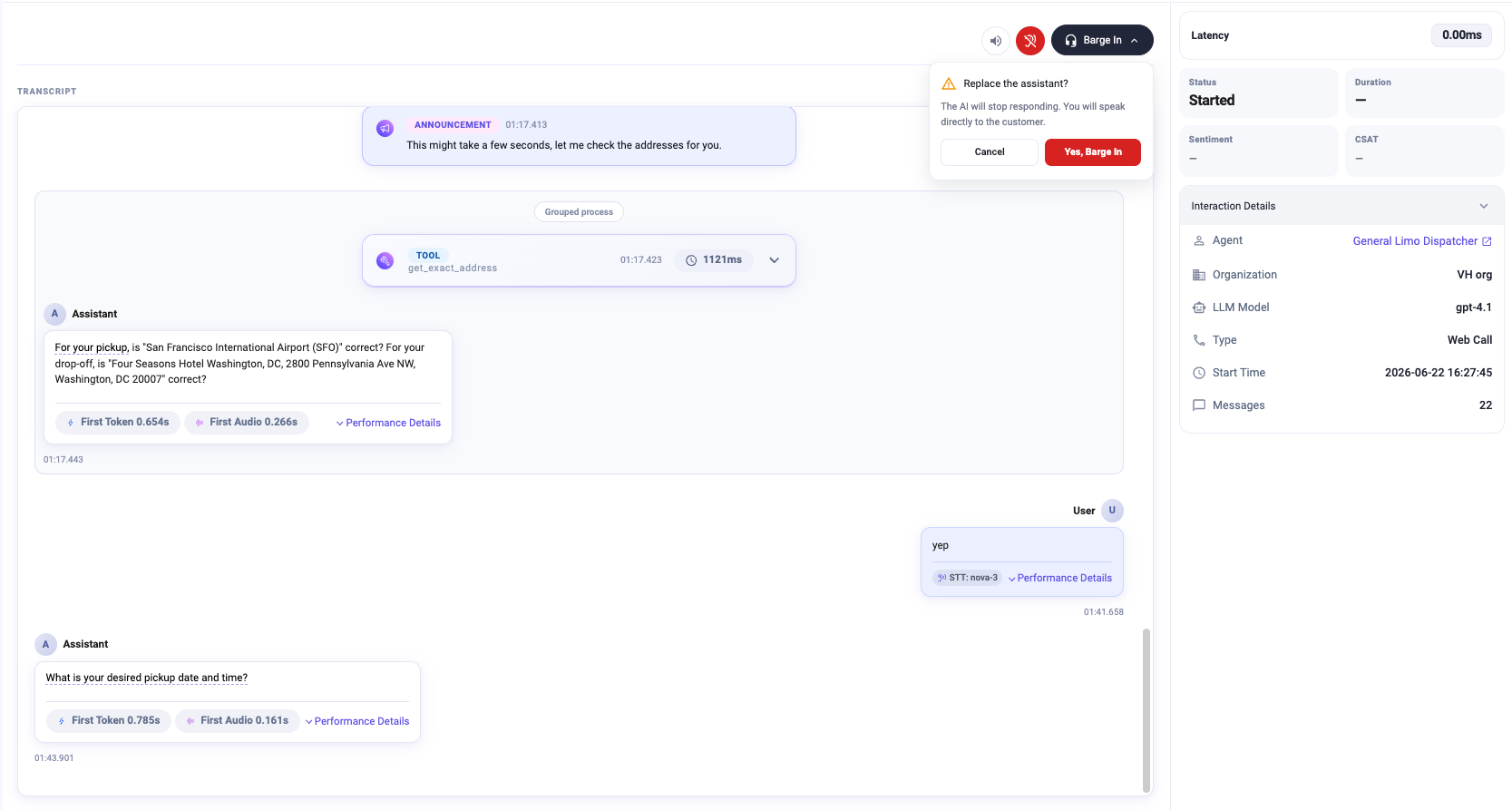
Stay in control of every conversation in real time. Supervisors can quietly drop into any active call to monitor quality, or step in and take the wheel the moment a customer needs a human.
- Start Listening: Silently connect to an active call and listen in without ever being heard.
- Barge In: Interrupt the bot and speak directly with the client. The assistant stops responding and hands the conversation to you.
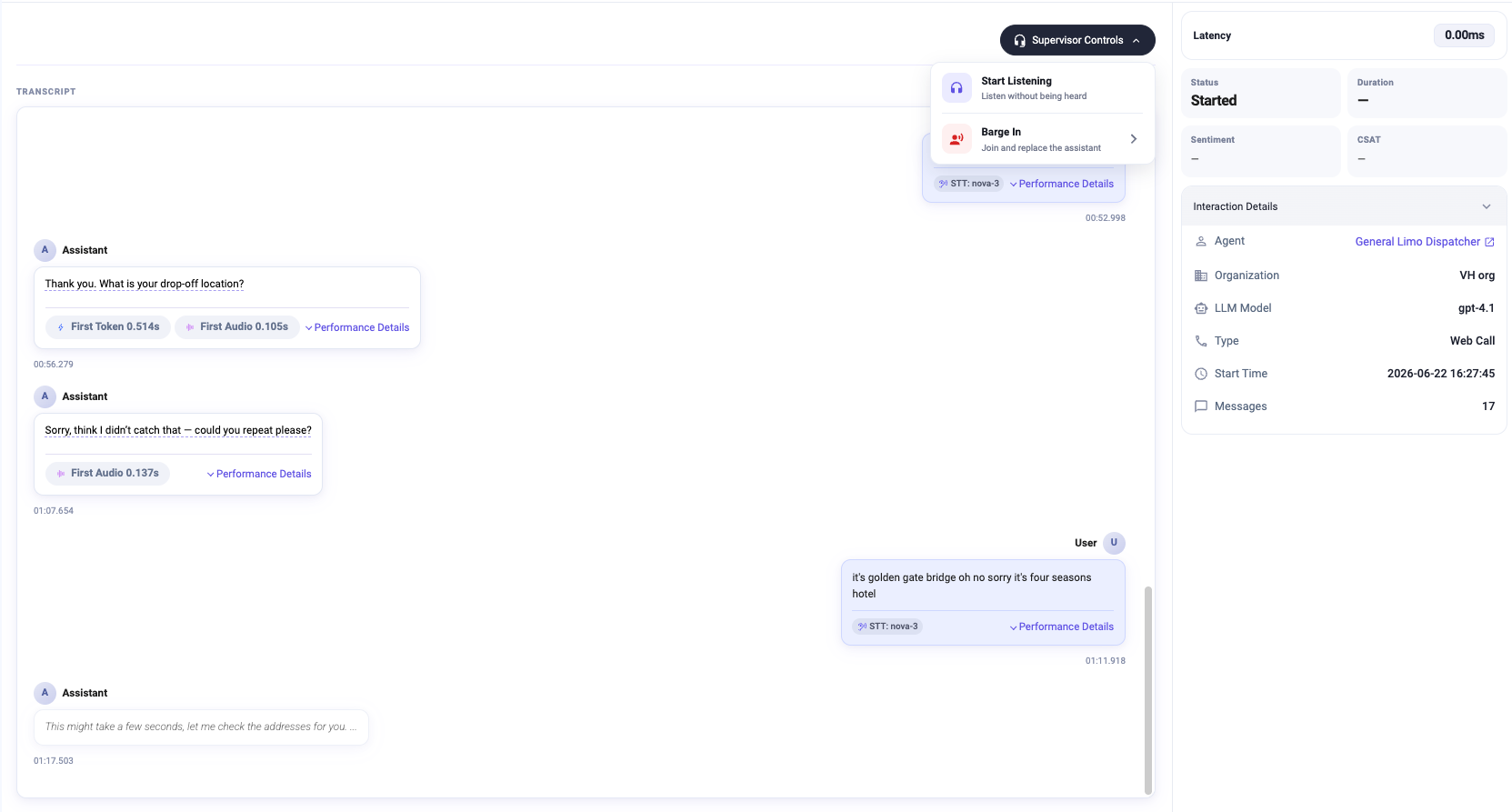
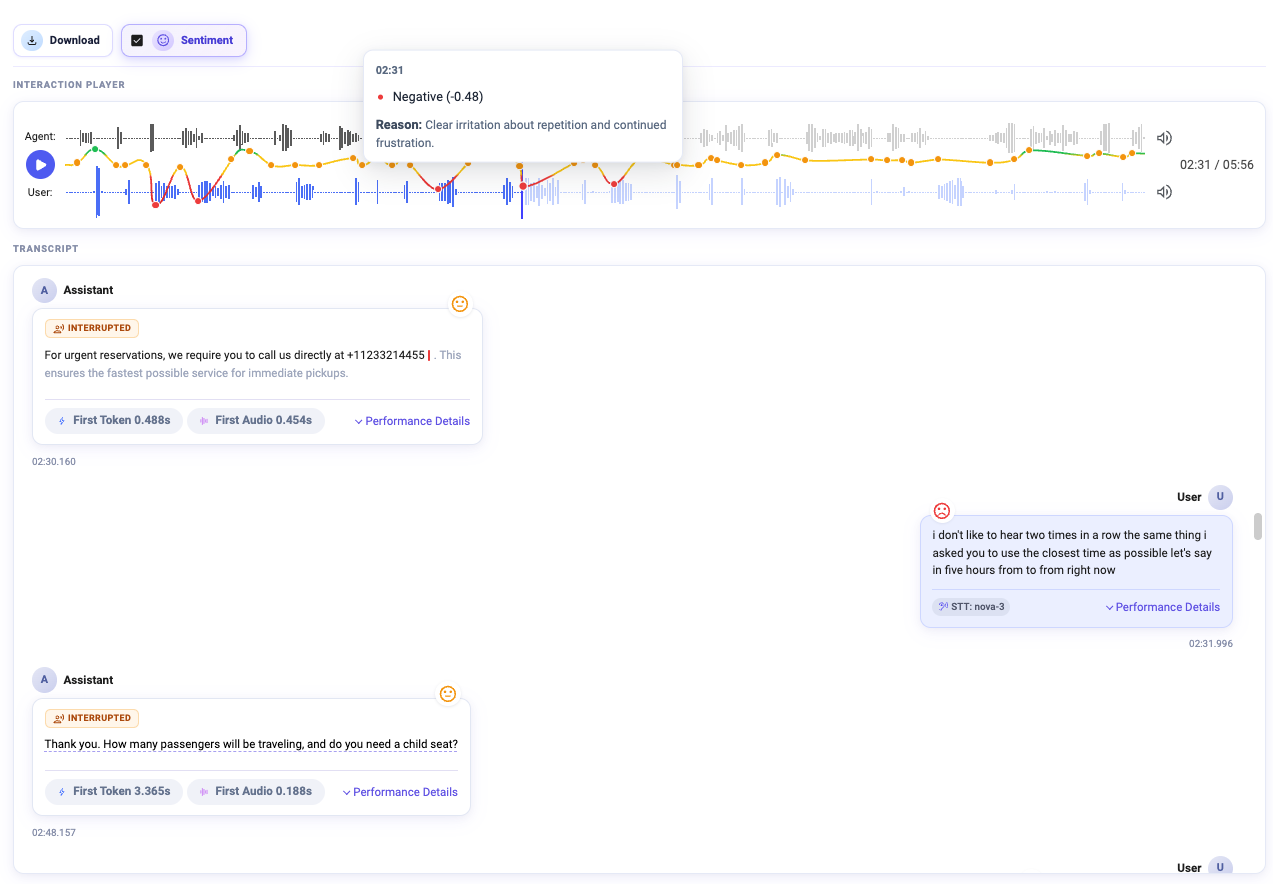
Sentiment graph on the recording
The audio player now plots a sentiment graph over the waveform, so you can spot exactly when the conversation turned. Hover any point to see the score and a short description of why the mood shifted.
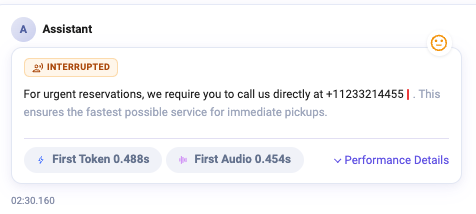
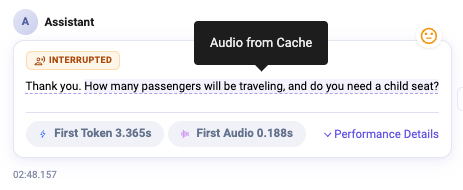
Interruptions & cached audio at a glance
Two small but handy highlights make the transcript easier to read: messages where the user interrupted the bot are clearly tagged, and replies served from cached audio are flagged too.
2. Build a Bot Straight From Your Website
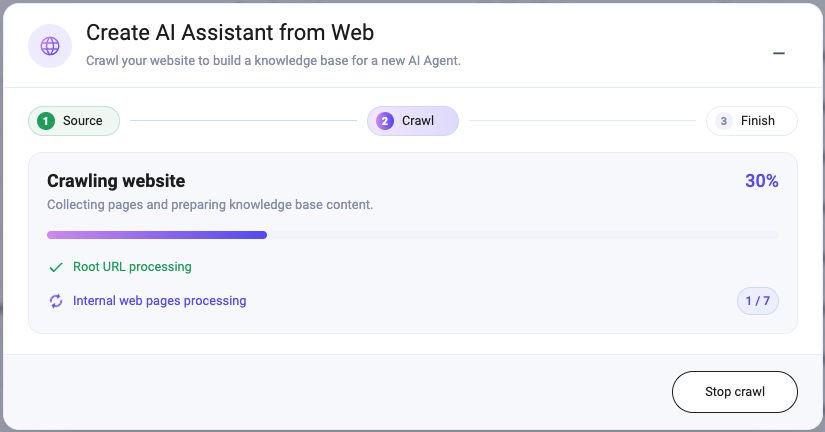
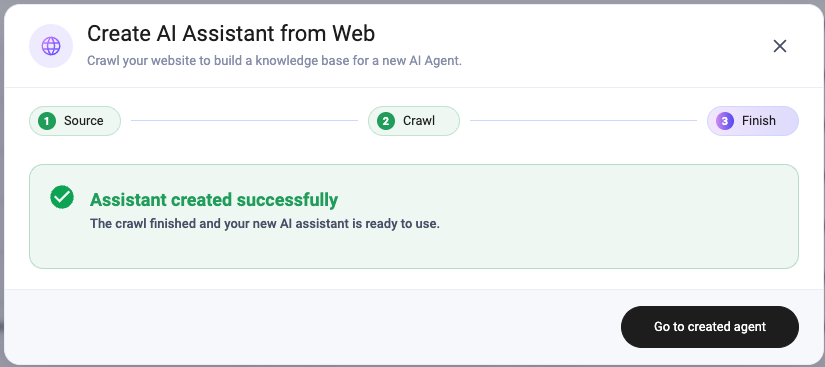
Creating an agent has never been easier. When you add a new agent, the new Create From Web option launches a wizard and builds a bot for you from nothing but a link to your website. Paste a URL and hit start, or open the extended configuration to fine-tune the result.
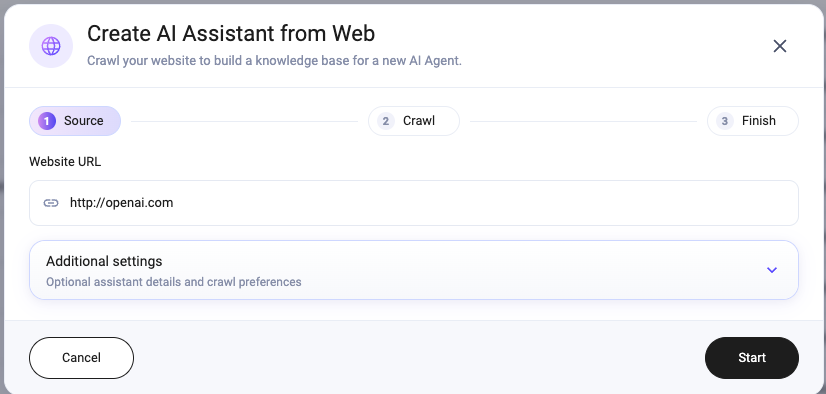
- Enter a URL and optionally adjust advanced settings.
- Monobot crawls the site and builds the knowledge base.
- Your agent is ready to use.
3. Agent Flow Builder Upgrades
A big batch of improvements makes building and editing flows faster and more flexible.
Selection tool, copy & paste
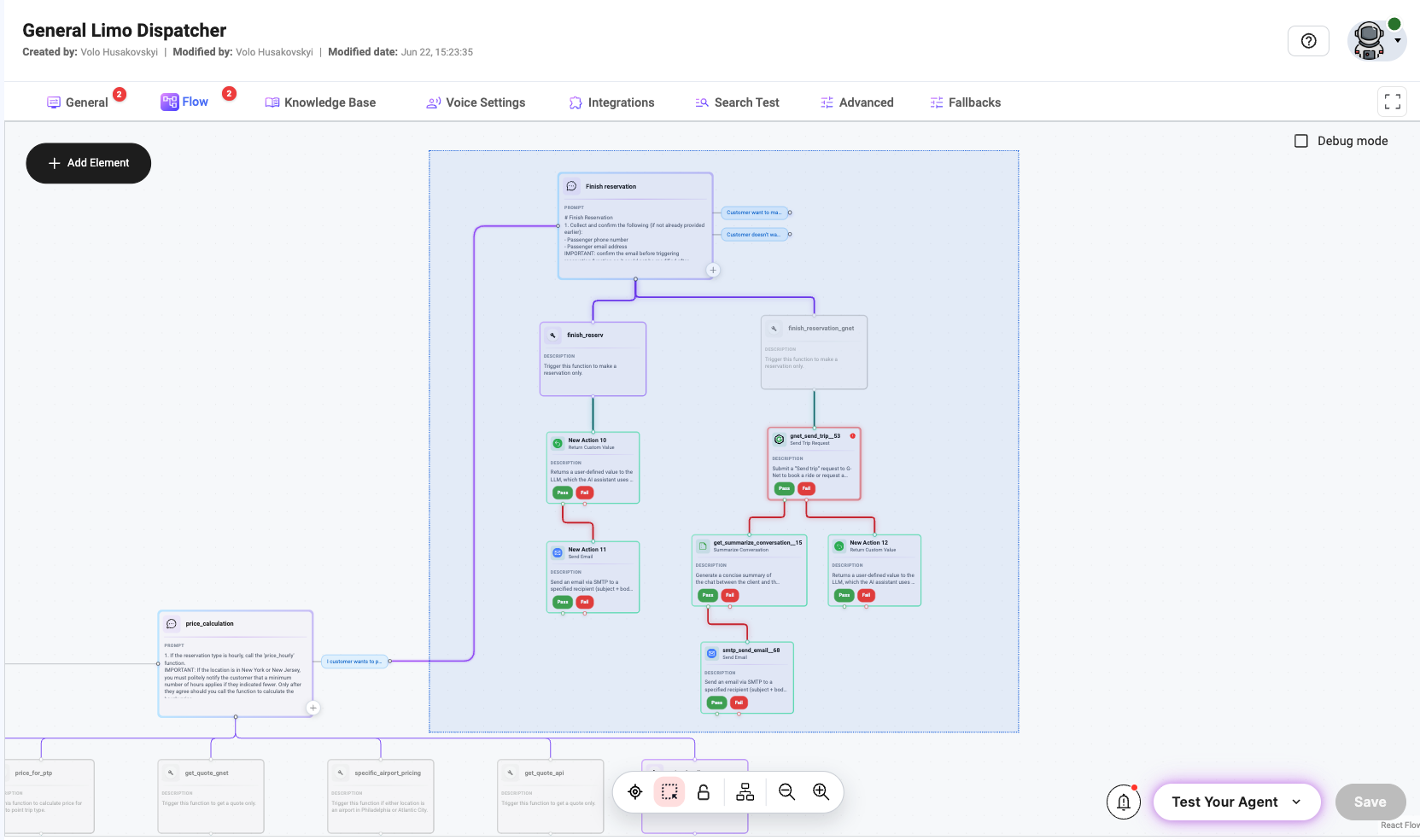
- Selection tool: Switch from Pointer to Selection to select several nodes at once by clicking and dragging across the canvas.
- Copy / paste nodes: Copy selected elements with Ctrl+C and paste with Ctrl+V, even into a completely different bot.
- Variables everywhere: Variables are now supported across all configuration parameters, including Announcement, Answer and more.
New event tools
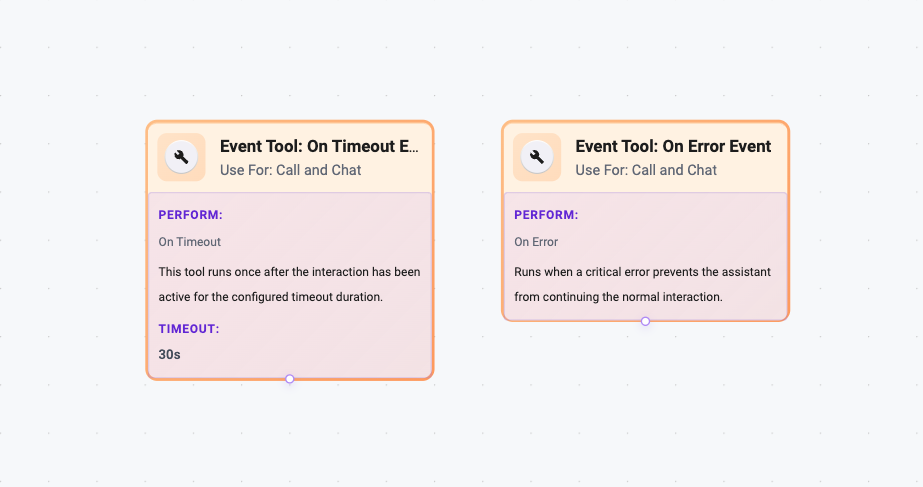
- On Timeout Event: Fires automatically once the conversation reaches a specified number of seconds, perfect for auto-finish, auto-transfer or notifications.
- On Error Event: Fires when a critical error stops the assistant from continuing normally, for example when an AI model stops responding and there are no fallbacks.
New actions
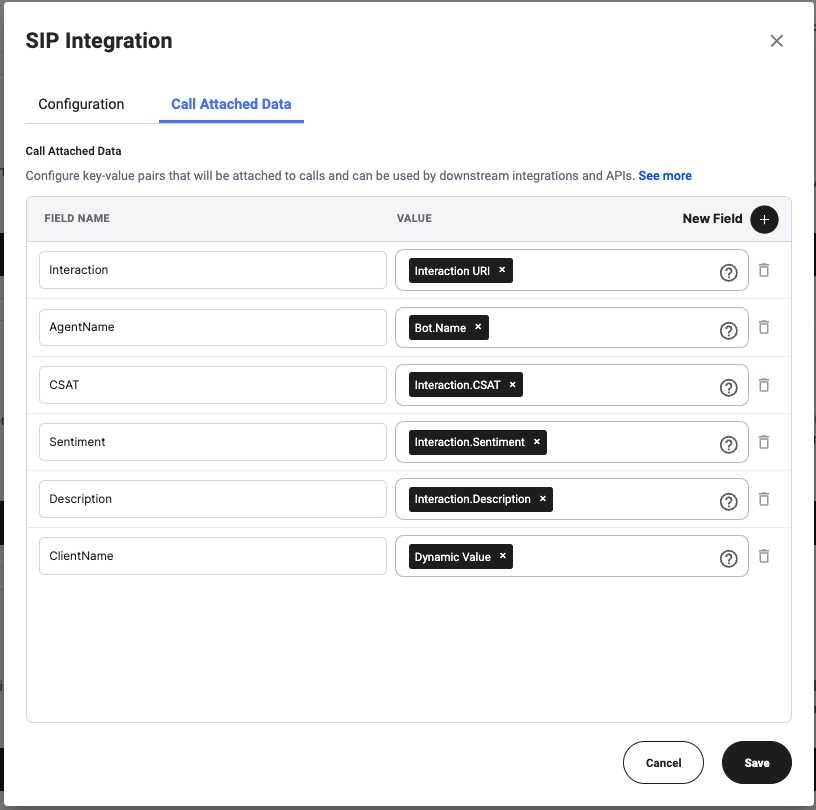
- Add Call Attached Data: Save custom data with the interaction, then read it back at any time via the API.
- Reasoning RAG: Deep knowledge search with reasoning enabled for very high-quality answers and better knowledge matching.
- Redirect Call → Introduction: Brief the person who picks up after an escalation before they take over.
- Add to context: Decide whether an action result should be added to the conversation context.
4. Model Fallbacks
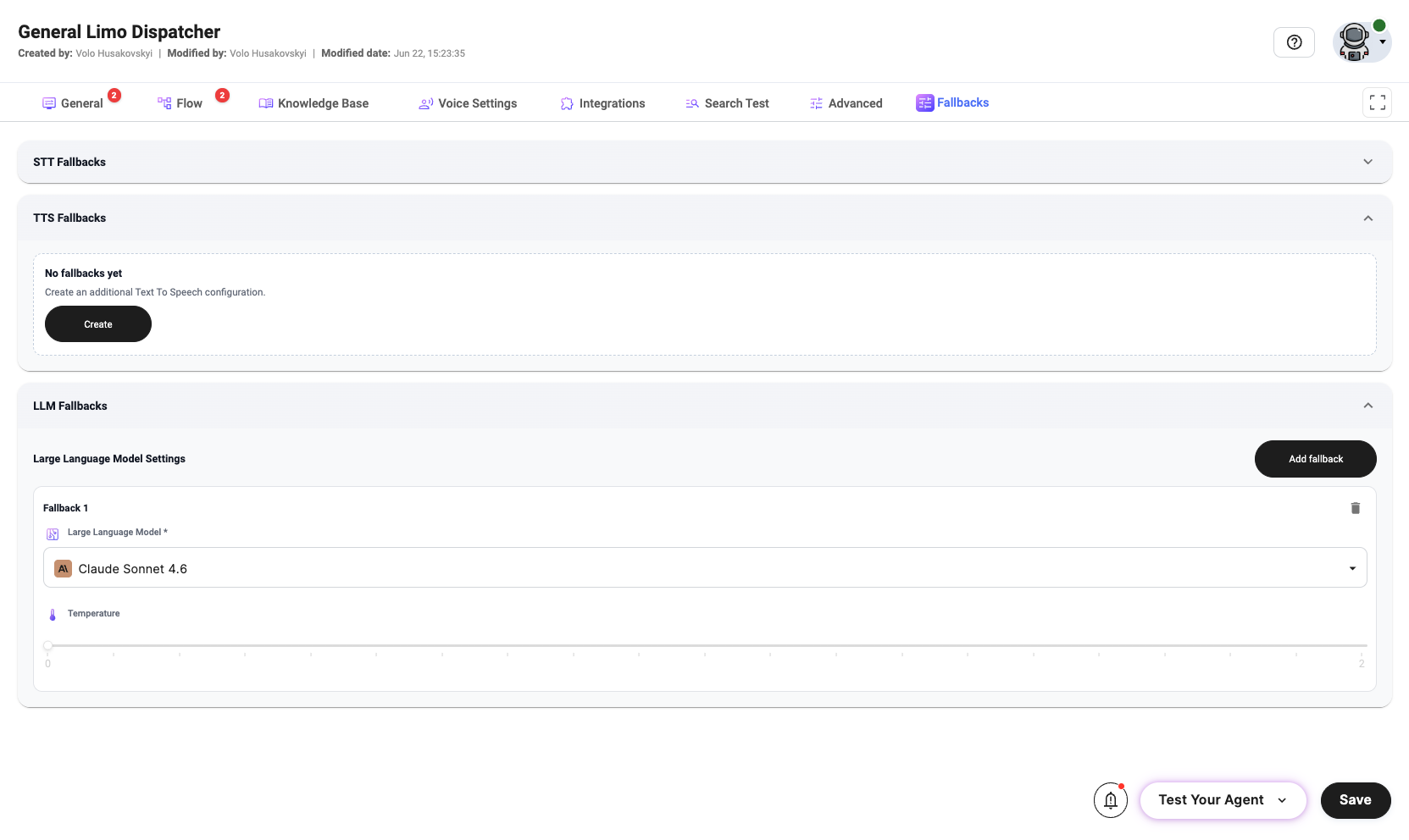
Configure fallback models for LLM, TTS and STT. If an error occurs with the primary or previous model, the bot automatically switches to the next fallback in line, keeping conversations alive.
5. Integrations
Email — multiple senders
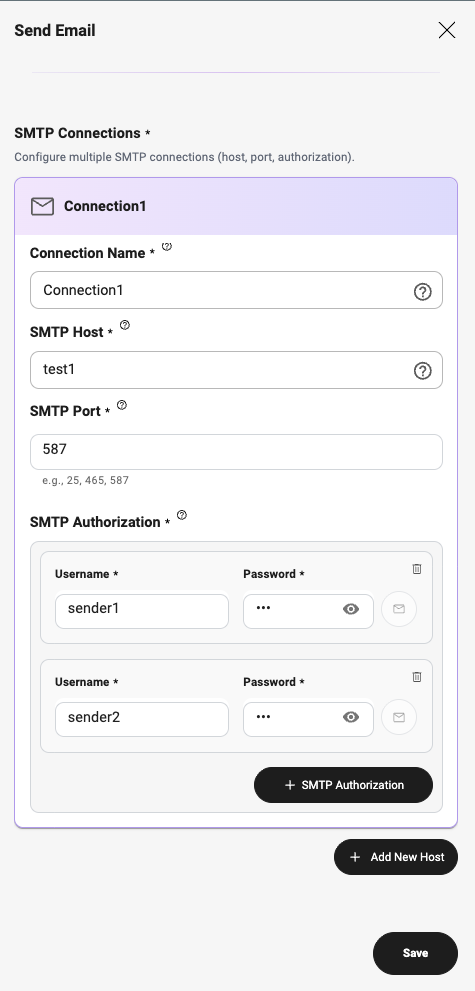
You can now create several SMTP connections and sender addresses and use whichever you need across the flow. Different scenarios can send from different senders, with no need to configure a connection inside every single action.
SIP — Call Attached Data
A new Call Attached Data tab lets you choose exactly what data is saved alongside the interaction and passed on with transferred or escalated calls to the target SIP server.
6. Voice & Model Updates
- Deepgram Flash multilingual with Code Switching is now available.
- Multi-language selection: For models that support Code Switching, the language dropdown is now multi-select.
- New LLMs: Gemini 3.5 Flash, GPT 5.4 and GPT 5.5 models.
What is Code Switching? It is when a speaker mixes two or more languages within the same conversation, or even the same sentence. Code-switching models detect and transcribe each language on the fly.
7. New Widget Type — Styled Call Widget
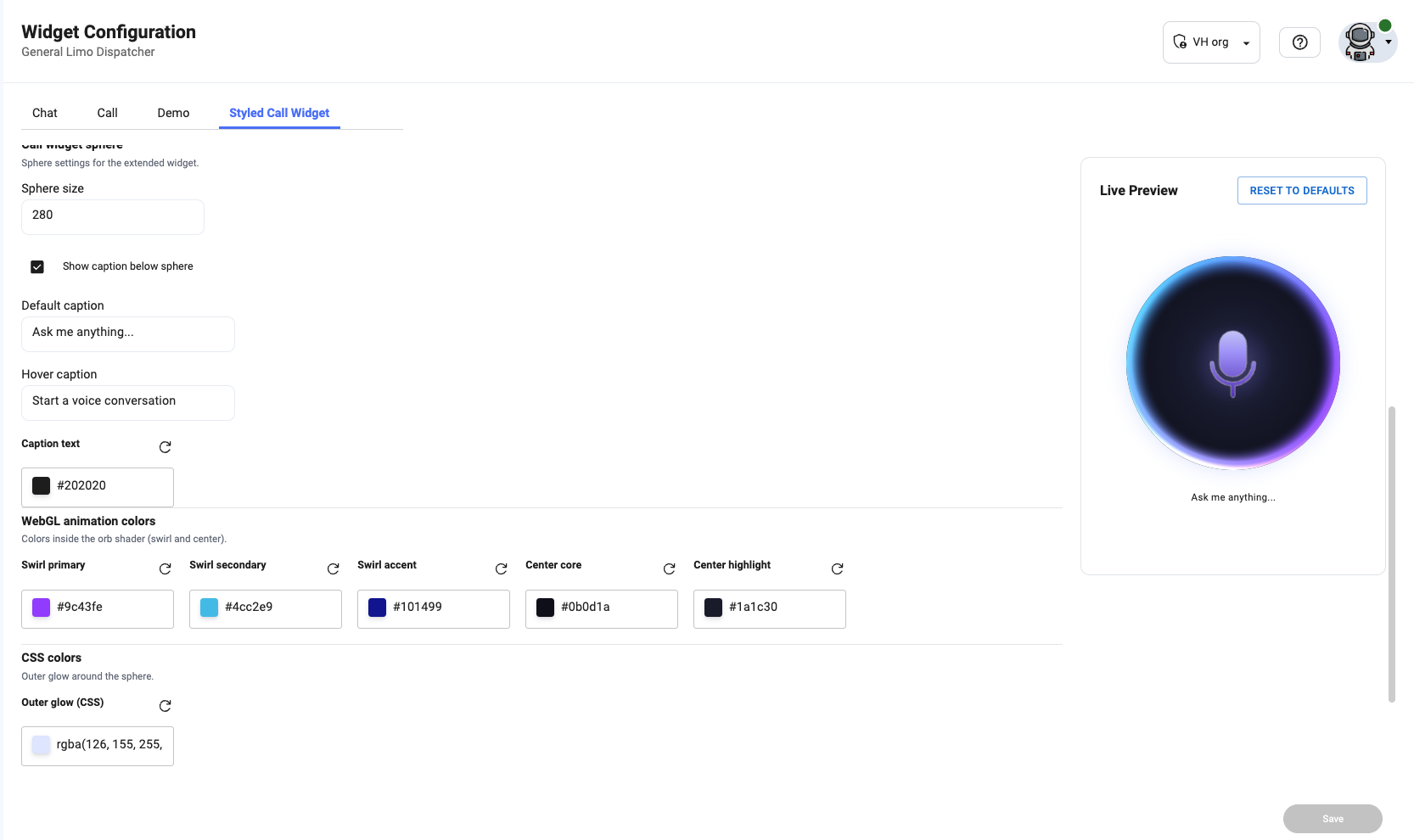
The Widgets page has a new Styled Call Widget tab where you can configure a fully customizable web-call widget to embed on your website. Tune colors, icons and texts, and see it update live as you go.
8. SIP Updates
- SIP Registration: Monobot now supports SIP Registration from other SIP servers.
- SIP redirect to another bot: Redirect a call from one bot to another over SIP, useful for demos and escalation flows.
9. White Label / OEM Updates
- Public Mode for bots: Enable tenant-level Publish bot to add a Publish button to every bot. Each save requires a commit message, so the editor keeps a change log.
- Shared balance: When enabled, all child organizations draw from the tenant’s balance.
Ready to get started?
Join hundreds of businesses automating their operations with Monobot.