



TL;DR:
- A Retrieval-Augmented Generation chatbot quickly provides support answers grounded in internal knowledge, especially for large, dynamic documentation sets. Ensuring high knowledge base quality, proper metadata, and retrieval evaluation is critical for reliable, real-time responses. Monobot accelerates deployment through automation, pre-built templates, and analytics, reducing time-to-value significantly.
A RAG chatbot for support is the fastest way to give agents and customers answers grounded in your internal knowledge. Audit your knowledge base first, then choose an embedding model and vector store for your prototype.
When RAG is the right call:
- Your knowledge base has more than a few hundred articles, changes frequently, or spans multiple product lines
- Support queries require technical accuracy — warranty terms, policy text, version-specific troubleshooting
- You need to surface solutions from past ticket history, not just static FAQs
- Agent deflection and first-contact resolution (FCR) are active KPIs
When RAG is overkill:
- Your FAQ is small, static, and unlikely to change
- Queries are simple enough for a decision-tree bot
Your first 24–72 hours:
- Audit KB coverage: identify gaps, duplicates, and stale articles
- Pick an embedding model (OpenAI
text-embedding-3-smallor an open instruction-tuned model) and a local vector store (ChromaDB) for a quick prototype - Ingest one product’s documentation and run 50–100 synthetic queries against it
- Use LangChain to wire retrieval to your LLM of choice and measure retrieval precision before touching prompts
Research on a production deployment found that combining a knowledge graph with RAG reduced median per-issue resolution time by 28.6% — a result that holds up only when the underlying knowledge base is clean and well-structured.
Table of Contents
- What is a RAG chatbot for support, and why does it fit?
- What core architecture components does every support RAG system need?
- How do you prepare and ingest support docs, logs, and tickets?
- Which embedding model and vector DB should you choose?
- How do you build the RAG pipeline step by step?
- How do you reduce hallucinations in support dialogs?
- How do you deploy, scale, and monitor a RAG chatbot in production?
- How do you evaluate and test a RAG chatbot for support?
- What does a production rollout actually cost and how long does it take?
- Engineering insights and research context behind RAG-powered support
- Key Takeaways
- What most RAG build guides get wrong
- Monobot cuts your RAG pilot timeline in half
- Useful sources
- FAQ
What is a RAG chatbot for support, and why does it fit?
Retrieval-Augmented Generation (RAG) pairs a retrieval layer — a knowledge store, vector database, and search index — with a generative model that composes answers from retrieved context rather than relying solely on what the LLM memorized during training. The LLM never has to “know” your internal policies; it reads them at query time.
That architecture fits customer support precisely because support queries are domain-specific, time-sensitive, and high-stakes. A general-purpose LLM will hallucinate a return policy it never saw. A RAG system retrieves the actual policy text and cites it.
Concrete support use cases where RAG delivers:
- Grounding answers in warranty documentation and product manuals
- Reproducing solutions from past resolved tickets for similar new issues
- Surfacing policy text verbatim (shipping terms, SLA commitments, compliance language)
- Real-time agent assist: surfacing relevant KB snippets while an agent is live with a customer
Limitations to plan for up front:
- Data quality dependency. Garbage in, garbage out — a fragmented or outdated KB produces unreliable retrievals regardless of model quality.
- Latency trade-offs. Adding a retrieval hop adds latency. Live chat SLAs of under two seconds require careful architecture.
- Compliance and privacy. Customer support data often contains PII. Vectors derived from that data carry the same regulatory obligations as the source documents.
What core architecture components does every support RAG system need?
Every production-grade AI support chatbot shares the same skeleton. Understanding each layer helps you map new components to your existing infrastructure.
The essential components:
- Connectors and ingestion pipeline: Pull from ticketing systems, CRM APIs, document repositories, and transcript stores
- Text chunker and metadata tagger: Split documents into retrievable segments; attach structured fields (product, version, region, customer_id)
- Embedding model: Convert text chunks into dense vectors (OpenAI
text-embedding-3-small, Cohere, or open instruction-tuned models) - Vector database: Store and index vectors for similarity search (ChromaDB locally, Pinecone or Weaviate at scale)
- Retriever and reranker: Fetch top-k candidates, then rerank with BM25 hybrid or a cross-encoder
- LLM / generation layer: Compose the final answer from retrieved passages (OpenAI GPT-4o, Google Gemini 1.5 Pro, or a self-hosted model)
- Orchestrator: Coordinate retrieval, context assembly, and generation (LangChain is the most widely used pattern; the AWS Generative AI Atlas demonstrates a supervisor/sub-agent variant)
- Conversation memory: Maintain multi-turn context without re-retrieving the same passages
- Integration layer: Connect to your ticketing system (Zendesk, ServiceNow, Salesforce) and CRM for ticket creation and context injection
- Monitoring and logging: Capture retrieval hits, token usage, latency percentiles, and user feedback
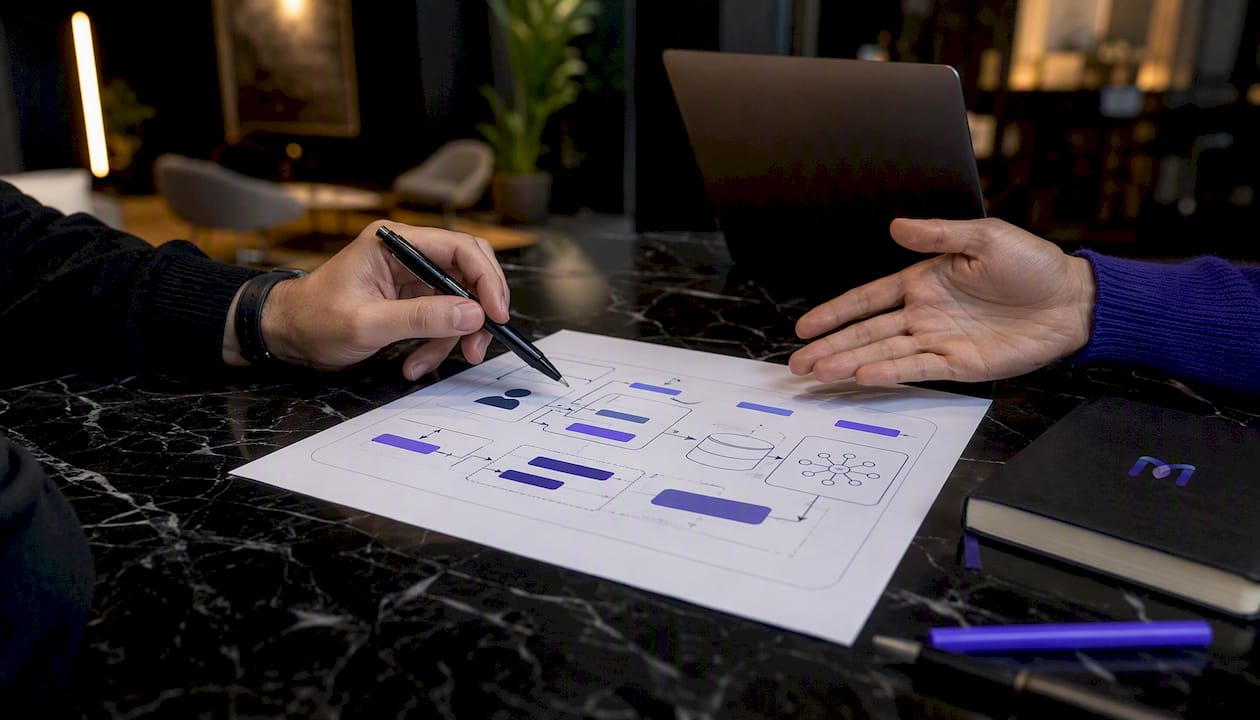
Signal flow (top to bottom): User query → retriever (vector DB + optional BM25) → top-k passages assembled with metadata → LLM generates grounded answer → response logged with provenance → feedback loop drives retriever tuning.
Metadata filtering is not optional. Without customer_id, product_version, and region fields on every chunk, your retriever will surface passages from the wrong product line or an outdated policy version.
Pro Tip: Fix metadata and semantic normalization before you touch prompt engineering. A retriever returning the wrong chunks will not be saved by a clever system prompt.
How do you prepare and ingest support docs, logs, and tickets?
The most common failure point for RAG in customer support is poor-quality or fragmented knowledge sources. Teams that ship reliable systems prioritize KB curation and automated ingestion pipelines over prompt tuning. Monobot’s KB accuracy playbook covers this in practical detail.
Data readiness checklist:
- Inventory all sources: KB articles, PDFs, past resolved tickets, chat transcripts, email threads, and internal wikis
- Assign canonical IDs to every document so you can track provenance through the pipeline
- Deduplicate: near-duplicate articles with conflicting information are a leading cause of contradictory answers
- Define segmentation rules: chunk size of 256–512 tokens works well for most support content; shorter for policy snippets, longer for technical procedures
- Build a metadata schema before ingestion: at minimum,
source_id,product,version,region,last_updated, anddoc_type
Connector patterns:
- Ticketing exports (Zendesk, Jira Service Management, Freshdesk) via REST API or CSV bulk export
- CRM API extracts for account-level context (Salesforce, HubSpot)
- Document crawlers for internal wikis and Confluence spaces
- Transcript parsers for voice and chat logs (strip PII before indexing)
Privacy and security:
Redact PII before embedding. Run a detection pipeline (spaCy NER, AWS Comprehend, or Microsoft Presidio) over every document before it enters the vector store. Apply access controls at the vector layer — a customer-facing bot should never retrieve internal agent notes. Vectors derived from sensitive data carry the same compliance obligations as the source text under CCPA and HIPAA where applicable.
Normalization matters more than most teams expect. Canonicalize product names and model numbers across sources. A ticket that says “Widget Pro v2” and a KB article that says “WP-2” will not retrieve together without a normalization pass.
Ingestion cadence: Continuous delta ingestion (event-driven on ticket close or KB publish) keeps your index fresh. Batch nightly rebuilds are simpler to operate but introduce a lag window where new articles are not yet retrievable. For fast-moving products, the lag matters.
Which embedding model and vector DB should you choose?
Your embedding model and vector store choice shapes every downstream trade-off: latency, cost, compliance, and retrieval quality. Here is how the main options map to support use cases.
Embedding model options:
- OpenAI
text-embedding-3-small/text-embedding-3-large: Strong out-of-the-box performance, hosted, easy to integrate. Best for teams that want fast time-to-value and are comfortable with data leaving their environment. - Instruction-tuned open models (e.g.,
bge-large-en-v1.5,e5-large-v2): Self-hostable, no data egress, competitive quality on domain-specific retrieval. Best for regulated industries or air-gapped deployments. - Fine-tuned domain models: Worth the effort only when your support vocabulary is highly specialized (medical devices, legal, financial instruments) and off-the-shelf models show measurable retrieval degradation.
Vector DB trade-offs:
| Dimension | ChromaDB | Pinecone | Weaviate | Milvus |
|---|---|---|---|---|
| Best for | Local POC, small teams | Managed scale, fast launch | Vector + semantic search, hybrid | Self-hosted high-throughput |
| Scalability | Single-node; limited | Fully managed, auto-scales | Horizontal scaling, cloud or self-hosted | High-throughput, distributed |
| Latency | Low for small indices | Low P50, managed SLA | Low; configurable HNSW | Very low at scale |
| Pricing model | Open source / free | Per-vector storage + query | Open source; cloud tier available | Open source; managed cloud option |
| Data residency | Self-hosted | Hosted (US/EU regions) | Self-hosted or cloud | Self-hosted |
| Dev experience | Simple Python API, minimal config | REST + Python SDK, fast setup | GraphQL + REST, rich filtering | Python SDK, more ops overhead |
Retrieval tuning knobs to set before launch:
- Chunk size: 256–512 tokens for most support content; tune by measuring Recall@5 on a labeled query set
- Embedding dimensionality: Higher dimensions improve recall but increase storage and query cost
- Nearest-neighbor count (k): Start at k=5; increase if recall is low, but watch latency
- Hybrid retrieval: Combining BM25 keyword search with vector similarity reduces irrelevant retrievals and improves precision on exact-match queries like product codes and error messages
Pro Tip: Run a labeled evaluation set of 200–500 real support queries against your retriever before connecting the LLM. Retrieval quality is the ceiling for answer quality — no prompt will compensate for a retriever returning the wrong passages.
How do you build the RAG pipeline step by step?
This is the ordered blueprint from environment setup through a working prototype. A community reference implementation using LangChain, ChromaDB, and a Gradio front end demonstrates the full flow end to end.

Step 1: Environment and secrets
Set up a Python virtual environment. Store API keys (OpenAI, Pinecone, etc.) in environment variables or a secrets manager — never in code. Install langchain, chromadb, openai, and tiktoken as your baseline dependencies.
Step 2: Ingest and chunk documents
Load KB articles and ticket exports using LangChain’s DirectoryLoader or a custom connector. Apply a RecursiveCharacterTextSplitter with a chunk size of 400 tokens and a 50-token overlap. Attach metadata (source_id, product, doc_type) to every chunk at this stage.
Step 3: Generate embeddings
Pass chunks through your embedding model. For a local prototype, OpenAIEmbeddings with text-embedding-3-small is the fastest path. For a self-hosted option, load a bge-large-en-v1.5 model via HuggingFaceEmbeddings.
Step 4: Build the vector index
Persist embeddings to ChromaDB locally (Chroma.from_documents(chunks, embedding)). For production, swap to Pinecone or Weaviate by changing the vector store class — LangChain’s abstraction keeps the retriever code identical.
Step 5: Wire the retriever
Create a retriever from the vector store (vectorstore.as_retriever(search_kwargs={"k": 5})). Add a metadata filter for product or region if your KB spans multiple product lines.
Step 6: Integrate the LLM
Connect OpenAI GPT-4o or Google Gemini 1.5 Pro via LangChain’s ChatOpenAI or ChatGoogleGenerativeAI. Use a RetrievalQAWithSourcesChain or a custom LCEL chain that passes retrieved passages and their source_id into the system prompt.
Step 7: Prompt template for support
System: You are a support assistant for {product_name}.
Answer using ONLY the context below. If the answer is not in the context, say:
"I don't have enough information — let me connect you with an agent."
Always cite the source document ID at the end of your answer.

Context:
{retrieved_passages}

Conversation history:
{chat_history}

User: {question}
Step 8: Add conversation memory
Use LangChain’s ConversationBufferWindowMemory (window of 5–10 turns) to maintain multi-turn context without exceeding token budgets. Budget your context window: retrieved passages + chat history + system prompt should stay under 80% of the model’s context limit.
Step 9: Wire the UI or webhook
Connect to your chat channel via a webhook (Slack, Zendesk, or a custom widget). For rapid iteration, a Gradio or Streamlit front end lets you test locally with real queries before connecting production channels.
Step 10: Observability from day one
Log every retrieval hit (query, top-k chunks, scores), the assembled prompt, the model response, and any user feedback signal. Store provenance (source_id, paragraph offset, timestamp) in response metadata. You will need this data to tune the retriever and catch hallucinations early.
A practical end-to-end tutorial covering OpenAI embeddings, pgvector storage, and chat UX integration walks through context assembly and completion integration if you want a second reference alongside the LangChain path.
How do you reduce hallucinations in support dialogs?
Thomson Reuters engineering teams treat RAG as a required architecture specifically to mitigate hallucinations by grounding responses in curated internal documentation. The architecture helps, but it does not eliminate the risk on its own.
Mitigation mechanisms:
- Require provenance with every substantive claim. The system prompt must instruct the model to cite
source_idand document section for any factual statement. A response without a citation should be flagged in your logging layer. - Rerank retrieved passages. A cross-encoder reranker (e.g.,
ms-marco-MiniLM) scores passage relevance more accurately than cosine similarity alone. Reranking before context assembly reduces the chance of a low-relevance passage misleading the model. - Apply an abstention threshold. When the top retrieval score falls below a defined threshold (e.g., cosine similarity < 0.72), the bot should not attempt to answer. Instead, it routes to a conservative reply: “I don’t have enough information — let me connect you with an agent.”
- Answer-verification prompts. A second LLM call that checks whether the generated answer is supported by the retrieved passages catches a meaningful share of hallucinations before the response reaches the user.
Citation format in the UI:
Present sourced snippets with a visible reference: “Based on [Warranty Policy v3.2, Section 4]: Your device is covered for 12 months from purchase date.” Include the document ID, section, and last-updated timestamp in the response metadata even if you do not surface all of it to the end user.
Fallback workflows beyond human escalation:
- Automated agent-channel routing: When confidence is low, create a draft ticket pre-populated with the query and the top retrieval candidates so the human agent has context immediately
- Conservative reply templates: For regulated topics (legal, medical, financial), default to a template that provides the policy reference and directs the user to a specialist
- Multi-modal escalation: For voice channels, a low-confidence trigger can initiate a warm transfer with a spoken summary of what the bot retrieved
Track hallucination incidents in your monitoring layer. Tie retriever retraining and KB curation sprints to those events — a spike in hallucinations almost always traces back to a specific gap or contradiction in the knowledge base. Real-time agent assist workflows can surface those gaps to human agents before they become customer-facing failures.
How do you deploy, scale, and monitor a RAG chatbot in production?
Development and production are different problems. A prototype that works on your laptop at 1 QPS will behave differently under 500 concurrent chat sessions.
Operational checklist:
- Containerize every service (retriever, LLM proxy, ingestion worker) with Docker; deploy on Kubernetes for autoscaling
- Configure vector DB replicas for read scaling; shard indices by product line or geography to keep per-shard query latency predictable
- Cache recent retrievals (Redis or a lightweight in-memory cache) for high-frequency queries — “What is your return policy?” does not need a fresh vector lookup every time
- Set hard token budgets per request to control LLM cost at peak QPS
- Define escalation routing rules: when retrieval score is low, when the user has asked the same question three times, or when sentiment signals frustration
Monitoring metrics to track:
- Latency: P50 and P95 end-to-end response time; live chat SLAs typically require P95 under 2–3 seconds
- Retrieval recall and precision: Measured against a labeled query set on a weekly cadence
- Token usage and cost: Per-session and per-day; set alerts at 80% of budget
- Hallucination rate: Flagged by your answer-verification layer or human review sampling
- FCR and CSAT: The business metrics that justify the investment; track weekly and tie to retriever/KB changes
- Escalation rate: A rising escalation rate often signals a KB gap before it shows up in CSAT
Monobot’s dashboard analytics maps directly to this monitoring checklist, surfacing FCR trends, interaction volume, and real-time control signals in one view.
Scaling patterns:
Hybrid retrieval (BM25 + vector) reduces the number of vector lookups needed for keyword-heavy queries like error codes and product SKUs. Cold-start indexing for new product launches should be automated: trigger a full index build from the product’s KB subset the moment it is published, not after the first customer query arrives.
How do you evaluate and test a RAG chatbot for support?
Testing a RAG system requires three distinct layers: retrieval quality, generation quality, and business impact. Most teams under-invest in the first layer and then wonder why their CSAT numbers do not move.
Key metrics defined:
- Recall@K: What fraction of relevant documents appear in the top-K retrieved results? Target Recall@5 ≥ 0.80 for a production support system.
- Mean Reciprocal Rank (MRR): How highly ranked is the first relevant result? Higher MRR means the model sees the right passage earlier in its context window.
- F1 / ROUGE: For labeled answer sets, measure overlap between generated answers and reference answers. Useful for regression testing after KB or model changes.
- FCR (first-contact resolution): The percentage of interactions resolved without escalation or follow-up. This is your primary business metric.
- Agent deflection rate: Percentage of queries handled end-to-end by the bot.
- CSAT: User satisfaction score; collect via a post-interaction survey or thumbs up/down.
- Average handling time (AHT): For agent-assist flows, measure time saved per interaction.
- Cost per interaction: Total LLM + infrastructure cost divided by resolved interactions.
Testing checklist:
- Unit tests for retrieval correctness: given a known query, assert that the expected document ID appears in the top-5 results
- Integration tests: end-to-end query → retrieval → generation → response format validation
- Synthetic stress tests: generate 1,000+ queries from your KB using an LLM; run them against the retriever to find coverage gaps
- User-acceptance testing with agents: have support agents score 100 bot responses for accuracy and tone before launch
Sample A/B experiment:
- Control: Existing scripted FAQ bot (or no bot, routed directly to agents)
- Variant: RAG bot with hybrid retrieval and citation
- Primary outcomes: FCR and CSAT (two-week minimum run per variant)
- Secondary outcomes: Average handling time and escalation rate
- Guardrail metric: Hallucination rate must not increase vs. control
Evaluation metrics reference:
| Metric | How to measure | Target threshold |
|---|---|---|
| Recall@5 | Labeled query set, offline eval | ≥ 0.80 |
| MRR | Labeled query set, offline eval | ≥ 0.65 |
| P95 latency | Production tracing (e.g., OpenTelemetry) | ≤ 3 seconds |
| FCR | Ticket closure without follow-up | ≥ 70% |
| CSAT | Post-interaction survey | ≥ 4.0 / 5.0 |
| Hallucination rate | Answer-verification layer + sampling | ≤ 2% of responses |
| Agent deflection | Bot-resolved / total interactions | ≥ 50% at pilot scale |
For concrete examples of AI-handled query types to build your test set from, Monobot’s AI-handled inquiry examples provides a useful starting reference.
What does a production rollout actually cost and how long does it take?
Decision-makers need a realistic financial and scheduling picture before committing engineering resources. The numbers below reflect typical US-market deployments; your actual costs will vary based on KB size, query volume, and model choices.
Primary cost drivers:
- Embedding compute: One-time cost to embed your KB; ongoing cost for delta ingestion. OpenAI
text-embedding-3-smallis priced per token — a 10,000-article KB typically costs under $10 to embed initially. - Vector DB storage and query costs: Pinecone charges per vector stored and per query; Weaviate and Milvus self-hosted shift cost to infrastructure. At 1 million vectors and moderate QPS, managed vector DB costs run in the range of a few hundred dollars per month.
- LLM generation token costs: The largest variable cost. GPT-4o pricing per million tokens means a high-volume support deployment can accumulate meaningful monthly spend. Caching frequent queries and using smaller models for low-complexity queries controls this.
- Development effort: A two-engineer team can reach a working prototype in 2–4 weeks. Production hardening (security, monitoring, integrations) adds 6–12 weeks.
- Monitoring and ops: Logging infrastructure, alerting, and ongoing KB curation are recurring costs often underestimated at the outset.
Realistic timeline:
- POC (2–4 weeks): One product’s KB, ChromaDB, OpenAI embeddings, 100 synthetic queries, basic retrieval metrics
- Pilot (6–12 weeks): One support channel, limited user group, A/B test vs. control, FCR and CSAT measurement, escalation path validated
- Phased production (3–6 months): Expand to additional products and channels, integrate with CRM and ticketing, automate ingestion, harden security and compliance
Rollout checklist:
- Legal and data review: confirm PII handling, data retention, and compliance scope (CCPA, HIPAA if applicable)
- Performance tests: load test at 2× expected peak QPS before go-live
- Agent training: support agents need to understand when the bot escalates and how to handle handoffs
- Escalation paths: define and test every fallback route before launch
- Observability: confirm all monitoring metrics are flowing before the first real user session
- Rollback criteria: define the FCR or hallucination rate threshold that triggers an automatic rollback to the previous bot or human routing
Budgeting tip: Start with a narrow pilot scoped to one product or region. This controls vector index size, limits token spend, and gives you a clean A/B comparison before you commit to a full rollout. For a detailed look at how AI chatbots affect operating costs at scale, the AI chatbot vs. traditional call center analysis breaks down the financial trade-offs.
Engineering insights and research context behind RAG-powered support
The case for RAG in customer support is not just architectural preference. A published experiment integrating a knowledge graph with RAG reported a +77.6% improvement in MRR and a 28.6% reduction in median per-issue resolution time in a production deployment. That MRR gain reflects what happens when retrieval preserves intra-issue structure rather than treating every chunk as an isolated passage.
“RAG is a necessary pattern to reduce hallucination risk by grounding responses in curated internal documentation. Engineering teams at Thomson Reuters treat it as a required architecture for any customer-facing answer system where accuracy is non-negotiable.”
— Thomson Reuters ML Engineering Blog
The AWS Generative AI Atlas adds a complementary architectural insight: a supervisor/sub-agent pattern, where specialized sub-agents handle distinct query categories (billing, technical, returns), reduces per-agent complexity and improves specialization. This maps directly to the metadata-filtering and index-sharding recommendations earlier in this guide.
Where Monobot accelerates RAG deployment:
Monobot’s platform addresses several of the most time-consuming steps in a RAG rollout directly:
- Knowledge base automation: Monobot’s AI-powered support platform automates KB ingestion and keeps agent knowledge current without manual re-indexing
- Non-coding agent builder: The AI agent builder lets you configure retrieval-backed agents, escalation rules, and conversation flows without writing orchestration code from scratch
- Real-time analytics: Production monitoring dashboards surface FCR, CSAT, and interaction volume in real time, mapping directly to the evaluation metrics in this guide
- CRM and ticketing integrations: Pre-built connectors to Salesforce, Zendesk, and other platforms eliminate the integration layer build that typically adds weeks to a pilot
Production patterns where Monobot shortens time-to-value:
- Agent assist for live chat: surface KB snippets to human agents in real time during complex interactions
- IT helpdesk automation: Monobot’s IT helpdesk templates provide a pre-configured starting point for internal service desk deployments
- Voice and chat hybrid: combine voice transcription with RAG retrieval for consistent answers across channels
Key Takeaways
A RAG chatbot for support delivers reliable, grounded answers only when retrieval quality, KB hygiene, and production observability are treated as first-class engineering concerns.
| Point | Details |
|---|---|
| RAG fit for support | Use RAG when your KB is large, changing, or requires technical accuracy; skip it for tiny static FAQs. |
| KB hygiene is the ceiling | Poor or fragmented knowledge sources are the most common failure point; prioritize curation before prompt tuning. |
| Hybrid retrieval wins | Combining BM25 with vector search reduces irrelevant retrievals and improves precision on exact-match queries. |
| Measure retrieval first | Target Recall@5 ≥ 0.80 and MRR ≥ 0.65 before connecting the LLM; retrieval quality caps answer quality. |
| Monobot accelerates pilots | Monobot’s agent builder, KB automation, and analytics dashboards reduce time-to-value for RAG support deployments. |
What most RAG build guides get wrong
The conventional wisdom on RAG projects is to start with the LLM and work backward. Pick GPT-4o, wire up a retriever, and iterate on prompts until the answers look right. That approach produces demos that impress in a slide deck and fail in production.
The real work is upstream. KB hygiene, metadata schema design, and retrieval evaluation are where RAG projects succeed or stall. A team that spends its first two weeks cleaning and structuring its knowledge base will outperform a team that spent those weeks tuning system prompts, every time. The research on knowledge-graph-augmented RAG makes this concrete: the MRR improvement came from preserving document structure and relationships, not from a better LLM.
There is also a tendency to treat hallucination mitigation as a prompt engineering problem. It is not. Abstention thresholds, reranking, and answer-verification prompts are engineering controls that belong in the architecture, not workarounds bolted onto a fragile retriever. If your retriever is returning the wrong passages, no instruction to “only answer from the context” will reliably stop the model from filling gaps with plausible-sounding fabrications.
The teams that ship reliable intelligent support chatbots share one habit: they measure retrieval precision and recall on a labeled query set before they write a single line of generation code. That discipline is what separates a production system from a prototype that never quite makes it to launch.
Monobot cuts your RAG pilot timeline in half
The architecture in this guide works. The hard part is the six to twelve weeks of integration, monitoring setup, and KB curation that stand between a working prototype and a production deployment your support team can rely on.
Monobot removes most of that friction. Its AI agent builder lets you configure retrieval-backed agents, escalation rules, and multi-channel conversation flows without building orchestration infrastructure from scratch. KB automation keeps your knowledge current without manual re-indexing. And real-time analytics dashboards surface FCR, CSAT, and interaction volume the moment your pilot goes live, so you have the data to justify a full rollout.

Industry templates for healthcare, IT helpdesk, retail, and logistics mean your pilot scope is pre-configured, not blank-canvas. You connect your KB, set your escalation thresholds, and start measuring. The result: a support bot grounded in your actual documentation, with the observability to prove it is working. Schedule a demo at monobot.ai and scope your first pilot channel today.
Useful sources
Engineers, architects, and product owners each need a different starting point. Here is a short curated list ordered by role.
Start here if you are an engineer building the pipeline:
- RAG-Powered Customer Support Chatbot (GitHub) — runnable LangChain + ChromaDB + Gradio implementation
- RAG Architecture for Engineers: A Practical Guide — diagrams and engineering detail for system design
Start here if you are an architect evaluating patterns:
- Retrieval-Augmented Generation with Knowledge Graphs for Customer Service Question Answering (arXiv) — production experiment with MRR and resolution-time results
- Customer Service Assistant — Generative AI Atlas (AWS) — multi-agent architecture and knowledge-base integration patterns
Start here if you are a product owner or decision-maker:
- Better customer support using RAG at Thomson Reuters — industry engineering rationale for RAG as a required architecture
- Monobot KB accuracy playbook — practical guidance on KB construction for voice and chat agents
FAQ
What is a RAG chatbot for support?
A RAG chatbot for support pairs a retrieval layer (vector database and knowledge store) with a generative LLM, so answers are composed from your actual documentation rather than the model’s training memory. This grounds responses in verified internal knowledge and reduces hallucination risk.
How long does it take to build a RAG chatbot for customer support?
A working prototype takes 2–4 weeks for a two-engineer team; a production-ready pilot with integrations, monitoring, and security hardening typically takes 6–12 weeks. A full multi-channel rollout runs 3–6 months.
Which vector database is best for a support RAG system?
ChromaDB is the fastest path for a local proof of concept. Pinecone suits teams that want a fully managed service at scale. Weaviate adds hybrid vector and semantic search features. Milvus is the best self-hosted option for high-throughput deployments with strict data residency requirements.
How do you prevent a RAG chatbot from hallucinating?
Require provenance citations in every substantive answer, apply a reranker before context assembly, set an abstention threshold that routes low-confidence queries to a human agent, and run an answer-verification prompt as a second LLM call. Thomson Reuters engineering teams treat this grounding architecture as non-optional for customer-facing systems.
What metrics should you track for a support RAG chatbot?
Track Recall@5 and MRR for retrieval quality, P95 latency for SLA compliance, FCR and CSAT for business impact, and hallucination rate via an answer-verification layer. Target Recall@5 ≥ 0.80, FCR ≥ 70%, and P95 latency ≤ 3 seconds for an enterprise support deployment.