


Yes, you can fully customize a practical, business-grade chatbot without writing code by using templates, visual flow editors, and built-in training tools. Modern no-code chatbot builders let you control appearance, tone, conversation flows, and basic integrations in a single afternoon. A useful bot can go live in hours if you focus on a Minimum Viable Knowledge (MVK) approach instead of trying to teach it everything at once. If you want a business-ready path fast, a platform like Monobot combines templates, training tools, and analytics in one dashboard.
TL;DR:
- No-code chatbots are best suited for simple tasks like FAQs, lead capture, appointment scheduling, and order status updates, which follow predictable conversation patterns.
- Building an effective chatbot involves planning with a focus on 3 to 5 core tasks, selecting a suitable template, designing flows visually, and testing in a sandbox before launch.
- Customization of tone, branding, and microcopy is within reach, but deep API integrations or multi-system automation require developer support.
- Training should be limited to 5 to 10 key questions and answers to avoid low-quality responses, with tagging for escalation on sensitive topics.
- Regular analytics review during the first week helps identify fallback issues and improve performance quickly, avoiding common overscoping mistakes.
Table of Contents
- What Can You Build With Chatbot Customization Without Coding?
- How Do You Set Up a Custom Chatbot Without Coding?
- Setting Tone, Personality, and Microcopy Without a Developer
- What Training Data Does a No-Code Chatbot Need?
- Where to Deploy: Embedding and Connecting the Bot
- How Do You Measure and Improve a No-Code Chatbot?
- What I’ve Learned Watching Nontechnical Teams Launch Bots
- Launch Your Custom Chatbot With Monobot’s No-Code Tools
- Sources
- FAQ
What Can You Build With Chatbot Customization Without Coding?
No-code chatbot builders handle a specific set of jobs well, and knowing that set upfront saves you from overreaching. FAQ bots, lead capture forms, appointment scheduling, and order status lookups are the four workhorses that account for most small business deployments. Each of these tasks follows a predictable pattern (ask, answer, confirm), which is exactly what visual flow editors are built to handle.
Your customization surface typically covers:
- Branding: logo, color palette, avatar, and chat window styling
- Welcome message and tone: the greeting and personality the bot projects
- Conversation flows: the sequence of questions, buttons, and branching logic
- Simple connectors: calendar apps, form tools, and basic CRM fields
Where no-code hits a ceiling is deep API orchestration and agentic automation, like a bot that negotiates pricing across three internal systems or triggers multi-step approval chains. Microsoft’s guidance on chatbot platforms notes that hybrid designs combining rules and AI offer the most practical balance for teams without engineering resources. If your use case starts requiring custom logic across five or more systems, that’s your signal to loop in a developer for that one piece, not to abandon the no-code approach entirely.
How Do You Set Up a Custom Chatbot Without Coding?
Building a chatbot without a developer comes down to five stages, done in order. Skipping ahead (especially past planning) is the single most common reason nontechnical teams end up with a bot that frustrates customers instead of helping them.
- Plan with MVK. Pick 3 to 5 core tasks the bot absolutely must handle at launch, like “check order status” or “book a consultation.” Resist the urge to plan for every possible question.
- Choose a template and set your branding. Pick a starting template close to your industry, then set the name, avatar, color scheme, and welcome prompt to match your brand voice.
- Build flows visually. Drag conversation blocks into place, write fallback prompts for when the bot doesn’t understand, and import your existing FAQ document or PDF.
- Train and test in a sandbox. Feed the builder’s training tool your core content, then run test conversations yourself before anyone else sees the bot.
- Deploy and check analytics in week one. Add the embed snippet or plugin to your site, then review your first week of conversations to catch obvious gaps early.
Pro Tip: Write your fallback message before you write anything else. A bot that says “I’m not sure, but here’s how to reach a person” during testing prevents dead-end conversations once you’re live.
Microsoft’s own product documentation recommends this staged build, test, and iterate approach rather than trying to perfect the bot before launch. A no-code chatbot builder with a quick-start checklist can compress this entire five-stage process into a single working session.
Setting Tone, Personality, and Microcopy Without a Developer
The words your bot uses matter as much as what it can do. IBM’s chatbot design research makes a direct case for this: matching tone to brand identity is one of the strongest levers for building customer trust in a conversational interface. You control every word in a no-code builder, so there’s no excuse for a bot that sounds like it belongs to a different company than the one on your homepage.
Consider how the same greeting shifts across three registers:
- Professional: “Welcome. How can I assist with your account today?”
- Friendly: “Hey there! What can I help you find?”
- Playful: “Hi! I’m here and ready to help, what’s up?”
Persona controls extend beyond the greeting. Set a name and avatar that fit your brand, decide on emoji rules (some brands, none for others), and design suggested-reply buttons that guide users toward the answers you can actually give.
Microcopy details separate a smooth bot from an annoying one. Button text should describe an action (“Book a Time” beats “Continue”), and every fallback should route toward a human option rather than dead-ending. Accessibility matters too: keep widget contrast high, use readable font sizes by default, and confirm keyboard navigation works for users who don’t use a mouse.
Pro Tip: Read your welcome message out loud. If it sounds like something a real employee would say at your front desk, you’ve got the tone right.
Reviewing conversation design principles before you finalize flows helps catch tone mismatches before customers do.
What Training Data Does a No-Code Chatbot Need?
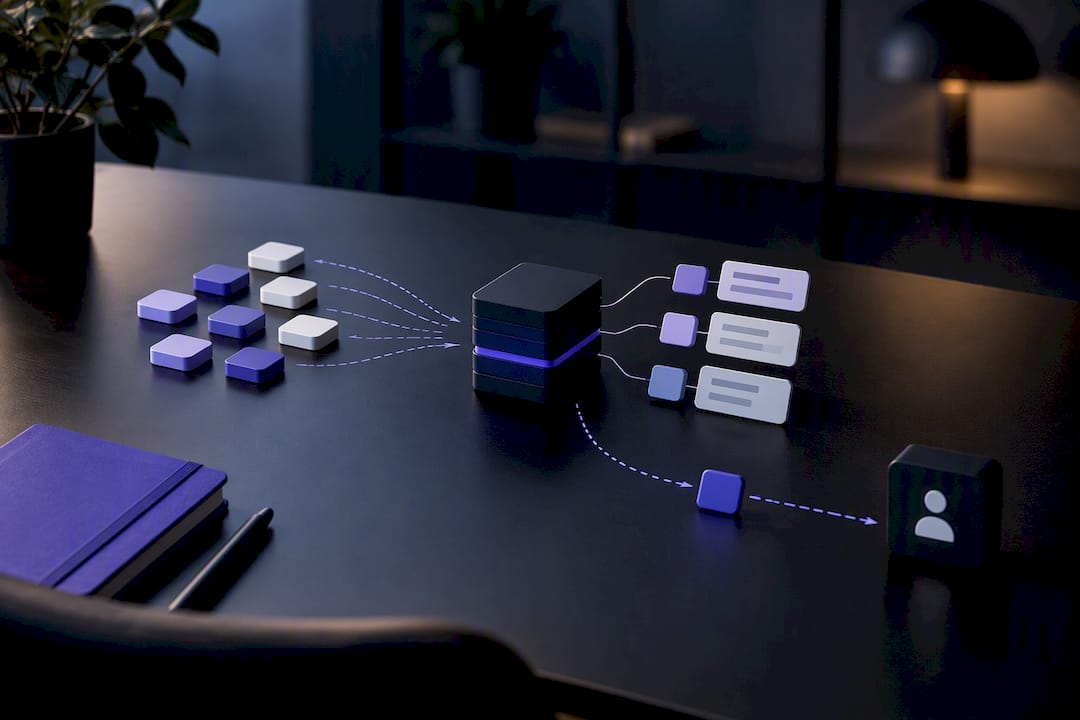
The biggest mistake nontechnical teams make isn’t a design flaw. It’s uploading every document the business has ever written and hoping the bot sorts it out. A Minimum Viable Knowledge approach does the opposite: map 5 to 10 canonical Q&A pairs or pages that cover your actual launch scope, then train on exactly that.
This curation step matters because indiscriminate document dumps produce low-quality answers, a pattern well documented in chatbot planning guidance that prioritizes intent mapping over bulk uploads. Before training, prepare your content:
- Delete or update anything outdated (old prices, discontinued services, expired policies)
- Write short, canonical answers instead of pasting entire policy documents
- Tag sensitive topics (billing disputes, medical questions, complaints) for automatic escalation to a human
You’ll also run into a choice between retrieval-augmented generation (RAG), which pulls from your indexed documents, and simple indexing for a smaller, more static knowledge base. DBB Software’s analysis of RAG trade-offs notes that RAG works well for many setups, but tool-augmented generation or direct connectors avoid stale answers when your data changes often, like live inventory or shifting appointment slots.
Quick planning checklist: map your top 5 to 10 intents, write one canonical answer per intent, tag anything that needs a human, and set at least one clear escalation trigger (a repeated “I don’t understand” or a flagged keyword like “refund”).
Where to Deploy: Embedding and Connecting the Bot
Where you place the bot shapes how people use it. A corner widget works for general site support, a popup suits a specific landing page promotion, a full-page experience fits a dedicated support hub, and a plugin (like a WordPress plugin) is the fastest route if your site already runs on a common content management system.
Common no-code connectors include:
- Calendar apps for booking and rescheduling
- Zapier for linking to hundreds of other tools without custom code
- Form tools for capturing structured lead data
- CRM systems through built-in UI connectors rather than raw API work
No-code platforms generally include these prebuilt connectors and embed snippets as standard features, which is what makes plugin installs and website embeds achievable in an afternoon. Before going live, confirm your privacy notice covers chatbot data collection, check which fields you’re actually capturing, and verify every connector (especially calendar and CRM access) is properly authorized. If the widget doesn’t appear after installing, clear your browser cache first. That resolves most placement issues, followed by checking site permissions and confirming the embed code sits outside any content blocker. A closer look at CRM integration options helps if you’re connecting to a system with multiple data fields.
How Do You Measure and Improve a No-Code Chatbot?
Four metrics tell you almost everything you need to know: containment rate (conversations the bot resolves alone), fallback rate (how often it says “I don’t understand”), task completion (did the user finish what they came for), and CSAT (satisfaction scores where available). Dashboard tools built into most no-code platforms surface these core analytics signals automatically.
Set aside 30 to 60 minutes each week to sample failed conversations, update weak answers, and tweak prompts that keep triggering fallbacks. If a question about “return policy” keeps failing because customers phrase it as “can I send this back,” add that phrasing directly to your training data. That’s the whole fix.
| Signal | What it tells you | Action |
|---|---|---|
| High fallback rate | Bot doesn’t understand common phrasing | Add rephrased training examples |
| Low task completion | Flow has a confusing step or dead end | Simplify the flow, add a shortcut button |
| Low CSAT on specific topics | Answer quality or tone mismatch | Rewrite the canonical answer |
Reserve outside help for advanced needs like conversion attribution tied to ad spend or cross-channel analytics; those go beyond what a weekly review can catch. A dedicated look at chatbot analytics metrics can help you decide which dashboard views actually matter for your business.
What I’ve Learned Watching Nontechnical Teams Launch Bots
The pattern is remarkably consistent: teams that overscope their first bot (trying to cover twenty topics instead of five) ship late and get worse results than teams that started narrow. Skipping MVK planning is the second most common mistake, closely followed by never checking analytics after launch. The fix is almost boring in its simplicity: start with a template, prioritize one high-value task like lead capture or scheduling, and check your fallback rate in week one. Live supervision during those first days catches problems fast, and it’s the difference between a bot that improves and one that quietly frustrates customers for months.
— Alex
Launch Your Custom Chatbot With Monobot’s No-Code Tools
Monobot is the direct path to a working, branded chatbot when you don’t want to hire a developer or wait weeks for an agency build. The platform’s no-code flow builder, industry templates, and live agent supervision are built specifically for teams that need a bot running this week, not next quarter.

Start by browsing the ready-to-use templates for your industry, since most nontechnical users find a close match that only needs branding and a welcome message tweak. Run your MVK checklist against the AI agent builder to map your five core tasks, then check the dashboard analytics once you’re live to catch fallback issues in week one. Pricing runs from the Starter plan at $200 per month, scaling up through Growth at $500 per month and Business at $1,000 per month, with no hidden fees layered on top. If you’re ready to see it running on your own site, request a walkthrough of the pricing and plans page today.
Sources
- What Is Chatbot Design? | IBM
- How to Create a Chatbot | Microsoft Copilot
- Custom AI Chatbot Development Guide | DBB Software
FAQ
Can I Create a Chatbot Without Coding?
Yes. No-code builders let you set branding, write conversation flows, train the bot on your own content, and deploy it to your website entirely through a visual interface. Platforms like Monobot are built around this exact workflow, with templates that remove even more of the setup work.
Are AI Chatbots Illegal?
No, AI chatbots are legal for customer service, sales, and support use across most industries. Specific rules apply in regulated sectors like healthcare, where handling protected health information requires HIPAA-compliant setup rather than a general-purpose bot.
How Do I Make My Own Custom Chatbot?
Start by picking a template close to your industry, then set your branding, write your welcome message, and build 3 to 5 core conversation flows using a Minimum Viable Knowledge approach. Test everything in a sandbox before adding the embed snippet to your live website.
Can You Legally Marry a Chatbot?
No. Marriage requires a human legal spouse under the law in every U.S. state, and a chatbot doesn’t meet the legal definition of a person capable of entering a marriage contract. This question sometimes comes up around AI companion apps, but it has no bearing on business chatbot deployment.