


An omnichannel chatbot is a conversational platform that keeps a single, continuous customer conversation alive across web chat, mobile apps, messaging, and voice. Instead of forcing customers to repeat themselves when they switch channels, the bot carries context forward automatically, which is the primary business benefit: consistent answers, no repetition, and support that scales without adding headcount. Some platforms build this continuity directly into their agent architecture.
TL;DR:
- Effective omnichannel chatbots rely on a unified customer record to maintain context across channels, enabling seamless conversation continuity.
- Architecture layers such as channel adapters, state management, and middleware ensure reliable message routing, session retention, and human handoff capabilities.
- Deployments work best when starting with high-volume, predictable use cases and mapping integrations before expanding channels and conversational complexity.
- Real operational value comes from automation of routine tasks, faster response times, and improved customer satisfaction metrics like CSAT and deflection rates.
- Successful implementation depends on fixing data and system integrations first, then gradually scaling channels while monitoring measurable KPIs.
Table of Contents
- How Does an Omnichannel Chatbot Retain Context Across Channels?
- What Are the Main Types of Chatbots?
- Which Features and Benefits Actually Move the Needle?
- Which Channels and Integrations Actually Matter?
- Where Do Omnichannel Chatbots Deliver the Clearest ROI?
- How Should You Deploy an Omnichannel Chatbot?
- What Does Real-World Omnichannel Deployment Look Like?
- Where Should Leaders Focus First When Adopting This Technology?
- Getting Started With Monobot’s Omnichannel Platform
- Sources
- FAQ
How Does an Omnichannel Chatbot Retain Context Across Channels?
The mechanism behind that continuity is a unified customer record. Every interaction, whether it starts on your website’s chat widget or continues over WhatsApp, writes back to one session store tied to a single customer identity. That’s the technical difference between “omnichannel” and simple “multichannel” deployments that just bolt a bot onto several channels without connecting the data behind them. A unified customer record is what lets a conversation that started in the morning on mobile pick up seamlessly on a desktop chat that evening.
Three architectural layers make this work in practice:
- Channel adapters: lightweight connectors that translate each platform’s message format (SMS, Facebook Messenger, voice transcripts) into a common internal event structure.
- State management: a session layer that tracks where the customer is in a given task, what they’ve already said, and what the bot still needs to ask.
- Middleware and API integration: the connective tissue that routes intents to the right backend system, whether that’s a CRM lookup or an order-status API call.
Adapter patterns are well established in the broader chat industry. Chat SDK documentation describes how a single bot codebase can run across multiple platforms through adapters, so engineering teams write conversation logic once instead of rebuilding it for every channel. That reduces long-term maintenance load considerably, since a change to a return policy flow only has to happen in one place.
Context stitching also has to account for human handoff. When a bot escalates a complex billing dispute to a live agent, the agent needs the full transcript, not a summary starting from scratch. Systems built for this pass structured session data, including sentiment signals and prior resolution attempts, directly into the agent’s console.
Reliability matters more than most teams expect going in. Message ordering can break when a customer sends a follow-up on WhatsApp before the bot’s first reply confirms delivery. Deduplication logic prevents the bot from answering the same question twice if a network retry duplicates a message. None of this is visible to the customer when it works, and all of it is obvious to the customer when it doesn’t.
Pro Tip: Ask any vendor how session state survives a channel switch mid conversation, not just at the start of a new one. That single question exposes whether the architecture is genuinely omnichannel or just multichannel with a shared login.
What Are the Main Types of Chatbots?
Not every business problem needs the same kind of bot. The right choice depends on how predictable the conversation is and how much the customer expects back and forth.
- Menu and rule-based bots. These follow decision trees: “Press 1 for billing, 2 for support.” They work well for narrow, repeatable flows like checking order status or resetting a password, where the range of possible questions is small and fixed.
- NLU and intent-driven bots. Natural language understanding models classify what a customer means even when they phrase it differently each time. This is the workhorse tier for scaled customer support, handling dozens of common intents without needing exact keyword matches.
- Generative and LLM-backed assistants. These handle open-ended, multi-turn questions that don’t map cleanly to a predefined intent, like a customer asking a nuanced product comparison question or troubleshooting an unusual technical issue. They’re more flexible but need tighter guardrails around accuracy and brand tone.
- Voice agents integrated with IVR. Voice adds a layer rule-based and NLU bots both need: speech recognition and natural-sounding text-to-speech, plus integration with existing IVR menus so a caller can move from an automated flow to a live agent without dialing back in.
Most mature deployments end up running a blend of expert virtual assistants that combine rule-based flows, NLU, and generative capabilities. A retailer might use rule-based flows for tracking shipments, NLU for general support questions, and a generative layer for complex product advice, all inside the same customer conversation. Gartner has predicted that chatbots will become a primary customer service channel within a few years of that forecast, which makes picking the right mix now, rather than later, a genuine competitive question.
Which Features and Benefits Actually Move the Needle?
A lot of chatbot feature lists read like marketing copy. Here’s the shorter, vendor-neutral version of what actually matters when you’re evaluating a platform.
Context and personalization:
- Session stitching that survives a channel switch without the customer repeating themselves
- Personalization based on purchase history, past tickets, or account tier
- Sentiment detection that flags a frustrated customer for faster escalation
Integration depth:
- Direct connections to CRM systems so agent notes and bot transcripts live in one place
- Ticketing integration so unresolved issues route automatically to the right queue
- A connected knowledge base so answers stay accurate as policies change
Conversation intelligence and reporting:
- Dashboards tracking customer satisfaction (CSAT), containment or deflection rate, and average handle time (AHT)
- Trend analysis that surfaces recurring complaint categories before they become a pattern worth escalating to product teams
The operational payoff of getting these right is measurable, not theoretical. Omnichannel support lets agents see prior interactions across every touchpoint, which cuts the repetition that drives down customer satisfaction scores. That consistency compounds with speed.
Faster responses correlate directly with satisfaction. Response time has a measurable effect on how customers rate their experience, which is exactly why 24/7 automated coverage tends to outperform business-hours-only support on CSAT, even when the underlying resolution quality is similar. A bot that answers instantly at 2 a.m. is solving a satisfaction problem a human night shift usually can’t solve cost effectively.
The operational benefits stack from there: reduced cost per contact as automation absorbs repetitive volume, faster resolution on simple requests, and freed-up agent time for the complex cases that actually need a human. Platforms with built-in dashboard analytics make it possible to see which of these gains are real versus assumed, week over week.
Which Channels and Integrations Actually Matter?
Channel choice should follow the customer’s journey stage, not internal preference for one platform over another. Discovery-stage questions (“does this fit my use case?”) fit naturally into web chat, where a prospect is already browsing. Status updates and reminders fit messaging apps like SMS and WhatsApp, where customers expect a quick asynchronous ping rather than a live session. Complex resolution, like disputing a charge or navigating a policy exception, still tends to convert better over voice, where nuance and tone carry real weight.
The integration side is where most projects either succeed quietly or fail loudly:
- Adapters at the API level connect each channel’s native message format to your bot’s core logic, the same pattern Chat SDK’s adapter architecture documents for multi-platform deployments.
- Data mapping to one customer record keeps a WhatsApp conversation and a web chat session tied to the same profile instead of creating duplicate, disconnected histories.
- Privacy controls need to be built in at the integration layer, not bolted on afterward, particularly for any channel handling payment details or personal health information. Review guidance like Google’s privacy policy as a baseline for how platform-level data handling expectations are typically structured.
- Multi-language support adds complexity worth planning for early, especially for global brands managing several storefronts or support regions; localization frameworks used in web content, like those from WPML, illustrate the kind of language-handling groundwork conversational platforms need too.
The most common failure mode here has a name: channel-stuffing. Teams add WhatsApp, Instagram, and SMS support in the same quarter without updating the backend data model or the escalation rules behind them. The result is inconsistent metadata, missed handoffs, and a customer who gets a completely different answer on Instagram than they got on the website an hour earlier. Adding channels without the infrastructure to support them tends to degrade the experience rather than improve it, which is the opposite of what most teams are trying to achieve when they expand channel count.
Where Do Omnichannel Chatbots Deliver the Clearest ROI?
Value shows up differently depending on the industry, but the underlying pattern is consistent: automate the repetitive, escalate the exceptional.
- Retail: order tracking, return initiation, and product recommendations based on browsing or purchase history let customers self-serve the majority of pre- and post-purchase questions without waiting in a queue.
- Healthcare: appointment booking and pre-visit triage questions (symptoms, insurance verification) are common automated flows, but they require careful handling of protected health information and clear boundaries around what the bot can and cannot advise on clinically. Provider systems generally treat scheduling and triage as separate, tightly scoped flows rather than one open-ended conversation.
- SaaS: onboarding walkthroughs, billing questions, and feature guidance reduce support ticket volume during the highest-friction period of a customer’s lifecycle, the first 30 to 90 days.
- BPO and contact centers: deflection of routine calls, real-time agent assist during live conversations, and automated quality scoring across thousands of interactions let a fixed headcount handle a growing conversation volume. Real-world BPO chat automation examples show how this plays out when deflection and agent assist run side by side.
The common thread across every vertical is that the bot isn’t replacing judgment, it’s absorbing volume so human judgment gets spent where it’s actually needed.
How Should You Deploy an Omnichannel Chatbot?
A pilot that skips steps almost always resurfaces the skipped work later, usually at a worse time. Following a fixed sequence keeps that from happening.
- Define use cases, success metrics, and target channels first. Pick two or three high-volume, well-understood workflows (order status, appointment reminders, basic billing questions) rather than trying to automate everything at once.
- Inventory every integration you’ll need before writing conversation flows. That means CRM, ticketing, and knowledge base connections mapped out with clear data ownership, not discovered mid-build.
- Build the conversation flows themselves, including escalation rules. Every flow needs a defined exit point to a human agent, with the full context passed along, not just a “sorry, I can’t help with that” dead end.
- Pilot with a limited audience or channel subset, then measure CSAT, deflection rate, average handle time, and overall automation rate before expanding.
- Iterate based on what the data actually shows, then scale channel by channel rather than launching everywhere simultaneously.
Comparing automated deflection against traditional call center costs during the pilot phase gives leadership a concrete number to evaluate before committing budget to a full rollout.
Pro Tip: Run your pilot on the channel where you already have the cleanest data, not the channel your customers use most. A messy launch on your highest-traffic channel is far more visible, and far more costly to walk back, than a clean one somewhere quieter.
What Does Real-World Omnichannel Deployment Look Like?
As a Monobot contributor, I’ve seen the same pattern repeat across healthcare, banking, and logistics deployments: teams that treat integration planning as seriously as conversation design ship faster and see automation rates climb well past the pilot phase. Some platforms reflect that lesson with industry-specific templates that shortcut the setup work for common flows like appointment scheduling or order status, and deployments that go live in minutes rather than weeks.
The checklist covered above (defined use cases, mapped integrations, escalation rules, measured KPIs) maps closely to how Monobot’s no-code agent builder is structured. Teams configure flows, connect existing business systems, and monitor performance through built-in analytics rather than exporting data into a separate reporting tool. Some businesses using this kind of automation report handling a large share of inbound volume of calls and chats, often a majority, without adding headcount, freeing agents for the cases that genuinely need a human.
Where Should Leaders Focus First When Adopting This Technology?
Most failed rollouts don’t fail on conversation design. They fail on data. Chasing more channels before your CRM, ticketing, and knowledge base actually talk to each other just multiplies the places where a customer’s history goes missing. Fix the integration layer first, then expand channel by channel.
Start with your highest-volume, lowest-ambiguity use case and measure it honestly, including the cases where the bot got it wrong. That honesty is what tells you whether you’re ready for generative, open-ended flows or should stay with conservative, intent-driven logic a while longer. Voice and large language models are worth adopting when your team can already explain, in specific numbers, why the current flows fall short. Adopting them before that point usually just moves the ambiguity into a more expensive channel.
— Alex
Getting Started With Monobot’s Omnichannel Platform
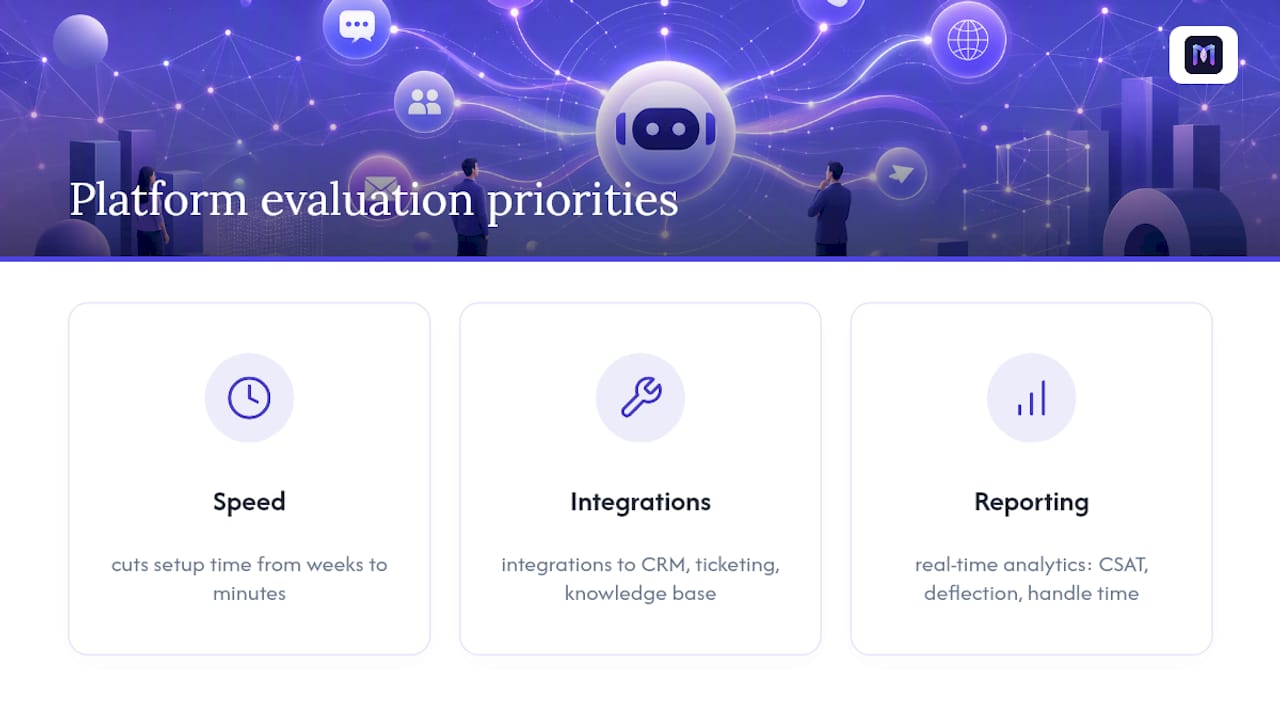
If you’re comparing conversational platforms, the priorities usually come down to three things: how fast you can get something live, how deeply it connects to systems you already run, and whether the reporting tells you the truth about performance. Some platforms are built around those three priorities specifically, not as an afterthought bolted onto a chat widget.

For IT-heavy organizations, the AI-powered IT helpdesk automates password resets, access requests, and routine troubleshooting tickets, the same deflection logic that works for customer support applied to internal support queues. For teams building customer-facing flows, the AI voice agent builder uses no-code configuration and industry-specific templates to cut setup time from weeks to minutes, with integrations to CRM, ticketing, and knowledge base systems already built in. Every conversation flows into real-time analytics, so you’re measuring CSAT, deflection, and handle time from day one instead of guessing at impact three months in.
If any of the checklist items covered in this article, defined use cases, mapped integrations, measurable KPIs, sound like where your team already is, the next step is a straightforward one: request a demo and walk through your specific channels and systems with the Monobot team directly.
Sources
The industry guidance behind this article comes from a handful of sources worth keeping on hand as you evaluate platforms:
- Multi-Channel Customer Support: 2026 Strategy Guide
- Omnichannel vs. multichannel contact center support: Turn key differences into competitive advantages | TTEC
- Chat SDK documentation
- Impact of response time on customer satisfaction | TimeToReply
FAQ
What Is an Omnichannel Chatbot?
An omnichannel chatbot is a conversational AI system that maintains one continuous customer conversation across channels like web chat, messaging apps, and voice, using a unified customer record so context carries over when a customer switches touchpoints.
What Are the Four Types of Chatbots?
The four common categories are menu or rule-based bots for simple fixed flows, NLU and intent-driven bots for scaled support, generative or LLM-backed assistants for open-ended queries, and voice agents integrated with IVR for phone-based interactions.
What Are the Best AI Chatbot Platforms for Businesses?
The right choice depends on your integration needs and deployment timeline; platforms like Monobot stand out for no-code setup, industry-specific templates, and built-in analytics that let teams launch omnichannel flows in minutes rather than weeks.
Are AI Chatbots Legal to Use for Customer Service?
Yes, AI chatbots are legal for customer service in the United States, though businesses handling sensitive data, like health information under HIPAA, must follow the relevant privacy and data-handling rules for that industry.
How Do You Measure Whether an Omnichannel Chatbot Is Working?
Track customer satisfaction (CSAT), deflection or containment rate, average handle time (AHT), and overall automation rate, then compare those numbers against your pre-launch baseline during a pilot before scaling further.